Prilixor

Implementing Circuit Breakers & Retry Policies in .NET

Modern distributed systems rarely operate in isolation. Most applications rely on external services, third-party APIs, databases, and microservices to deliver functionality. While this architecture increases flexibility and scalability, it also introduces a new challenge: network and service failures are inevitable.

Temporary outages, slow responses, or overloaded services can cascade across systems and bring down entire applications if not handled properly.

This is where resilience patterns like Retry Policies and Circuit Breakers become essential. These patterns allow .NET applications to gracefully handle failures, maintain stability, and protect downstream services.

Why Resilience Matters in Modern Applications

In distributed architectures, failures are not exceptions — they are normal operating conditions.

Examples include:

  • Temporary network interruptions
  • External APIs returning intermittent errors
  • Services becoming overloaded
  • Database latency spikes
  • Cloud infrastructure hiccups

Without resilience mechanisms, applications may repeatedly attempt failing operations, amplifying the problem and overwhelming dependent systems.

Circuit breakers and retry policies help prevent this by controlling how applications respond to failures.

Understanding Retry Policies

A retry policy automatically retries failed operations when errors occur. This is particularly useful for transient failures, which are temporary issues that often resolve themselves quickly.

Examples of transient errors include:

  • Temporary network disconnections
  • Service timeouts
  • Rate-limited requests
  • Temporary database locks

Instead of immediately failing a request, the application waits briefly and attempts the operation again.

When Retry Policies Are Useful

Retry strategies are effective when failures are temporary and recoverable.

Common use cases include:

  • Calling external APIs
  • Communicating with microservices
  • Accessing cloud resources
  • Database operations during transient load spikes

Best Practices for Retry Policies

Retry logic should be implemented carefully to avoid causing additional problems.

Key practices include:

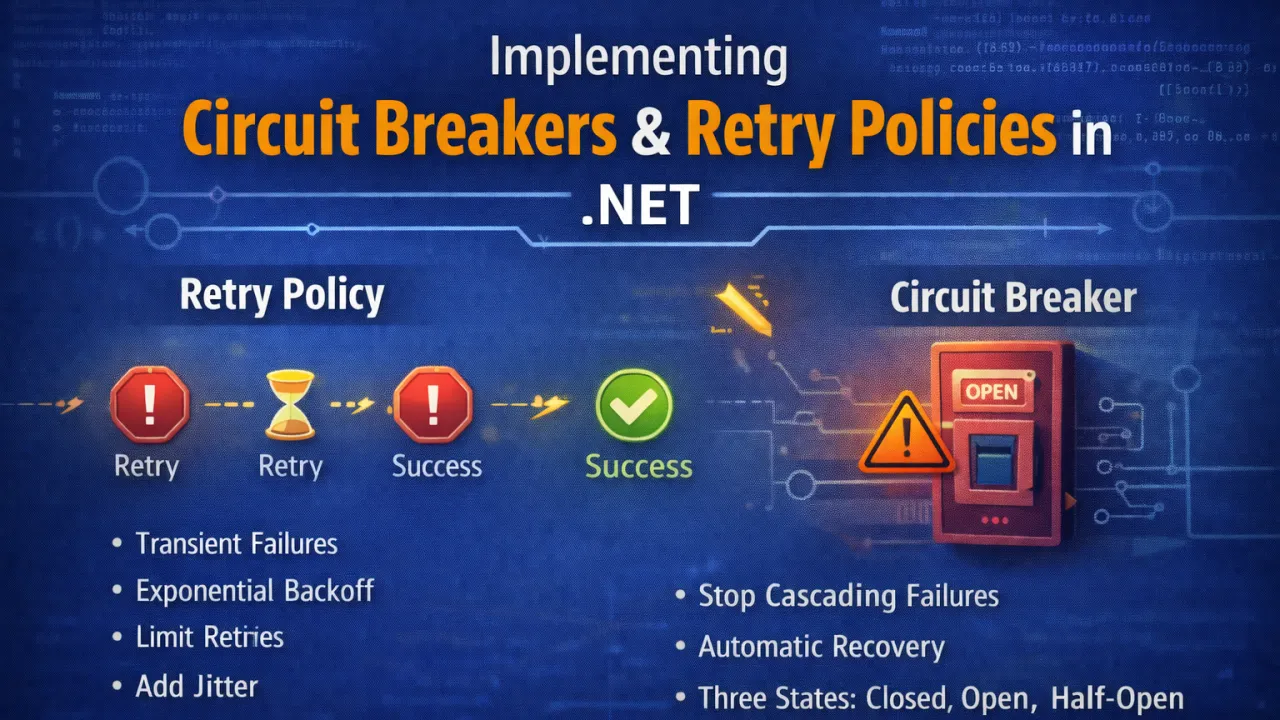
Use Exponential Backoff Each retry waits longer than the previous one to avoid overwhelming the system.

Limit Retry Attempts Avoid infinite retries that could exhaust system resources.

Add Jitter Random delays prevent multiple services from retrying simultaneously.

Retry Only for Transient Errors Permanent errors (such as invalid requests) should not trigger retries.

Understanding the Circuit Breaker Pattern

While retry policies handle temporary failures, they can worsen problems if the service being called is completely unavailable.

This is where the Circuit Breaker pattern becomes critical.

A circuit breaker acts like an electrical circuit breaker:

  • If too many failures occur, the circuit opens.
  • While open, requests fail immediately instead of attempting the call.
  • After a cooldown period, the circuit enters a half-open state to test whether the service has recovered.

The Three States of a Circuit Breaker

Closed State Requests flow normally. Failures are monitored.

Open State Requests are blocked temporarily to prevent further stress on the failing service.

Half-Open State A limited number of test requests determine whether the service has recovered.

If successful, the circuit closes again. If failures continue, it reopens.

Why Circuit Breakers Are Important

Without a circuit breaker:

  • Services continuously retry failing requests
  • System resources are wasted
  • Failures cascade across services
  • Recovery becomes slower

Circuit breakers protect both your application and the services it depends on.

Implementing Resilience in .NET with Polly

In the .NET ecosystem, the most widely used library for resilience policies is Polly.

Polly provides support for:

  • Retry policies
  • Circuit breakers
  • Timeout policies
  • Bulkhead isolation
  • Fallback strategies

Polly integrates seamlessly with HttpClientFactory in ASP.NET Core, making it easy to apply resilience policies to outgoing HTTP calls.

Example concept:

Retry → Wait → Retry again → Circuit opens if failures persist

With Polly, developers can configure retry attempts, backoff strategies, and circuit breaker thresholds with minimal effort.

Combining Retry and Circuit Breaker Policies

Retry and circuit breaker patterns work best when used together.

A typical strategy might look like this:

  1. Retry a request a few times for transient failures.
  2. If repeated failures occur, open the circuit breaker.
  3. Temporarily stop sending requests.
  4. Periodically test if the service has recovered.

This approach prevents systems from repeatedly hitting a failing dependency.

Additional Resilience Techniques

Circuit breakers and retries are part of a broader resilience toolkit.

Other useful strategies include:

Timeout Policies Prevent requests from waiting indefinitely.

Bulkhead Isolation Limit resource usage to prevent one failing component from affecting others.

Fallback Mechanisms Provide alternative responses when services fail.

Rate Limiting Protect systems from overload during traffic spikes.

Observability and Monitoring

Resilience patterns are only effective when combined with strong monitoring and observability.

Teams should monitor:

  • Retry counts
  • Circuit breaker states
  • External service response times
  • Failure rates

Tools such as Application Insights, Prometheus, Grafana, and OpenTelemetry provide valuable insights into system behavior.

Monitoring ensures teams know when circuit breakers activate and why failures occur.

Key Lessons for Building Resilient .NET Applications

To implement effective resilience strategies:

  • Use retry policies for transient failures • Apply circuit breakers to prevent cascading failures • Combine retries with exponential backoff and jitter • Limit retry attempts to avoid resource exhaustion • Monitor circuit breaker behavior with observability tools • Protect critical resources with bulkhead isolation

Final Thoughts

In distributed systems, failures are not rare events — they are expected conditions.

Applications that assume everything will always work eventually face cascading failures and system outages.

By implementing retry policies and circuit breakers, .NET applications become more resilient, stable, and capable of handling real-world conditions.

These patterns don’t eliminate failures — but they ensure failures don’t bring down the entire system.

Resilience is no longer optional. It’s a fundamental requirement for modern, scalable software architectures.

Why Most .NET APIs Fail Under Load (And How to Fix It)

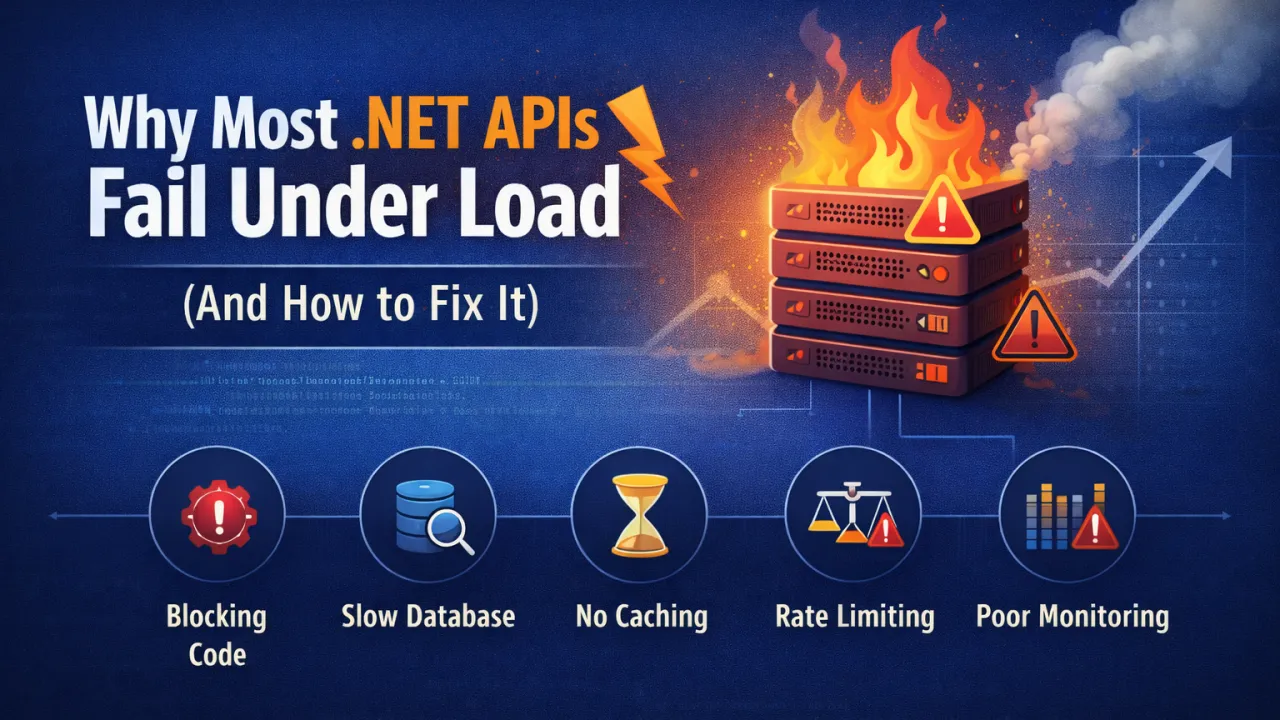
Modern applications depend heavily on APIs. Whether it's mobile apps, web platforms, or microservices, APIs are the backbone that connects systems and delivers data to users in real time. ASP.NET Core APIs are known for their performance and reliability, but many production APIs still struggle when traffic increases.

APIs that perform perfectly during development can suddenly become slow, unstable, or even crash when exposed to real-world load. The reason is rarely the framework itself — it’s usually architectural or implementation issues that surface only under pressure.

Understanding why APIs fail under load is the first step toward building systems that scale smoothly.

1. Blocking Operations Instead of Asynchronous Code

One of the most common performance problems in .NET APIs is blocking I/O operations. When APIs perform database calls, file operations, or external HTTP requests synchronously, they block threads in the thread pool.

Under heavy load, this leads to thread starvation, where new requests have to wait because all threads are occupied.

Why This Happens

Synchronous code forces the server to wait for I/O operations to finish before moving on to other requests.

How to Fix It

Use asynchronous programming throughout the request pipeline.

Best Practices

  • Use async/await for all database and network calls.
  • Avoid .Result and .Wait() in ASP.NET code.
  • Use asynchronous database libraries such as Entity Framework Core async methods.

Example:

await _dbContext.Users.ToListAsync();

Asynchronous processing allows the server to handle more concurrent requests without exhausting resources.

2. Inefficient Database Queries

Databases are often the biggest bottleneck in API performance. Poor queries or inefficient data access patterns can slow down the entire system.

Common problems include:

  • N+1 query issues
  • Loading unnecessary data
  • Missing database indexes
  • Large joins on high-traffic tables

How to Fix It

Optimize data access and reduce database load.

Best Practices

  • Use projections (Select) instead of returning full entities.
  • Implement proper database indexing.
  • Use pagination for large datasets.
  • Cache frequently accessed data.

Example:

Instead of:

_dbContext.Products.ToList()

Use:

_dbContext.Products.Select(p => new { p.Id, p.Name })

Reducing database load dramatically improves API performance under traffic.

3. Lack of Caching

If every request triggers expensive database queries or external API calls, performance will degrade quickly under load.

Caching allows APIs to reuse previously computed results instead of recalculating them repeatedly.

Types of Caching

  • In-memory caching
  • Distributed caching (Redis)
  • Response caching
  • CDN caching

Best Practices

  • Cache frequently requested data such as configuration or lookup tables.
  • Use distributed caches like Redis in distributed environments.
  • Apply cache expiration policies carefully.

Caching can reduce backend load by orders of magnitude.

4. Poor Connection Management

APIs often communicate with databases, message brokers, and external services. Poor connection handling can create bottlenecks.

Common issues include:

  • Opening new connections for every request
  • Not reusing HTTP clients
  • Exhausting connection pools

How to Fix It

Use connection pooling and efficient client management.

Best Practices

  • Use IHttpClientFactory instead of creating new HttpClient instances.
  • Configure database connection pools properly.
  • Monitor connection limits.

Efficient connection management ensures APIs remain stable during traffic spikes.

5. Large Payloads and Serialization Overhead

APIs that return large JSON responses consume more CPU and network bandwidth. Under load, serialization overhead can significantly reduce performance.

Common Causes

  • Returning entire database entities
  • Excessive nested objects
  • Large response payloads

Best Practices

  • Return only required fields.
  • Use DTOs instead of full domain models.
  • Compress responses with gzip or Brotli.

Smaller responses improve both server performance and client responsiveness.

6. Missing Rate Limiting and Throttling

Without rate limiting, APIs become vulnerable to abuse or unexpected traffic spikes. A sudden flood of requests can overwhelm the system.

How to Fix It

Implement rate limiting to control request volume.

Best Practices

  • Limit requests per IP or API key.
  • Use API gateways or middleware for throttling.
  • Apply different limits for public and internal APIs.

Rate limiting protects infrastructure from overload and ensures fair resource usage.

7. Lack of Observability and Monitoring

Many APIs fail under load simply because teams cannot see what is happening inside the system.

Without proper monitoring, it’s impossible to identify bottlenecks.

Best Practices

Implement full observability.

Tools include:

  • Application Insights
  • Prometheus
  • Grafana
  • OpenTelemetry
  • ELK Stack

Key metrics to monitor:

  • Response time
  • Request throughput
  • Error rate
  • Database query time
  • CPU and memory usage

Observability allows teams to detect problems before users experience them.

8. Inefficient Dependency Injection and Service Design

Poor service design can also degrade performance. Deep dependency graphs, unnecessary abstractions, and inefficient lifetimes can slow request processing.

Best Practices

  • Keep service layers simple.
  • Avoid unnecessary dependency chains.
  • Use correct service lifetimes (Transient, Scoped, Singleton).
  • Avoid heavy work inside constructors.

Well-designed services reduce overhead and improve system efficiency.

Key Lessons for Building High-Performance APIs

To ensure your .NET APIs perform well under load:

  • Use asynchronous programming for I/O operations • Optimize database queries and indexing • Implement caching for frequently accessed data • Manage connections efficiently • Reduce payload size and serialization costs • Apply rate limiting and request throttling • Monitor performance with proper observability tools • Design services with simplicity and efficiency

Final Thoughts

Most .NET APIs don’t fail because of the framework — ASP.NET Core is extremely fast and capable. Failures usually come from architectural decisions that don’t hold up when traffic grows.

Building scalable APIs requires thinking about performance from the beginning, not as a last-minute optimization.

When APIs are designed with async processing, efficient data access, caching strategies, and strong monitoring, they can handle millions of requests reliably and consistently.

Performance isn’t just about speed — it’s about building systems that remain stable when demand grows.

Observability in .NET Using OpenTelemetry (Logs, Traces, Metrics)

In modern distributed systems, performance problems rarely announce themselves clearly. A slow request might be caused by a downstream service, a database bottleneck, thread starvation, memory pressure, or network latency. Without proper visibility, diagnosing such issues becomes guesswork.

This is where observability becomes essential.

Observability is not just logging. It is the ability to understand what your system is doing internally by analyzing three core signals: logs, traces, and metrics. In the .NET ecosystem, OpenTelemetry has become the standard approach for implementing unified observability across services.

Why Observability Matters in Distributed .NET Systems

As applications evolve into microservices and cloud-native architectures, traditional debugging methods no longer work. You cannot simply attach a debugger in production. Failures span multiple services, and performance degradation often occurs under load.

Observability enables you to:

  • Identify latency bottlenecks • Trace request flow across services • Detect abnormal memory or CPU patterns • Monitor error rates and failure spikes • Correlate issues across distributed components

Without observability, scaling safely becomes nearly impossible.

The Three Pillars: Logs, Traces, Metrics

1️ Logs

Logs provide detailed event-level information. They capture application behavior, warnings, errors, and contextual data. Structured logging is critical — plain text logs limit analysis capabilities.

2️ Traces

Traces follow a request’s journey across multiple services. In distributed .NET systems, a single HTTP request may trigger database queries, external API calls, and background jobs. Distributed tracing connects these operations under a shared correlation ID.

3️ Metrics

Metrics provide aggregated numerical insights over time. Examples include request duration, CPU usage, memory consumption, GC collections, and request-per-second counts. Metrics help detect trends and anomalies quickly.

Each signal answers a different question:

  • Logs explain what happened
  • Traces show where it happened
  • Metrics reveal how often and how severe

Together, they provide full visibility.

OpenTelemetry in .NET

OpenTelemetry standardizes how telemetry data is collected and exported. Instead of using disconnected monitoring tools, developers can instrument applications once and export data to multiple observability platforms.

In .NET, OpenTelemetry integrates seamlessly with:

  • ASP.NET Core request pipelines • HttpClient calls • Database operations • Background services • Custom application logic

It allows automatic instrumentation while also supporting manual tracing for critical operations.

This unified model reduces vendor lock-in and promotes consistent monitoring practices across services.

Best Practices for Production Observability

Simply enabling logging is not enough. Production-ready observability requires discipline:

  • Use structured logging with contextual properties • Ensure trace propagation across service boundaries • Monitor high-value metrics like P95 latency and error rates • Avoid excessive log verbosity in high-traffic systems • Set alerts based on meaningful thresholds • Continuously review telemetry under load

Observability should be proactive, not reactive.

The Strategic Advantage

Teams that implement strong observability resolve incidents faster, scale more confidently, and maintain higher reliability. Instead of reacting blindly to production issues, they rely on measurable system signals.

In modern .NET architecture, observability is not an optional enhancement. It is a foundational requirement for building resilient, high-performance distributed systems.

You cannot optimize what you cannot measure. And you cannot measure what you cannot observe.

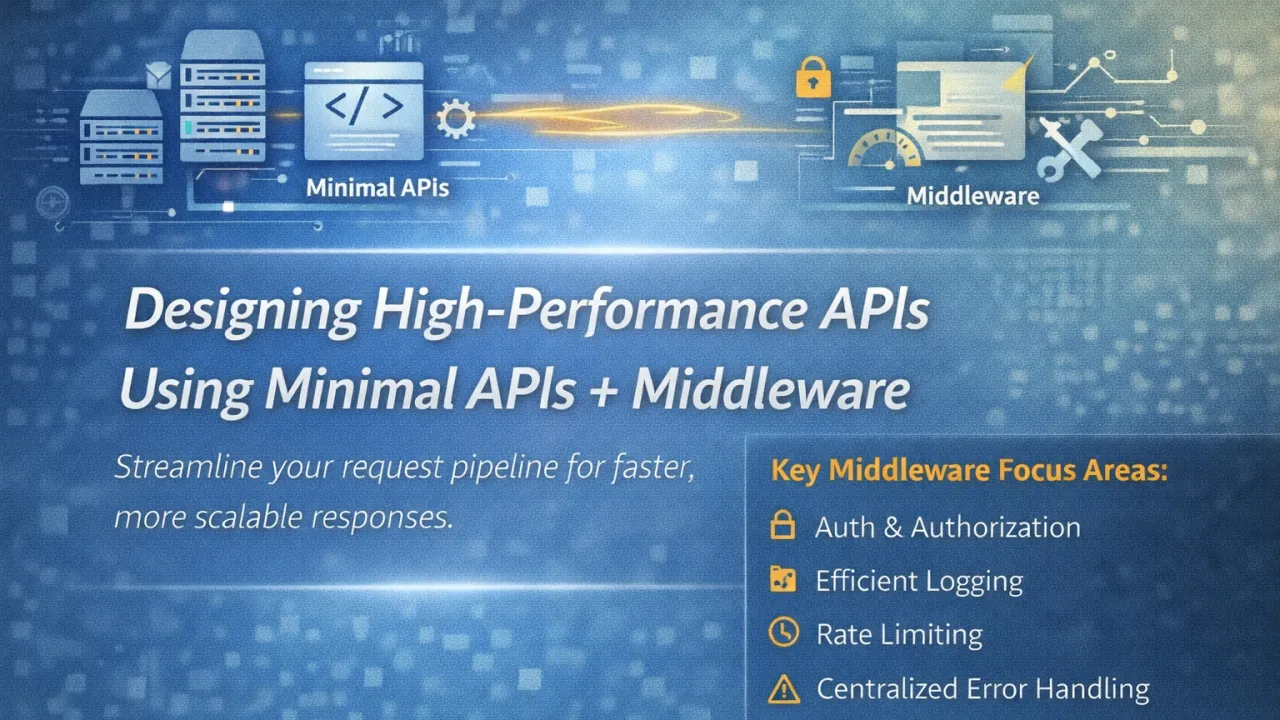
Designing High-Performance APIs Using Minimal APIs + Middleware

High-performance APIs are not built by accident. They are engineered by intentionally reducing overhead, controlling allocations, optimizing the request pipeline, and eliminating unnecessary abstractions. In modern .NET, one of the most effective ways to achieve this is by combining Minimal APIs with a carefully designed middleware pipeline.

Performance problems in APIs rarely come from business logic alone. They often originate in the framework layers, request handling flow, serialization, blocking calls, and inefficient cross-cutting implementations. The more layers a request passes through, the more overhead accumulates. When traffic scales, those small inefficiencies multiply dramatically.

Minimal APIs were introduced to reduce that structural overhead.

Why Minimal APIs Improve Performance

Traditional controller-based architectures provide structure and flexibility, but they also introduce additional abstractions such as model binding layers, controller instantiation, filters, and attribute routing logic. While these are useful in large enterprise applications, high-throughput APIs benefit from a slimmer execution path.

Minimal APIs simplify endpoint definition by:

  • Reducing reflection-heavy patterns • Minimizing middleware branching complexity • Cutting down unnecessary object instantiations • Improving startup performance • Shortening request-to-response execution flow

By defining endpoints directly in the application pipeline, developers gain tighter control over how requests are handled. Fewer abstractions mean fewer allocations and faster execution — especially under high concurrency.

However, Minimal APIs are not a silver bullet. The real performance advantage emerges when combined with well-architected middleware.

Middleware: The Performance Gatekeeper

Middleware forms the backbone of the HTTP request pipeline. Every request flows through it. That means middleware design directly impacts:

  • Latency • Throughput • Memory allocation • Thread utilization • CPU consumption

Poorly written middleware can become the primary bottleneck in high-traffic APIs.

In high-performance systems, middleware should be lightweight and focused strictly on cross-cutting concerns, such as:

  • Authentication and authorization • Global exception handling • Request logging (optimized and structured) • Rate limiting • Response compression • Caching • Correlation IDs and tracing

Middleware should never execute heavy business logic or long-running operations. Blocking I/O inside middleware defeats the purpose of a high-performance pipeline.

Eliminating Hidden Bottlenecks

To truly design high-performance APIs, attention must go beyond endpoint definitions.

Key considerations include:

1️ Asynchronous Everything

All I/O-bound operations (database calls, HTTP calls, file access) must be asynchronous. Blocking threads reduces scalability and increases thread pool pressure.

2️ Minimize Allocations

High allocation rates increase garbage collection frequency. Use efficient serialization strategies, reuse objects when possible, and avoid unnecessary temporary allocations in hot paths.

3️ Optimize Serialization

JSON serialization can become a performance bottleneck in large APIs. Controlling payload size, avoiding excessive nesting, and using efficient serialization settings can significantly improve response times.

4️ Control Middleware Order

Middleware execution order matters. Placing expensive middleware early in the pipeline affects every request, even those that may not require it.

5️ Measure Under Load

Performance should never be assumed. Benchmarking, stress testing, and observing metrics like allocation rate, request latency (P95/P99), and CPU utilization provide real insight into scalability.

Designing for Throughput and Scalability

When Minimal APIs and middleware are combined strategically, the result is a streamlined request pipeline optimized for:

  • Lower latency • Higher requests per second (RPS) • Reduced memory footprint • Faster startup time • Better cloud scalability

In containerized and cloud-native environments, these improvements directly translate into cost efficiency and better horizontal scaling behavior.

High-performance API design is not about removing structure — it is about removing unnecessary complexity. It is about understanding how each request flows through the system and eliminating friction at every stage.

The Real Mindset Shift

Modern API performance is pipeline-driven. It is no longer enough to optimize business logic while ignoring infrastructure layers. The request pipeline itself must be engineered for speed.

Minimal APIs provide control. Middleware provides structure. Together, they enable precision in performance design.

In high-traffic systems, every millisecond matters. Every allocation matters. Every blocking call matters.

Performance is not something you add later. It is something you design from the first line of code.

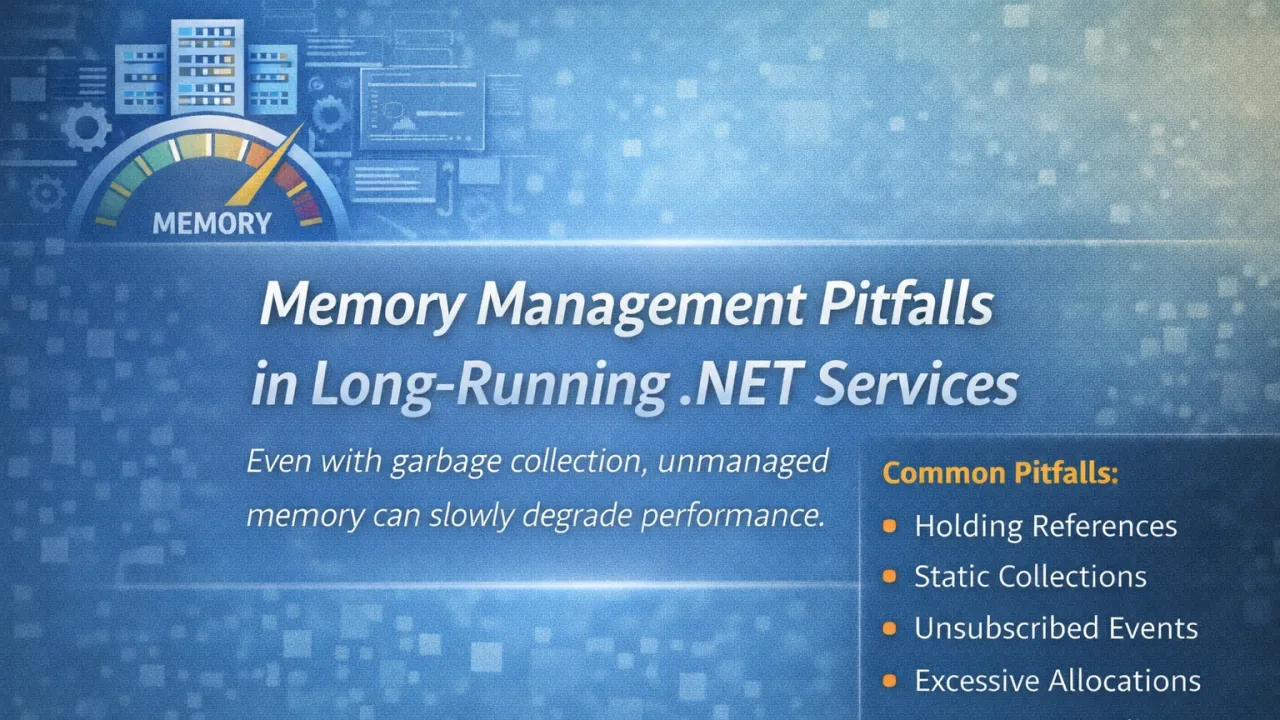
Memory Management Pitfalls in Long-Running .NET Services

Long-running .NET services — background workers, hosted services, APIs, microservices, Windows services — rarely fail on day one. They fail after weeks or months in production. The reason is often not logic errors, but memory behavior.

Memory leaks in managed environments are subtle. Just because .NET has a Garbage Collector doesn’t mean memory problems disappear. In fact, in long-running systems, poor memory discipline slowly degrades performance, increases GC pressure, and eventually impacts stability.

The most dangerous issues are not obvious crashes — they are gradual resource exhaustion.

Common Memory Pitfalls in Long-Running Services

Even well-written applications can suffer from:

  • Holding references longer than necessary • Static collections that grow indefinitely • Event handlers not being unsubscribed • Caching without eviction policies • Large object heap (LOH) fragmentation • Excessive allocations in high-frequency code paths • Improper use of HttpClient or database connections

These issues don’t break immediately. They accumulate.

Garbage Collection Is Not a Safety Net

The .NET Garbage Collector is highly optimized, but it cannot collect objects that are still referenced. If your service unintentionally keeps references alive, memory usage will continuously grow.

High allocation rates also increase GC frequency. That leads to:

  • Increased CPU usage • Latency spikes • Throughput reduction • Performance instability under load

In high-traffic or always-on services, allocation patterns matter more than most developers realize.

The Large Object Heap Problem

Objects larger than 85KB go to the Large Object Heap. Frequent allocation of large objects — such as big JSON payloads, images, or in-memory buffers — can fragment memory and increase full GC cycles.

LOH fragmentation in long-running systems often results in unpredictable pauses and degraded performance over time.

Defensive Memory Practices

To prevent long-term degradation, production-grade .NET services should focus on:

  • Limiting object allocations in hot paths • Using object pooling where appropriate • Implementing proper cache eviction policies • Avoiding unbounded in-memory collections • Monitoring memory metrics continuously • Profiling allocation patterns under load

Memory management should be measured, not assumed.

Observability Is Essential

If your service runs 24/7, you must monitor:

  • Working set size • GC collections (Gen 0, 1, 2) • Allocation rate • LOH size • CPU usage during GC

Without visibility, memory leaks remain hidden until production incidents occur.

The Real Risk

Long-running .NET services don’t typically fail because of syntax errors. They fail because small inefficiencies compound over time.

Memory management is not just about preventing leaks. It’s about sustaining performance for weeks, months, and years without degradation.

In modern backend architecture, stability is measured over time — not just under initial load tests.

If your service has been running smoothly for months, that’s not luck. That’s disciplined memory engineering.

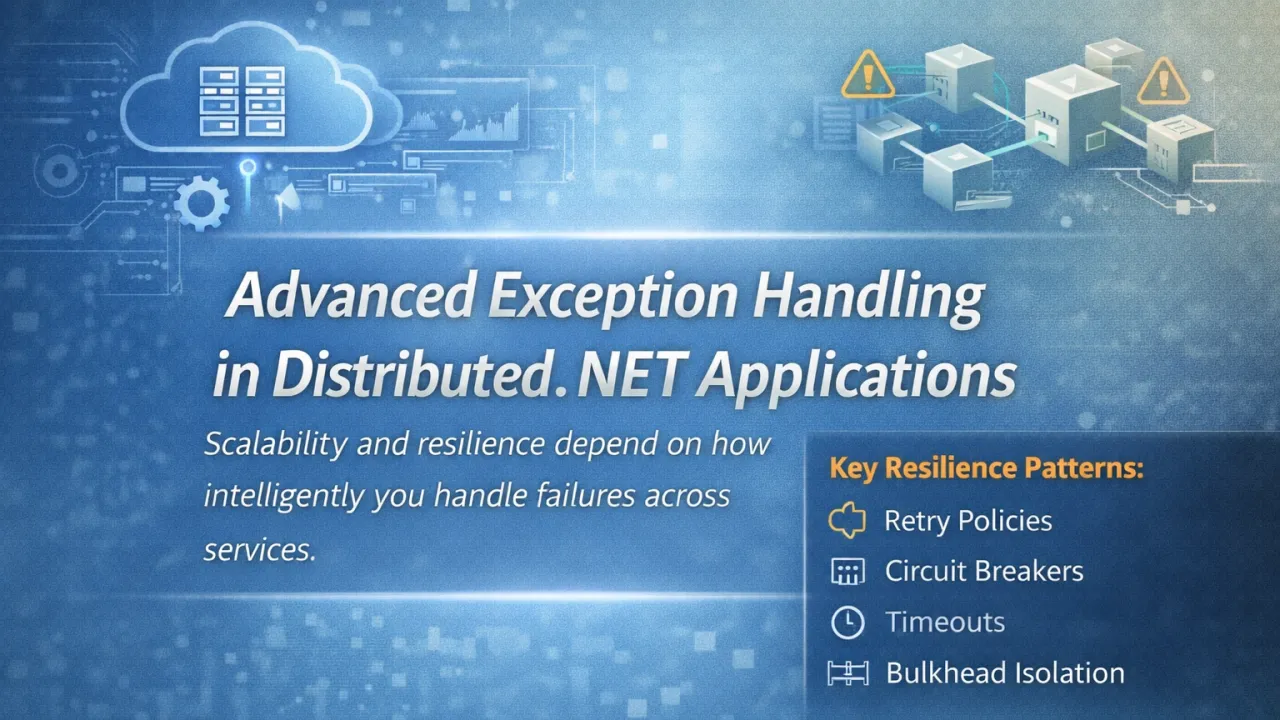
Advanced Exception Handling in Distributed .NET Applications

In distributed .NET systems, exception handling is no longer just about catching errors — it’s about protecting system stability. When applications span APIs, background workers, databases, queues, and third-party services, failures don’t remain isolated. They ripple across services. The real question is not if failure will happen, but how intelligently your system responds when it does.

Traditional try-catch patterns are insufficient in distributed environments. Logging an error and returning HTTP 500 may work in simple systems, but at scale, this approach creates cascading failures, thread exhaustion, and degraded user experience. Advanced exception handling requires structured decision-making.

In production-grade .NET applications, you must clearly differentiate between:

  • Validation errors (client-side issues)
  • Business rule violations
  • Transient infrastructure failures (timeouts, network glitches)
  • Critical system faults

Each category demands a different strategy. Treating all exceptions equally leads to over-retries, unnecessary crashes, or hidden instability.

Resilience patterns become essential in distributed architecture. Instead of reacting to failures, systems should contain them using:

  • Retry policies with exponential backoff
  • Circuit breakers to prevent cascading failures
  • Timeouts to protect threads
  • Bulkhead isolation to limit failure impact
  • Fallback mechanisms for graceful degradation

These patterns transform exception handling from defensive coding into reliability engineering.

Observability also plays a central role. In multi-service environments, debugging without context is nearly impossible. Strong exception strategies include:

  • Correlation IDs across services
  • Structured logging
  • Distributed tracing
  • Enriched exception metadata

Without visibility, resilience cannot be measured or improved.

One of the most dangerous anti-patterns is swallowing exceptions silently. Catching and ignoring errors hides systemic weaknesses and delays detection. Every exception should either be handled meaningfully, translated into domain-specific responses, or rethrown with additional context. Silent failures are far more damaging than visible ones.

Ultimately, advanced exception handling in distributed .NET systems is about containment. You cannot eliminate failure in distributed architecture, but you can prevent it from spreading. The most stable systems are not those that never fail — they are those engineered to fail intelligently and recover predictably.

In modern backend development, exception handling is no longer a technical afterthought. It is a core pillar of scalability, resilience, and long-term reliability.

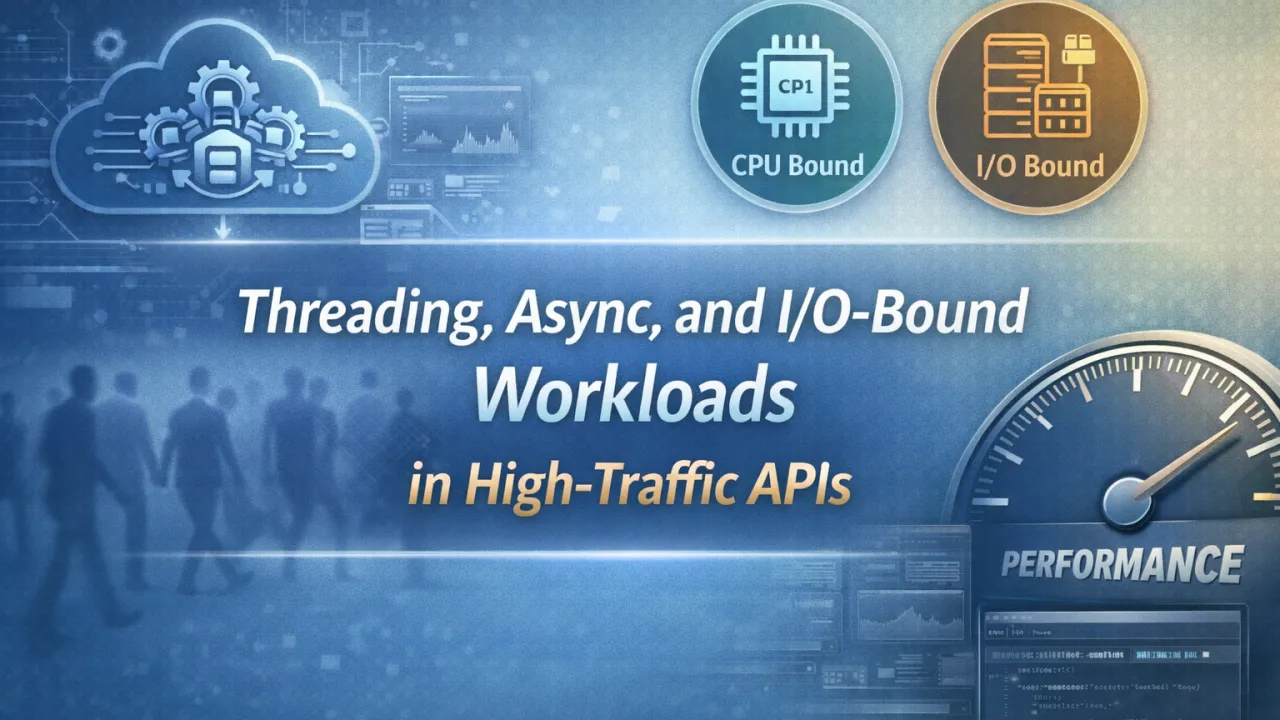
Threading, Async, and I/O-Bound Workloads in High-Traffic APIs

High-traffic APIs don’t fail because of lack of features. They fail because of poor thread management.When traffic increases, the real bottleneck is rarely business logic. It’s how your application handles threads, asynchronous operations, and I/O-bound workloads.Understanding this difference is what separates scalable APIs from systems that collapse under load.

The Hidden Problem: Thread Starvation

In high-traffic environments, every incoming request needs processing capacity. In traditional blocking models, each request occupies a thread until the work completes. If that work includes database calls, HTTP calls, file access, or external services, the thread remains blocked while waiting.

Now multiply that by thousands of concurrent users.

Eventually:

  • The thread pool gets exhausted
  • Requests queue up
  • Latency spikes
  • Throughput drops

This is thread starvation — and it silently kills performance.

CPU-Bound vs I/O-Bound Workloads

Not all workloads are equal.

CPU-bound work consumes processor time. Examples include:

  • Complex calculations
  • Data transformations
  • Encryption
  • Image processing

I/O-bound work waits for external operations:

  • Database queries
  • API calls
  • File system access
  • Network requests

Most high-traffic APIs are primarily I/O-bound, not CPU-bound.

And that changes everything.

Why Async Matters

For I/O-bound workloads, blocking threads is wasteful. While waiting for a database response, the CPU is idle — but the thread is occupied.

Asynchronous programming allows:

  • Threads to be released while waiting
  • Better thread pool utilization
  • Higher request throughput
  • Improved scalability

Async/await is not just syntactic sugar. It’s a scalability tool.

When implemented correctly, asynchronous APIs can handle significantly more concurrent requests without increasing hardware resources.

Common Mistakes in High-Traffic APIs

Even with async support, performance can suffer due to:

  • Using .Result or .Wait() (sync-over-async)
  • Blocking calls inside async methods
  • Overusing Task.Run unnecessarily
  • Poor connection pooling
  • Not configuring thread pool settings appropriately

These mistakes reintroduce blocking behavior and reduce scalability.

Designing for High Traffic

If your API handles large volumes of traffic, focus on:

  • Making database and HTTP calls fully asynchronous
  • Avoiding long-running CPU work on request threads
  • Offloading heavy processing to background services
  • Monitoring thread pool utilization
  • Measuring request latency under load

Performance should be validated under stress — not assumed.

The Real Goal

High-traffic APIs aren’t about just handling more users. They’re about handling more users efficiently.

Threading and async patterns directly impact:

  • Throughput
  • Latency
  • Resource consumption
  • Infrastructure cost

In modern backend systems, scalability is not achieved by adding servers. It’s achieved by designing for non-blocking I/O and efficient thread usage.

Modern .NET Is Not Just About .NET 8/9/10 – It’s About Runtime Behavior

When a new .NET version is released, most discussions revolve around upgrades. Teams talk about migrating to .NET 8, preparing for .NET 9, or planning long-term adoption strategies. While staying updated is important, simply upgrading your framework does not automatically modernize your application.

Modern .NET is not defined by the version you run. It is defined by how your application behaves at runtime.

Recent releases have introduced powerful improvements — better JIT optimizations, enhanced garbage collection, Native AOT, dynamic PGO, and cloud performance enhancements. These advancements provide a stronger foundation. However, performance, scalability, and efficiency are still determined by architectural decisions and runtime behavior.

A poorly designed application on .NET 8 can underperform. A well-optimized system on .NET 6 can outperform it.

The difference lies in runtime discipline.

What Actually Defines Modern .NET?

Modern applications focus on:

  • Memory efficiency — Reducing unnecessary allocations, understanding heap usage, and managing object lifecycles carefully.
  • Async-first design — Avoiding thread blocking and eliminating sync-over-async mistakes that silently hurt scalability.
  • Efficient resource utilization — Monitoring CPU usage, handling I/O properly, and minimizing contention.
  • Observability by default — Using metrics, logging, and tracing to measure real-world performance.
  • Cloud-aware architecture — Designing systems that handle container limits, scaling, and cold starts effectively.

These factors influence performance far more than a version number.

Instead of asking, “Which .NET version are you using?”, the more meaningful questions are:

  • What is your P95 response time?
  • How much memory does each request allocate?
  • How does your application behave under load?
  • What do your GC pauses look like?
  • How quickly can your service scale or recover?

These runtime questions separate average systems from high-performing ones.

The biggest shift in the .NET ecosystem today is not about version upgrades. It is about mindset. Modern .NET development prioritizes performance-first architecture, measurable systems, and efficient runtime behavior. Framework updates provide the tools, but engineering discipline determines the outcome.

Modernization is not about installing the latest SDK. It is about building software that performs reliably in real-world conditions.

That is where true competitive advantage lies.

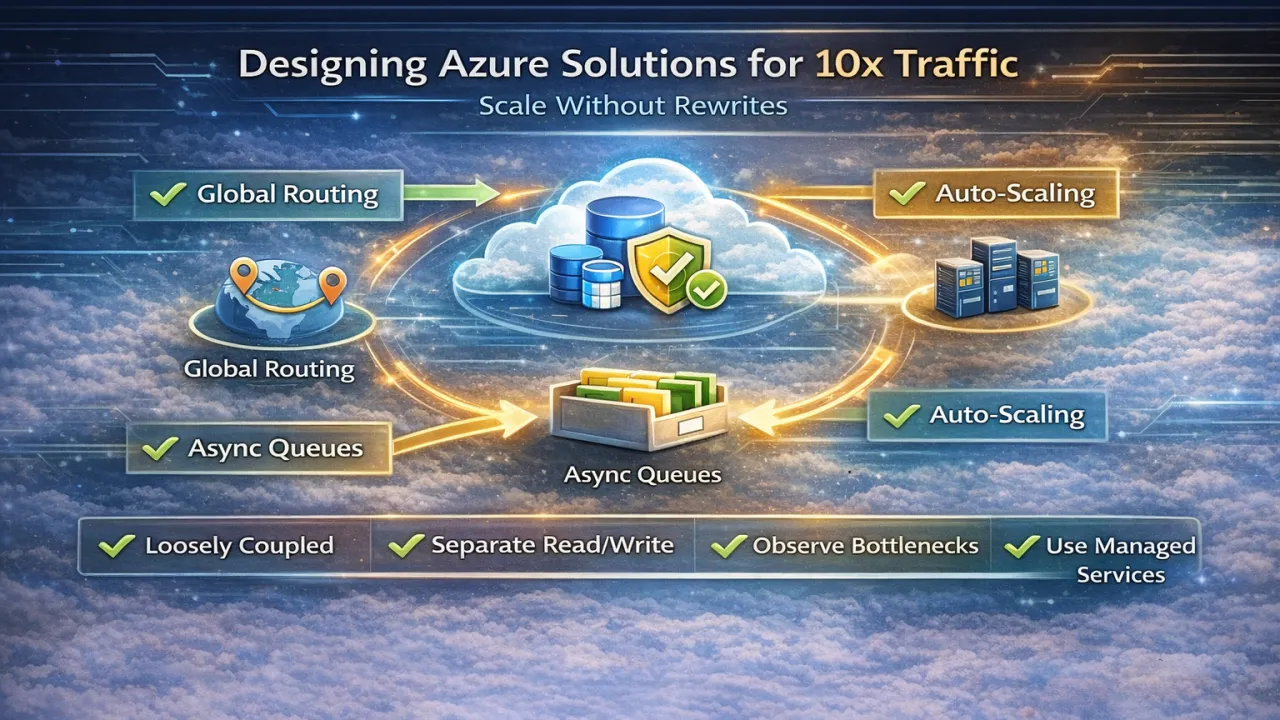
How to Design Azure Solutions for 10x Traffic Without Rewrites

Most systems don’t fail because they can’t handle traffic—they fail because they were never designed to scale gracefully. When traffic grows 10×, teams often assume a rewrite is inevitable. In reality, large traffic increases rarely require new architectures; they require better architectural decisions early on.

Designing Azure solutions that scale by an order of magnitude without rewrites is about eliminating bottlenecks, embracing elasticity, and decoupling critical paths, not adding complexity.

Design for Scale at the Boundaries, Not the Core

The biggest mistake teams make is pushing scalability concerns deep into business logic. In well-designed Azure systems, scalability is handled at the edges—load balancing, messaging, caching, and throttling—while core business logic remains stable. When APIs, queues, and compute layers scale independently, the system absorbs traffic growth without invasive code changes.

This is why Azure-native services matter: they provide elasticity around your application instead of forcing your application to manage elasticity itself.

Favor Asynchronous Workflows Early

Synchronous request chains are the fastest way to hit scaling limits. When traffic spikes, synchronous dependencies amplify latency, exhaust threads, and cascade failures. Systems designed to handle 10× traffic push non-critical work into asynchronous flows using messaging, background processing, or event-driven patterns.

The result is simple but powerful: traffic becomes queue depth, not downtime. Your system stays responsive even when demand explodes.

Scale Reads and Writes Differently

Most traffic growth is not uniform. Reads often grow faster than writes, and treating them the same creates unnecessary bottlenecks. Azure solutions that scale well separate read-heavy paths from write-heavy ones—using caching, read replicas, or optimized query models—without changing core logic.

This separation allows teams to absorb traffic growth with configuration and infrastructure adjustments rather than refactoring application code.

Eliminate Shared Bottlenecks Before They Matter

Systems rarely fail everywhere at once—they fail at shared choke points. Common examples include centralized databases, synchronous integrations, or shared compute pools. Designing for 10× traffic means identifying these bottlenecks early and isolating them through partitioning, caching, or independent scaling units.

The goal is not infinite scalability—it’s predictable scalability.

Build Observability Before You Need It

You can’t scale what you can’t see. Systems that survive traffic spikes have strong observability long before those spikes occur. Metrics, tracing, and meaningful alerts allow teams to understand where load is increasing and why, enabling targeted scaling instead of reactive rewrites.

In Azure environments, observability is not optional—it’s the feedback loop that makes scaling decisions safe.

Let the Platform Do the Heavy Lifting

One of the biggest advantages of Azure is that many scaling problems are already solved—if you let the platform handle them. Auto-scaling compute, managed messaging, caching services, and global routing all exist to absorb growth without code changes. Teams that fight the platform tend to rewrite; teams that design with it rarely do.

Final Thoughts

Scaling to 10× traffic is not a heroic rewrite—it’s a design outcome.

Azure solutions that scale without rewrites share common traits: loose coupling, asynchronous boundaries, isolated bottlenecks, clear observability, and intentional use of managed services. When these principles are in place, traffic growth becomes a capacity planning exercise—not an architectural emergency.

The best scaling strategy is the one you don’t notice when traffic explodes.

Design for growth early, and your system will scale quietly—without drama, downtime, or rewrites.

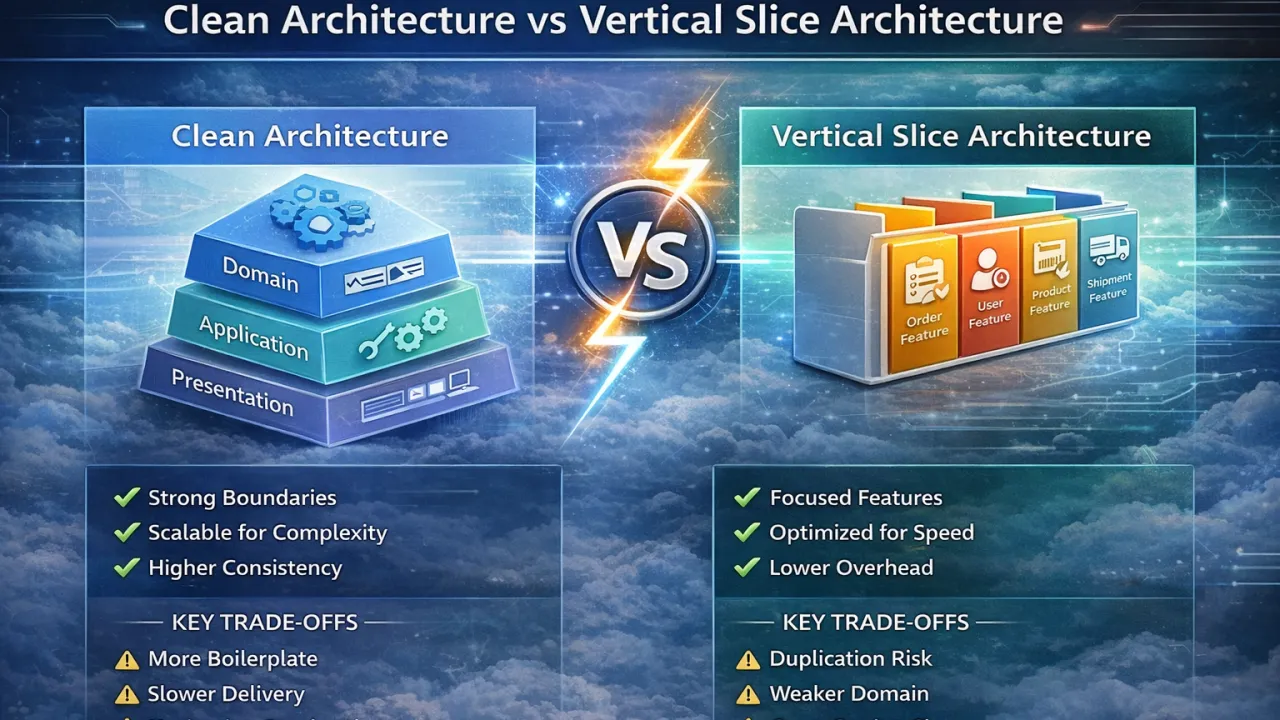
Trade-offs Between Clean Architecture vs Vertical Slice Architecture

Choosing between Clean Architecture and Vertical Slice Architecture is less about right or wrong and more about understanding trade-offs. Both approaches are widely used in modern .NET systems, but they optimize for very different priorities. Teams often run into problems not because they chose the wrong architecture, but because they chose it without aligning it to their context.

Clean Architecture – What It Optimizes For

Clean Architecture focuses on strong separation of concerns and long-term maintainability. It emphasizes keeping business rules independent of frameworks and infrastructure.

Key strengths:

  • Clear layering and dependency rules
  • Strong domain protection and testability
  • Easier governance in large teams
  • Better suited for complex, stable domains

Trade-offs:

  • Higher upfront complexity
  • More abstractions and boilerplate
  • Slower feature delivery in fast-moving systems
  • Increased cognitive overhead for developers

Vertical Slice Architecture – What It Optimizes For

Vertical Slice Architecture organizes code around features and use cases instead of technical layers. Each slice contains everything required to deliver a specific capability.

Key strengths:

  • Faster feature development
  • Localized changes with minimal side effects
  • Lower cognitive load per feature
  • Strong alignment with APIs and use cases

Trade-offs:

  • Risk of logic duplication
  • Weaker domain centralization
  • Harder to enforce global consistency
  • Requires discipline to manage cross-cutting concerns

In modern cloud-native .NET systems, the debate has shifted. Services are smaller, deployment units are independent, and change frequency is high. This reality often favors vertical slices for application workflows, while clean architectural principles still add value when modeling complex business domains. As a result, many successful teams adopt a hybrid approach—using vertical slices at the edges for delivery speed and clean architecture principles internally where domain integrity matters most.

The real takeaway is this: architecture should follow the rate of change, not ideology. Clean Architecture shines when protecting complex domains over time, while Vertical Slice Architecture excels when rapid iteration and clarity of intent are the priority. Strong teams understand both models and choose deliberately—adapting as the system and organization evolve.