Prilixor

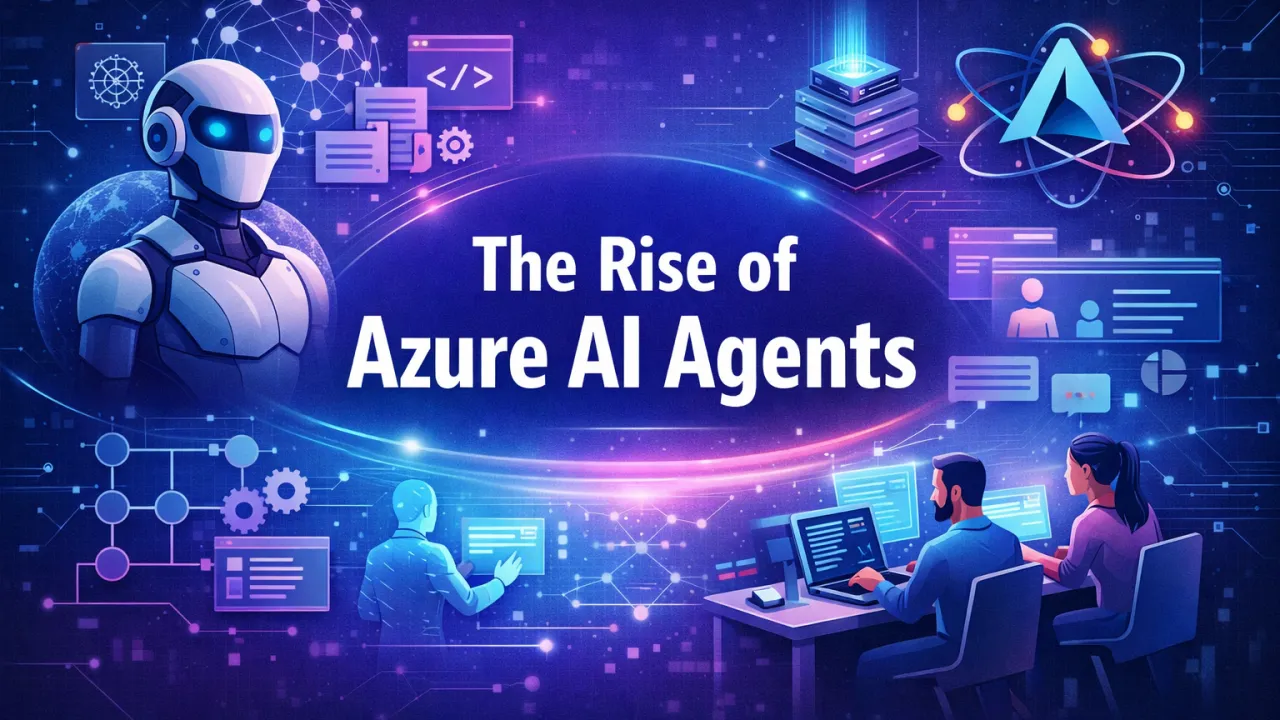
The Rise of Azure AI Agents: Automating Intelligence in Modern Applications

Artificial Intelligence is rapidly moving beyond simple chatbots and predictive models. Today, the next major shift is the rise of AI agents—intelligent, autonomous components capable of reasoning, planning, and executing tasks across systems.

In the Microsoft Azure ecosystem, AI agents are becoming a powerful way to automate complex workflows, enhance user interactions, and build smarter applications. Powered by services such as Azure OpenAI Service, Semantic Kernel, and LangChain, Azure AI Agents are redefining what modern .NET applications can do.

This article explores what Azure AI Agents are, how they are built, and why they represent the future of intelligent automation.

What Are Azure AI Agents?

An AI agent is more than a language model responding to prompts. It is an intelligent system that can:

  • Understand goals or user intent
  • Reason about steps needed to achieve those goals
  • Interact with external systems, APIs, and data sources
  • Adapt responses based on context and outcomes

In Azure, AI agents are typically built by combining large language models with orchestration frameworks and business logic. These agents can autonomously perform tasks such as processing documents, answering complex queries, coordinating workflows, or assisting users across applications.

Unlike traditional rule-based automation, AI agents can handle ambiguity, make decisions, and operate across multiple steps—bringing human-like reasoning into software systems.

Core Building Blocks of Azure AI Agents

Azure AI Agents are not a single product but an architecture composed of several key components.

Azure OpenAI Service

At the foundation of most Azure AI Agents is Azure OpenAI Service, which provides secure access to powerful language models such as GPT. These models enable natural language understanding, reasoning, summarization, and content generation.

For .NET developers, Azure OpenAI integrates seamlessly with enterprise-grade security, networking, and compliance—making it suitable for production workloads.

Semantic Kernel: Orchestrating Intelligence

Semantic Kernel is Microsoft’s open-source SDK designed to bridge AI models with traditional application code. It allows developers to define skills, plugins, and functions that AI agents can invoke dynamically.

In a .NET application, Semantic Kernel enables:

  • Combining AI reasoning with C# business logic
  • Calling APIs, databases, or microservices based on AI decisions
  • Maintaining memory and context across interactions

Semantic Kernel transforms language models from passive responders into active decision-makers inside applications.

LangChain: Tool-Based Reasoning and Chaining

LangChain is another popular framework for building AI agents, particularly when tool chaining and reasoning workflows are required. It allows agents to decide which tool to use, when to use it, and how to interpret results.

When integrated with Azure OpenAI, LangChain enables:

  • Multi-step reasoning pipelines
  • Agent-driven API execution
  • Context-aware decision making

This is especially useful for applications that require AI to coordinate actions across multiple services.

How Azure AI Agents Work in Practice

An Azure AI Agent typically follows a loop:

  1. Input Understanding – The agent interprets user input or system events
  2. Reasoning & Planning – The model decides what actions are required
  3. Tool Invocation – APIs, databases, or services are called
  4. Result Evaluation – Outputs are analyzed for correctness
  5. Response or Action – The agent responds or proceeds to the next step

This architecture allows agents to operate autonomously while remaining controlled by application logic and security boundaries.

Use Cases for Azure AI Agents in .NET Applications

Azure AI Agents unlock a wide range of real-world scenarios for .NET developers.

In enterprise applications, agents can automate internal workflows such as generating reports, analyzing logs, or summarizing compliance documents. In customer-facing systems, AI agents can power intelligent virtual assistants that go beyond scripted responses—capable of booking services, retrieving account data, or resolving complex support requests.

In developer productivity tools, AI agents can assist with code reviews, documentation generation, or CI/CD troubleshooting. In data-driven applications, agents can analyze large datasets, answer natural-language queries, and generate insights without predefined queries.

These use cases share a common theme: reducing manual effort while increasing intelligence and responsiveness.

Benefits of Azure AI Agents

For development teams, Azure AI Agents offer several strategic advantages.

They enable automation of complex workflows that were previously too dynamic for traditional scripting. They enhance user experience by allowing natural language interaction instead of rigid UI flows. They improve developer productivity by offloading repetitive or analytical tasks to AI-driven components.

Most importantly, because these agents are built on Azure, they inherit enterprise-grade security, scalability, and compliance—making them suitable for regulated industries.

Best Practices for Building Azure AI Agents

To build effective and responsible AI agents, teams should follow a few key principles.

Agents should operate within clear boundaries, with restricted access to APIs and data. Human-in-the-loop mechanisms should be used for high-risk decisions. Prompt design and skill definitions should be version-controlled like application code.

Monitoring and observability are critical—agent actions should be logged, auditable, and measurable. Finally, developers should design agents to assist and augment, not blindly replace, human decision-making.

The Future of Intelligent Applications on Azure

Azure AI Agents represent a shift from static applications to adaptive, intelligent systems. As models improve and orchestration frameworks mature, agents will become capable of handling increasingly complex tasks with minimal supervision.

For .NET developers, this evolution opens the door to a new class of applications—systems that reason, act, and learn in real time. By combining Azure OpenAI, Semantic Kernel, and LangChain, developers can embed intelligence directly into the core of their applications.

Final Thoughts

The rise of Azure AI Agents marks a turning point in application development. Intelligence is no longer an add-on feature—it is becoming a core architectural component.

By leveraging Azure’s AI ecosystem, developers can build applications that don’t just respond to users but actively work on their behalf. In an era where efficiency, personalization, and automation define success, Azure AI Agents provide the foundation for the next generation of intelligent software.
Extending Power Platform with Azure: Custom Connectors and Azure Functions for Pro-Developers

The Power Platform has rapidly evolved into a powerful ecosystem for building business applications through low-code tools such as Power Apps, Power Automate, and Power BI. While it excels at rapid development and citizen-developer enablement, complex enterprise requirements often demand capabilities beyond what low-code alone can offer.

This is where Azure and .NET development play a critical role.

By combining Custom Connectors and Azure Functions, professional developers can extend the Power Platform in a scalable, secure, and maintainable way—effectively bridging the gap between low-code productivity and pro-code robustness.

The Low-Code and Pro-Code Divide

Low-code platforms are designed for speed and accessibility:

  • Faster application delivery
  • Reduced dependency on engineering teams
  • Strong integration with Microsoft services

However, challenges arise when applications require:

  • Complex business logic
  • Advanced validation and orchestration
  • Integration with legacy or proprietary systems
  • High performance and scalability
  • Fine-grained security controls

Rather than replacing low-code, professional developers enhance it by extending the platform with custom backend services built on Azure.

Custom Connectors: Opening the Door to External Systems

Custom Connectors allow Power Platform solutions to communicate with external services through well-defined APIs. They act as a bridge between Power Apps or Power Automate flows and custom backend logic.

Why Custom Connectors Matter

Custom Connectors enable:

  • Secure access to internal or third-party APIs
  • Reusable integration logic across multiple apps and flows
  • Centralized API governance and versioning
  • Cleaner separation between UI logic and backend services

For .NET developers, this means designing APIs with proper contracts, authentication, and error handling—while exposing them in a way that low-code tools can easily consume.

Azure Functions: The Pro-Code Engine Behind the Scenes

Azure Functions provide a serverless compute model that fits naturally with the event-driven nature of the Power Platform. They allow developers to focus on business logic without managing infrastructure.

Why Azure Functions Are a Natural Fit

Azure Functions are well-suited for:

  • Stateless business logic execution
  • Event-based processing triggered by Power Platform actions
  • Scalable and cost-efficient workloads
  • Integration with Azure services such as storage, messaging, and identity

They act as a powerful extension layer where complex rules, calculations, and integrations can be implemented using familiar .NET tooling and practices.

Bridging Low-Code and Pro-Code Effectively

When combined, Custom Connectors and Azure Functions create a clear architectural boundary:

  • Power Platform handles UI, workflows, and user interaction
  • Azure Functions handle business logic, validation, and integrations
  • Custom Connectors expose backend capabilities in a controlled, reusable way

This separation ensures:

  • Cleaner architectures
  • Easier maintenance
  • Better scalability
  • Reduced duplication of logic across apps

Most importantly, it allows citizen developers and professional developers to collaborate without stepping on each other’s responsibilities.

Enterprise Considerations

For enterprise-grade solutions, this approach offers several advantages:

Security and Compliance

  • Centralized authentication and authorization
  • Controlled exposure of APIs
  • Easier auditing and monitoring

Performance and Scalability

  • Independent scaling of backend services
  • Optimized processing for heavy workloads
  • Reduced client-side complexity

Long-Term Maintainability

  • Clear ownership of business logic
  • Easier upgrades and refactoring
  • Minimal disruption to low-code solutions when backend changes

When This Approach Makes the Most Sense

Extending Power Platform with Azure is particularly valuable when:

  • Business logic is too complex for low-code expressions
  • Multiple applications rely on shared backend rules
  • Integrations must evolve independently of the UI
  • Development teams want strong DevOps, testing, and versioning practices

In these cases, pro-code extensions do not slow down development—they enable sustainable growth.

Conclusion

The future of application development is not low-code versus pro-code—it is low-code plus pro-code.

By leveraging Azure Functions and Custom Connectors, .NET developers can extend the Power Platform in a way that preserves its agility while adding enterprise-grade capabilities. This hybrid approach empowers organizations to move fast without sacrificing quality, scalability, or architectural integrity.

Power Platform becomes the front door. Azure becomes the engine. Professional developers become the enablers.

Powering Business Agility: Integrating Power Platform with Your .NET Ecosystem

In today’s fast-moving digital landscape, organizations are under constant pressure to deliver solutions faster—without compromising scalability, security, or governance. This is where the Power Platform becomes a strategic accelerator, especially when integrated with an existing .NET ecosystem.

Rather than replacing professional development, Power Platform complements it—enabling a hybrid development model where citizen developers and .NET professionals collaborate to deliver business value at speed.

The Power Platform: A Catalyst for Rapid Business Solutions

The Power Platform—built by Microsoft—is designed to help organizations build solutions with minimal friction while staying connected to enterprise systems.

Power Apps: Turning Ideas into Applications

Power Apps enables teams to quickly build business applications using a visual, low-code approach. Business users can digitize manual processes, while IT maintains control through environments, permissions, and data policies.

Business impact:

  • Faster app delivery
  • Reduced dependency on long development cycles
  • Greater alignment with real business needs

Power Automate: Intelligent Process Automation

Power Automate simplifies workflow creation by automating approvals, notifications, integrations, and repetitive tasks across systems.

Business impact:

  • Elimination of manual handoffs
  • Improved operational efficiency
  • Faster response times across departments

Power BI: Insights that Drive Decisions

Power BI transforms raw data into interactive dashboards and reports that are easy to consume and share across the organization.

Business impact:

  • Real-time visibility into KPIs
  • Better, data-driven decision-making
  • Reduced reliance on static reports

Where .NET Developers Add Strategic Value

While Power Platform empowers citizen developers, .NET developers play a critical role in extending, scaling, and governing solutions.

Extending Capabilities with Custom Connectors

Not every system is available out of the box. .NET teams can expose enterprise logic through APIs and custom connectors, making complex business functionality accessible inside Power Apps and Power Automate—without duplicating logic.

Result: Low-code apps powered by enterprise-grade backend services.

Azure Functions for Scalable Business Logic

Azure Functions allow .NET developers to encapsulate complex operations—such as validations, integrations, or calculations—and trigger them seamlessly from Power Platform flows or apps.

Result: Highly scalable, event-driven solutions that stay lightweight on the front end.

API-First Design for Long-Term Agility

By designing reusable APIs, .NET teams create a foundation that Power Platform solutions can consume today—and other applications can reuse tomorrow.

Result: Future-proof architecture with consistent business rules across platforms.

The Hybrid Development Advantage

The real power emerges when citizen developers and professional developers collaborate:

  • Citizen developers focus on user experience and business workflows
  • .NET developers ensure performance, security, and maintainability
  • IT retains governance, compliance, and architectural control

This hybrid model reduces time-to-market while preserving enterprise standards.

Governance, Security, and Control

Enterprise adoption demands structure. With the right governance framework:

  • Data Loss Prevention (DLP) policies protect sensitive data
  • Role-based access ensures accountability
  • Centralized monitoring maintains operational oversight

Power Platform does not weaken governance—it strengthens it when aligned with IT strategy.

Final Thoughts

Integrating Power Platform with your .NET ecosystem is not about choosing low-code or pro-code—it’s about using both intelligently.

Organizations that embrace this hybrid approach gain:

  • Faster innovation
  • Empowered teams
  • Scalable and secure architectures

Business agility is no longer a buzzword—it’s a competitive advantage. And when Power Platform and .NET work together, that advantage becomes tangible.

Polymorphism in C#: Real-World Examples for Flexible Code Design

In today’s fast-evolving software landscape, change is the only constant. Business rules evolve, features expand, and integrations grow more complex over time. One of the key reasons well-designed C# applications can adapt to these changes smoothly is polymorphism.

Polymorphism is not just an academic Object-Oriented Programming (OOP) concept—it is a practical design principle that helps developers write flexible, extensible, and maintainable .NET applications.

Understanding Polymorphism (Without Jargon)

At its core, polymorphism means:

One common contract, multiple behaviors.

In a C# application, this allows different objects to respond differently to the same action, while the calling code remains unchanged. The system focuses on what needs to be done, not how it is done internally.

This separation is what makes software resilient to change.

Why Polymorphism Matters in Real Applications

Without polymorphism:

  • Code becomes tightly coupled
  • Conditional logic keeps growing
  • Small changes ripple across the system

With polymorphism:

  • New features fit naturally into existing designs
  • Code becomes easier to read and reason about
  • Maintenance effort reduces significantly over time

Real-World Scenario 1: Payment Processing

Consider an application that supports multiple payment methods—credit cards, UPI, wallets, or net banking. From a user’s perspective, the action is simple: make a payment. Internally, however, each payment method follows a different process.

Polymorphism allows the application to treat all payment methods uniformly while letting each method handle its own rules. When a new payment option is added, existing logic remains untouched.

Result: cleaner design, safer changes, and easier expansion.

Real-World Scenario 2: Notification Systems

Modern applications notify users through various channels—email, SMS, push notifications, or in-app alerts. While the delivery mechanism changes, the intention does not.

Using polymorphism, the system sends notifications without knowing how they are delivered. Each channel implements its own behavior behind a shared abstraction.

Result: new notification channels can be added without rewriting the notification workflow.

Real-World Scenario 3: Reporting & File Exports

Users often want the same data in different formats such as PDF, Excel, or CSV. The reporting logic stays the same; only the output format differs.

Polymorphism enables the application to generate reports consistently while delegating formatting responsibilities to specialized components.

Result: strong separation of concerns and easy support for new formats.

Interfaces, Abstract Classes, and Virtual Behavior

Polymorphism in C# commonly appears through:

  • Interfaces – when behavior matters more than implementation
  • Abstract classes – when shared structure and default behavior are needed
  • Virtual behavior – when base functionality needs controlled customization

Each approach supports dynamic behavior while keeping the system loosely coupled.

Runtime Flexibility: The Real Power

One of the strongest benefits of polymorphism is that behavior can be decided at runtime. This is especially valuable in:

  • Large enterprise systems
  • Plugin-based architectures
  • Rule-driven or configurable applications

The application adapts without requiring invasive code changes.

Maintainability and Long-Term Benefits

Well-applied polymorphism leads to:

  • Fewer conditional branches
  • Cleaner and more readable logic
  • Easier testing and mocking
  • Lower risk during enhancements

It supports designs that grow with the business, not against it.

Final Thoughts

Polymorphism is not about complexity—it’s about clarity and adaptability. When used thoughtfully in C#, it enables systems to remain flexible, scalable, and maintainable even as requirements change.

For developers aiming to build robust .NET applications, mastering polymorphism is not optional—it’s foundational.

Mastering OOPs in C#: Building Flexible and Reusable .NET Applications

In an era of rapid development cycles, evolving business requirements, and scalable cloud-native systems, writing maintainable and adaptable software is no longer optional—it’s essential.

At the heart of this capability lies Object-Oriented Programming (OOP). In the .NET ecosystem, OOP is not just a theoretical concept but a practical design philosophy that shapes robust, enterprise-grade applications.

Let’s revisit the four foundational pillars of OOP—Encapsulation, Inheritance, Polymorphism, and Abstraction—and understand why they remain indispensable for modern C# and .NET development.

1. Encapsulation: Safeguarding Business Logic

Encapsulation is about controlling access to an object’s internal state and behavior. Instead of exposing everything freely, well-designed objects reveal only what is necessary.

Why it matters:

  • Protects critical business rules from accidental misuse
  • Reduces system-wide impact when internal logic changes
  • Improves reliability and predictability of components

In real-world .NET applications, encapsulation ensures that domain logic stays consistent and resilient, even as applications grow in complexity.

Result: Cleaner APIs, safer code, and fewer unintended side effects.

2. Inheritance: Structured Reuse with Purpose

Inheritance allows shared behavior and characteristics to be defined once and reused across related components. When used correctly, it promotes consistency and reduces duplication.

Where it adds value:

  • Establishing common behavior across related entities
  • Defining base responsibilities in frameworks or shared layers
  • Enforcing consistency in system design

However, inheritance should model true relationships, not convenience. Overuse can introduce rigidity.

Result: A well-organized hierarchy that supports reuse without sacrificing clarity.

3. Polymorphism: Designing for Change

Polymorphism enables different implementations to be treated uniformly through a common interface or contract. This is one of the most powerful tools for building flexible systems.

Why it’s essential in modern .NET:

  • Supports dependency injection and loose coupling
  • Enables easy swapping of implementations
  • Encourages adherence to the Open/Closed Principle

By programming against behavior rather than concrete details, systems become easier to extend and test.

Result: Highly adaptable architectures that evolve without frequent rewrites.

4. Abstraction: Clarity Through Simplicity

Abstraction focuses on what a component does, not how it does it. It removes unnecessary details and highlights intent.

In practice, abstraction helps:

  • Reduce cognitive complexity
  • Improve collaboration across teams
  • Enable parallel development and testing

Well-designed abstractions form the backbone of clean architecture and long-term maintainability.

Result: Systems that are easier to understand, maintain, and scale.

How These Principles Work Together

These pillars are most powerful when applied together:

  • Encapsulation protects integrity
  • Abstraction defines clear boundaries
  • Inheritance enables structured reuse
  • Polymorphism provides flexibility

When balanced correctly, they produce software that is resilient to change and aligned with business evolution.

Final Thoughts

Mastering OOP in C# is less about syntax and more about design thinking. In the .NET ecosystem, strong OOP principles translate directly into:

  • Maintainable codebases
  • Scalable architectures
  • Faster onboarding for teams
  • Long-term business value

OOP isn’t outdated—it’s foundational. And when applied thoughtfully, it remains one of the most effective tools for building robust, future-ready .NET applications.

The Repository Pattern in .NET: Good Practice or Anti-Pattern?

The Repository Pattern has been widely used in .NET applications for many years as a way to abstract data access and separate business logic from persistence concerns. Historically, it played an important role in layered architectures by shielding the domain from direct database interaction.

However, with the evolution of modern Object–Relational Mappers (ORMs), especially Entity Framework Core (EF Core), the relevance of the Repository Pattern has become a topic of debate. Some consider it a best practice, while others argue it introduces unnecessary complexity.

This article explores both perspectives and explains when the Repository Pattern is still valuable and when it may become an anti-pattern in modern .NET applications.

Understanding the Repository Pattern

At its core, the Repository Pattern represents a conceptual collection of domain objects. It provides a layer that mediates between the domain and data mapping layers, offering a consistent interface for accessing and manipulating data.

The primary objectives of the pattern are:

  • Separation of concerns
  • Improved maintainability
  • Better testability
  • Reduced coupling between business logic and data access

In traditional enterprise systems, repositories helped hide database-specific details and created cleaner application boundaries.

The Impact of EF Core on Repository Usage

Entity Framework Core already includes features that closely resemble the responsibilities of a repository:

  • Centralized data access through a context
  • Strong querying capabilities
  • Change tracking and transaction management
  • Support for testability and in-memory providers

Because of this, introducing an additional repository layer can sometimes result in duplicated abstractions, where one layer simply forwards calls to another without adding meaningful behavior.

When the Repository Pattern Becomes an Anti-Pattern

1. Unnecessary Abstraction

In many modern applications, repositories do little more than wrap existing ORM functionality. This creates:

  • Extra layers with minimal value
  • Increased codebase size
  • More maintenance overhead

Instead of simplifying the system, the pattern can make it harder to understand.

2. Reduced Flexibility

Over-abstracting data access can limit the use of advanced ORM features. Teams may find themselves adding more and more specialized methods just to support common use cases, making repositories large and difficult to maintain.

3. Over-Engineering Simple Applications

For applications that are primarily CRUD-based, adding repositories can slow development and complicate onboarding for new developers. In such cases, the additional layer offers little return on investment.

When the Repository Pattern Still Adds Value

Despite its drawbacks, the Repository Pattern remains relevant in specific scenarios.

1. Domain-Driven Design (DDD)

In applications with rich domain models and complex business rules, repositories act as domain-level collections. They help maintain clear boundaries between the domain and infrastructure layers and ensure that business logic remains persistence-agnostic.

2. Complex Business Queries

When applications require sophisticated data retrieval aligned closely with business concepts, repositories can encapsulate this logic and express intent more clearly than raw data queries scattered across services.

3. Multiple Data Sources

Applications that interact with different storage mechanisms—such as databases, external services, or caches—can benefit from repositories that unify data access behind a consistent interface.

4. Long-Term Maintainability

For large, long-lived systems, repositories can help isolate changes in persistence technology and provide a stable contract for the rest of the application.

A Pragmatic Approach for Modern .NET Applications

Rather than adopting or rejecting the Repository Pattern universally, modern .NET development benefits from a selective and pragmatic approach.

Best practices include:

  • Using repositories only where they express meaningful business intent
  • Avoiding generic, one-size-fits-all repository layers
  • Letting application complexity guide architectural decisions
  • Favoring clarity and simplicity over strict adherence to patterns

Conclusion

The Repository Pattern is not obsolete, but it is no longer a default choice for every .NET application.

In the era of EF Core, it can either:

  • Act as a powerful domain abstraction when used intentionally
  • Or become an anti-pattern when it adds unnecessary complexity without solving real problems

The key lies in understanding the problem domain and choosing architectural patterns that genuinely serve the application’s needs.

In modern .NET development, good architecture is contextual, not dogmatic.

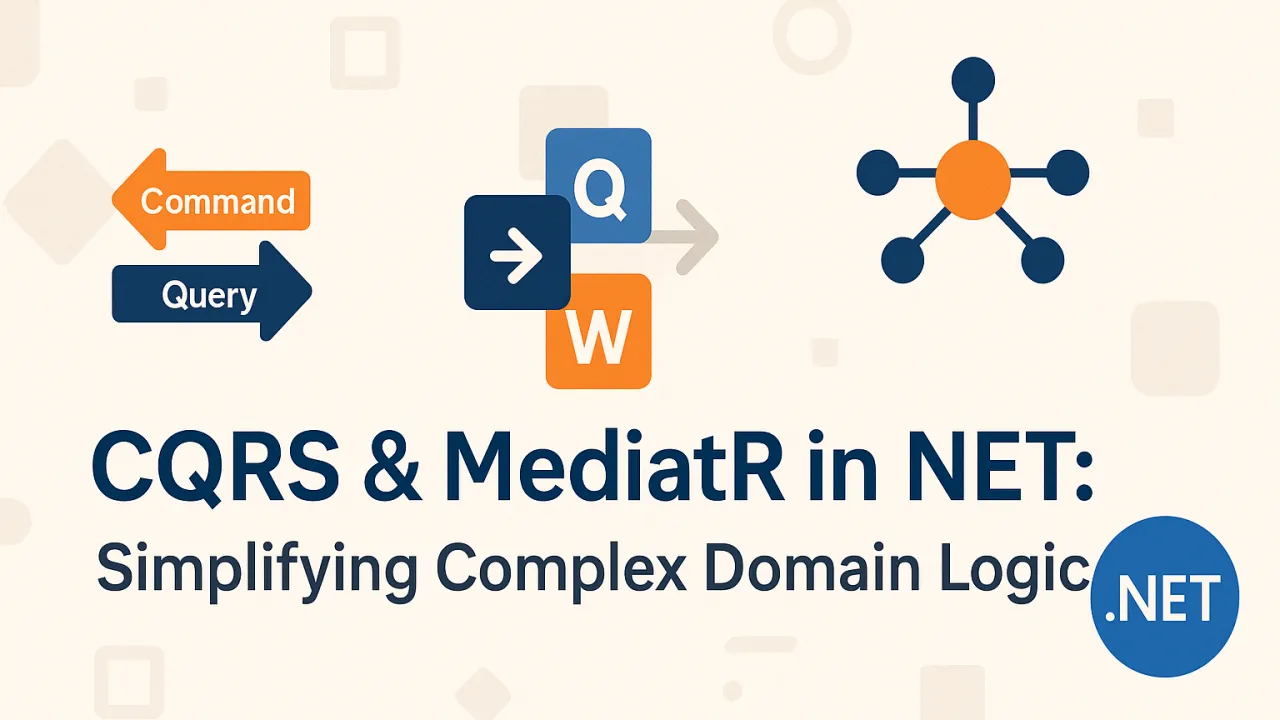
CQRS and MediatR in .NET: Simplifying Complex Domain Logic

As .NET applications grow in size and complexity, one of the biggest challenges developers face is keeping domain logic understandable and maintainable. Features accumulate, business rules evolve, and suddenly a once-simple service layer becomes a tangled web of mixed responsibilities.

Two powerful concepts that help bring structure back into this complexity are CQRS (Command Query Responsibility Segregation) and MediatR. Together, they provide a clean way to organize behavior, separate reads from writes, and simplify the flow of domain logic in modern .NET applications.

What Is CQRS?

Command Query Responsibility Segregation (CQRS) is a pattern that separates operations that change state (commands) from operations that read state (queries).

  • Commands:
  • Queries:

Instead of having a single service that both reads and writes, CQRS encourages you to treat these as two different responsibilities. That simple separation has a big impact on clarity and scalability.

Why CQRS Helps in Real Applications

1. Clearer Separation of Concerns

By isolating reads and writes, each side becomes easier to reason about:

  • Write logic focuses on business rules, validation, domain events, and state changes.
  • Read logic focuses on efficient data retrieval and mapping to the shape the UI needs.

This separation reduces coupling and keeps classes smaller and more focused.

2. Easier to Scale and Optimize

Read and write workloads often have very different performance requirements:

  • Reads may need caching, denormalized views, or separate read models.
  • Writes may need transactional guarantees, business invariants, and auditing.

With CQRS, you can tune each side independently — scale read-heavy operations differently from write-heavy ones, or even use different data stores if needed.

3. Improved Maintainability

Because commands and queries are explicit and isolated:

  • It’s easier to see where a particular piece of behavior lives.
  • New developers can quickly understand how a feature flows.
  • Refactoring becomes less risky, because responsibilities are already split.

CQRS doesn’t have to be “all or nothing.” Even partial adoption in complex areas of a system can create noticeable structure and clarity.

Where MediatR Fits In

MediatR is a lightweight library for .NET that implements the mediator pattern. Instead of components calling each other directly, they communicate through a central mediator.

In a CQRS-style application, MediatR is often used as:

  • The entry point for commands and queries
  • A dispatcher that routes each request to the appropriate handler
  • A pipeline where cross-cutting concerns (logging, validation, authorization, etc.) can be applied

This creates a very clean structure:

  1. The UI or API layer sends a command/query to MediatR.
  2. MediatR finds the matching handler.
  3. The handler contains the core logic for that operation.

No controller or service needs to know how things are done — only what to send.

Benefits of Using MediatR with CQRS

1. Centralized Request Handling

Each command or query has a dedicated handler:

  • One place to look for each feature’s logic
  • No “god services” that handle dozens of operations
  • Highly discoverable codebase — feature = request + handler

2. Looser Coupling Between Layers

Controllers, UI components, or background jobs don’t depend directly on domain services. Instead, they depend on an abstraction (sending a request through MediatR). This reduces coupling and makes it easier to swap implementations or refactor internals without touching entry points.

3. Cross-Cutting Concerns Made Elegant

MediatR supports pipeline behaviors — a powerful way to plug in common concerns:

  • Validation
  • Logging
  • Caching
  • Authorization
  • Performance metrics

Instead of duplicating this logic in every handler or controller, you apply it once in the pipeline.

4. Improved Testability

Because command and query handlers are small, focused, and depend on abstractions:

  • They can be tested independently
  • Dependencies can be mocked easily
  • Each use case has clear inputs and outputs

This fits perfectly with clean architecture and domain-driven design approaches.

When to Use CQRS and MediatR

CQRS with MediatR is especially helpful when:

  • Your domain logic is becoming complex and hard to follow
  • The same service or controller method is doing too much
  • Read and write performance concerns are different
  • You want a more explicit, use-case–driven structure
  • You’re moving toward clean architecture or domain-driven design

For very small or simple applications, full CQRS might be overkill. But for medium and large systems, especially those evolving over time, it can dramatically improve structure and scalability.

A Typical Flow in a CQRS + MediatR .NET Application

  1. A user performs an action in the UI or sends a request via API.
  2. The controller (or endpoint) creates a Command or Query representing that action.
  3. The command/query is sent to MediatR.
  4. MediatR invokes the Handler responsible for that request.
  5. The handler coordinates domain logic, repositories, and external services.
  6. For commands, it applies changes; for queries, it returns data.
  7. The result is sent back to the UI or API response.

Every use case becomes explicit, traceable, and testable.

Final Thoughts

CQRS and MediatR together offer .NET developers a powerful way to simplify complex domain logic:

  • CQRS splits reads and writes, clarifying responsibilities.
  • MediatR provides a clean, organized way to route and handle those operations.

The result is a codebase with:

  • Better separation of concerns
  • Clearer structure and feature boundaries
  • Improved scalability and performance opportunities
  • Easier testing and safer refactoring

As applications and teams grow, patterns like CQRS and tools like MediatR can make the difference between a system that merely works and one that remains clean, adaptable, and sustainable over the long term.

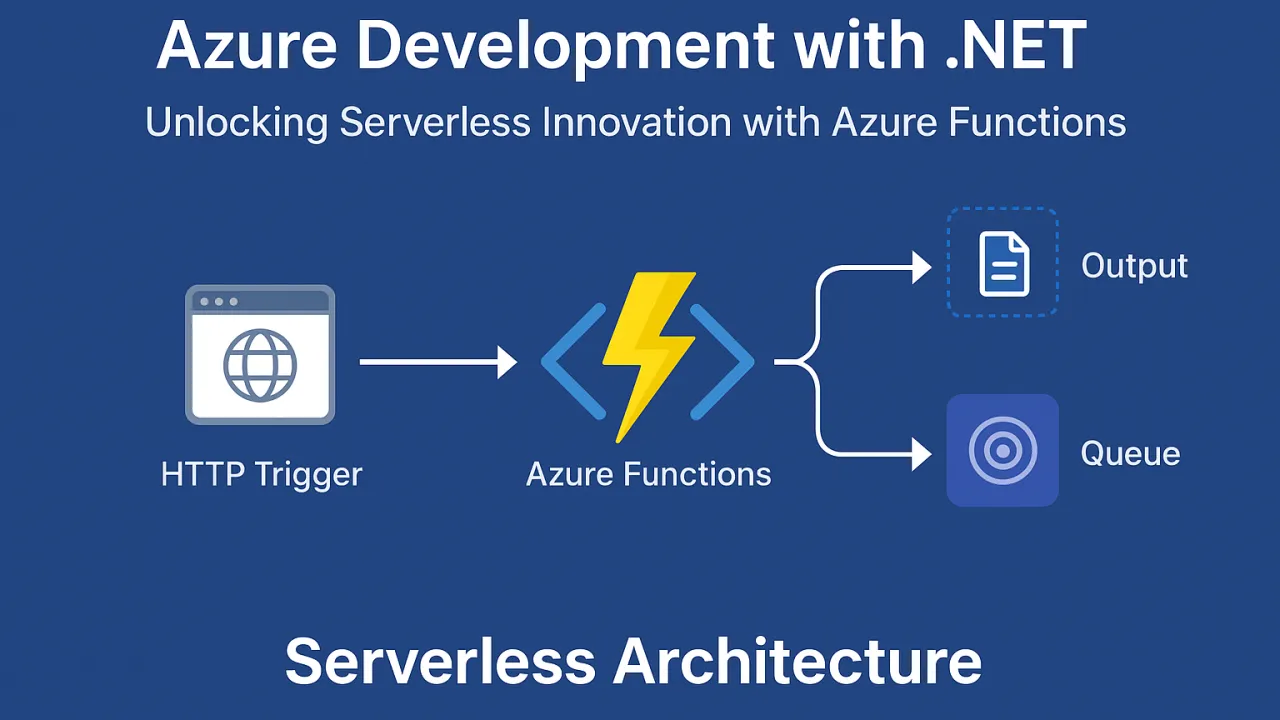
Azure Development with .NET: Unlocking Serverless Innovation with Azure Functions

In the evolving world of cloud computing, organizations are shifting away from traditional infrastructure management toward serverless architectures. The promise of serverless computing is simple yet transformative: write your application logic, deploy it, and let the cloud handle scaling, availability, and infrastructure provisioning.

For .NET developers, Azure Functions offers a seamless entry point into serverless development—combining the flexibility of event-driven architecture with the robustness and familiarity of the .NET ecosystem.

🚀 Key Benefits of Azure Functions for .NET Developers

1. Pay-as-you-go, Event-Driven Scalability

Unlike monolithic applications that run continuously, Azure Functions execute only when triggered. You’re charged solely for the time and resources consumed during execution.

  • Cost efficiency: Ideal for workloads that have unpredictable or sporadic demand.
  • Practical use cases: Background processing (e.g., image resizing, file parsing), scheduled tasks, IoT data ingestion, and API request handling.
  • Elastic scaling: Automatically scales up during traffic spikes and scales down to zero when idle—without manual configuration.

2. Deep Integration with .NET 8 and C# 12

Azure Functions offers first-class support for the latest .NET runtime and language features, allowing developers to work with familiar syntax, frameworks, and tooling.

  • Language features: Leverage records, pattern matching, and enhancements from C# 12 for concise, maintainable code.
  • Dependency injection: Built-in support for DI patterns makes it easy to reuse services and components across multiple functions.
  • Migration potential: Existing .NET libraries can be adapted for Azure Functions with minimal changes, reducing rework.

3. Rich Trigger and Binding Ecosystem

One of the most powerful aspects of Azure Functions is its integration with other Azure services through triggers and bindings.

  • Triggers: Automatically start execution based on events—such as an HTTP request, a message in a queue, a new blob in storage, or a timer schedule.
  • Bindings: Simplify input and output operations by abstracting away connection code, allowing you to read from and write to Azure services with minimal boilerplate.
  • Supported services: Azure Blob Storage, Azure Queue Storage, Cosmos DB, Service Bus, Event Grid, Event Hubs, SQL Database, and more.

🏁 The Serverless Advantage

Serverless architecture with Azure Functions offers more than just cost savings—it transforms how applications are designed and maintained:

  • Infrastructure-free development: No need to provision or patch servers; Azure manages the runtime environment.
  • Faster release cycles: Teams can focus purely on business logic, reducing operational dependencies.
  • Automatic scaling: Scale instantly to meet demand, then return to zero when idle, maximizing efficiency.
  • Global reach: Functions can be deployed to multiple Azure regions for low-latency, high-availability access worldwide.
  • Event-driven flexibility: Ideal for modern microservices and reactive architectures.

📌 Final Thoughts

Azure Functions combined with .NET unlocks a new level of agility for developers. It empowers teams to build scalable, event-driven, and cost-effective applications without the complexities of traditional infrastructure. By leveraging deep integration with the Azure ecosystem, developers can connect services, process data, and deliver features faster—while still writing in a language and framework they know best.

Whether it’s processing millions of events, integrating with cloud databases, or running scheduled tasks, serverless .NET applications with Azure Functions provide a future-ready architecture that can evolve with your business needs.

Beyond the Basics: Essential Design Patterns for .NET Developers

As applications grow in scale and complexity, writing code that merely works is no longer enough. Modern .NET development demands solutions that are flexible, maintainable, and scalable — not just for today, but for the evolution that naturally follows.

This is where design patterns come into play. They are not templates to copy, but time-tested approaches to common software challenges. By applying them wisely, developers improve structure, reduce complexity, and create systems that are easier to extend and test.

This article explores some of the most valuable patterns for .NET developers — focusing on when and why to use them rather than on code.

Why Design Patterns Matter

Software development naturally evolves. New features, new teammates, integrations, and refactoring are constant. Without structure, code becomes tightly coupled, difficult to modify, and risky to extend.

Design patterns help developers:

  • Build modular and reusable components
  • Reduce repetitive logic and duplication
  • Improve testability and maintainability
  • Scale systems more safely
  • Communicate architecture more clearly across teams

Patterns aren’t rules — they are tools for architectural thinking.

Creational Patterns: Smart Object Creation

Creational patterns focus on how objects are instantiated. Instead of sprinkling new everywhere, they centralize creation logic, making it easier to swap implementations, test components, or extend features.

Factory Pattern

Use when you want a centralized object creator that decides which implementation to return. Great for scenarios where types change based on input, configuration, or runtime decisions.

Benefits:

  • Encapsulates creation logic
  • Reduces dependency on concrete classes
  • Ideal for plug-and-play implementations

Behavioral Patterns: Managing Logic & Workflow

Behavioral patterns control how objects interact and communicate, improving flexibility and reducing condition-heavy code.

Strategy Pattern

Use when multiple algorithms perform the same task in different ways. Instead of using large if/else blocks, strategy lets you switch behaviors easily.

Great for:

  • Payment processing variations
  • Sorting/filtering strategies
  • Feature customization based on user preference

Observer Pattern

Used when a change in one object should notify multiple listeners automatically. Perfect for event-driven systems.

Useful in:

  • Real-time notifications
  • Logging and monitoring
  • UI state updates in applications

Decorator Pattern

Use when you want to add features dynamically without modifying the existing class. It enhances behavior instead of rewriting or subclassing.

Great for:

  • Feature upgrades
  • Runtime add-ons (caching, validation, logging)
  • Extending services without altering core code

Structural Patterns: Composing Objects Smartly

These patterns define the way classes and objects are combined to form bigger systems.

Decorator Pattern (already mentioned, also fits structural)

Enables dynamic behavior addition. Keeps the core class clean — extensions stay modular.

Architectural Patterns: Scaling Beyond Features

When applications grow beyond small modules, architecture patterns shape long-term direction. They define how layers communicate and how data flows in complex systems.

Repository Pattern

Separates business logic from data access. Acts as an abstraction layer between the domain and the database.

Why use it?

  • Clean separation of concerns
  • Easy to replace databases or ORMs
  • Makes code testable and reusable

Unit of Work Pattern

Groups multiple operations into a single transactional unit. Perfect when multiple database updates must succeed or fail together.

Best for:

  • Complex save operations
  • Aggregates of related entities
  • Transaction handling and rollbacks

CQRS (Command Query Responsibility Segregation)

Separates read models from write models. Commands change state; queries only return data.

Why it shines:

  • High performance in large systems
  • Scales read and write independently
  • Works exceptionally well with event-driven design

Choosing the Right Pattern Matters More Than Knowing Them

Patterns shouldn’t be used just because they exist.

Good developers know patterns. Great developers know when to use them.

Before applying a pattern, ask:

🔍 Does it improve clarity? 🔍 Will the code become easier to test or extend? 🔍 Will future changes be simpler? 🔍 Am I solving complexity or creating unnecessary abstraction?

Patterns should reduce friction — not add it.

Final Thoughts

As .NET developers move from writing functional code to building scalable systems, design patterns become invaluable. They help in taming complexity, shaping architecture thoughtfully, and building applications that evolve gracefully over years — not weeks.

Mastering Factory, Strategy, Observer, Decorator, Repository, Unit of Work, and CQRS is more than learning patterns — it’s learning design thinking.

The more intentionally patterns are applied, the more maintainable, flexible, and future-proof your software becomes.

The Single Responsibility Principle (SRP): Writing Cleaner, More Focused C# Classes

In software development, the smartest solutions are rarely the most complex — they are the ones that stay simple over time. As projects grow, features evolve, and teams scale, the clarity of code becomes just as important as functionality. This is where the Single Responsibility Principle (SRP) steps in as a foundational guide for creating clean, understandable, and maintainable C# applications.

SRP is often the first principle developers learn from SOLID, and for good reason — it's simple to understand, transformative when applied, and directly linked to better long-term code quality.

What Exactly Is SRP?

The Single Responsibility Principle states that a class should have only one reason to change.

This means:

  • A class should handle one responsibility, one purpose, one major feature.
  • If a class has multiple reasons to evolve, it is likely doing too much.
  • Splitting responsibilities leads to more readable, maintainable code.

At its core, SRP encourages focused design — each class becomes a specialist instead of a multitasker.

Why SRP Matters in Real Development

When a class tries to do multiple jobs — validation + data access + notifications, for example — it quickly becomes risky to modify. A change in one area may unintentionally break another.

Problems that occur when SRP is violated:

❌ Code becomes harder to read and understand ❌ Small modifications require navigating large files ❌ Testing becomes complex due to multiple responsibilities ❌ Bugs appear when unrelated behavior changes ❌ Reusability is limited and scaling becomes difficult

Now compare that with SRP-aligned code:

✔ Easy to understand — one class, one purpose ✔ Easy to change — modifications are isolated ✔ Very testable — behavior is clearly defined ✔ Increased reusability — components plug into other areas ✔ Lower risk — less chance of breaking unrelated logic

SRP is not about writing more classes, it's about writing better ones.

How to Recognize That a Class Violates SRP

Ask yourself:

🔍 Does this class handle more than one responsibility?

If it performs tasks like logging and data saving and email sending — SRP is broken.

🔍 Do changes in multiple features require modifying the same file?

For example, updating validation rules and updating file storage both require edits in one place.

🔍 Does the class name sound too generic or vague?

Names like Manager, Helper, Processor, Utils often hide mixed responsibilities.

🔍 Is unit testing difficult?

If testing requires setting up unrelated parts, the class is likely overloaded.

🔍 Does the class feel large, with many methods?

Large classes often indicate responsibility overlap.

These questions help uncover hidden complexity and guide refactoring decisions.

Refactoring With SRP in Mind

Refactoring for SRP is about separation of concerns. When roles are split logically, clarity follows naturally.

A practical refactoring approach:

  1. Identify the different responsibilities
  2. Move each responsibility into separate classes
  3. Introduce abstractions/interfaces if needed
  4. Make names meaningful
  5. Review the final structure

Over time, the codebase becomes cleaner, lighter, and more maintainable.

SRP Benefits Beyond Code Quality

While SRP improves design, its true value shines in team environments and long-term projects.

With SRP, teams gain:

💡 Faster onboarding — new developers understand components quickly 💡 Smooth collaboration — fewer merge conflicts 💡 Clear ownership — each module has defined responsibility 💡 Better scalability — features can grow independently 💡 Future-proof architecture — adaptable without rewrites

SRP isn't just a coding practice — it’s a productivity strategy.

Small Principle, Big Impact

The Single Responsibility Principle teaches a powerful habit:

Don’t make a class responsible for everything. Make it responsible for one thing — and do it well.

When developers write with SRP in mind, applications become easier to maintain, easier to test, and easier to evolve. The code becomes cleaner not by force, but by design.

Start small — refactor one class today. Tomorrow, the architecture will already look better.