Prilixor

Understanding Security Boundaries in Azure: Where Trust Actually Ends

In an era dominated by rapid digital transformation, understanding security boundaries in cloud environments has never been more crucial. Azure, one of the leading cloud service providers, offers a plethora of tools and services designed to enhance security. However, it's imperative to acknowledge that even the most sophisticated systems have limitations. Trust and security boundaries define where end-to-end protections end and where potential vulnerabilities may arise.

Security boundaries in Azure revolve around several key concepts, including identity management, data protection, and the shared responsibility model. Each of these components plays a significant role in shaping the overall security landscape. By understanding these boundaries, organizations can better frame their risk management strategies and enhance their security postures.

Firstly, identity management represents a primary security boundary. Azure Active Directory offers a comprehensive identity and access management solution, allowing organizations to define who has access to what resources. However, this trust is not absolute. Weak passwords, social engineering attacks, and insider threats pose vulnerabilities. Thus, organizations must continuously monitor identity behaviors and implement robust multi-factor authentication.

Data protection is another crucial area. Azure provides a variety of tools to secure data at rest and in transit. Encryption plays an essential role here, yet it’s vital to remember that organizations share the responsibility for securing sensitive data. While Azure protects the physical infrastructure, the responsibility to encrypt data before it enters the cloud often lies with the organization. This duality of responsibility reinforces the need for ongoing training and awareness regarding data security practices among employees.

The shared responsibility model further highlights the importance of understanding security boundaries. In this framework, Azure is responsible for the security of the cloud infrastructure, while organizations must secure the applications and data they deploy. Here are a few essential insights about the shared responsibility model:

  • Azure safeguards the infrastructure, but user-configured settings can create vulnerabilities.
  • Regular reviews of security configurations are necessary to prevent misconfigurations.
  • Updates and patches to software applications are the organization's responsibility.
  • Continuous monitoring of access logs can yield insights into potential security breaches.

In conclusion, the effectiveness of Azure's security measures significantly depends on the decisions made by organizations. Navigating the complexities of security boundaries requires a holistic approach, combining technology with robust governance frameworks. Organizations must set clear boundaries and continuously reassess their security measures to ensure that trust does not become a vulnerability. By understanding where trust ends and vigilance begins, businesses can fortify their defenses against the evolving landscape of cyber threats.

Navigating Cold Starts, Scaling, and Throttling in Azure Services

In today's digital landscape, the demand for scalable and efficient cloud solutions has never been greater. Organizations rely on cloud services to remain agile, yet they often face challenges that can hinder performance and user experience. Among these are cold starts, scaling decisions, and throttling constraints, particularly within Azure services.

Understanding cold starts is essential for anyone leveraging serverless architectures or functions. A cold start occurs when a function or service has to spin up from an idle state. This initial delay can lead to increased latency, which detracts from the user experience. It is particularly prominent in event-driven architectures where functions are triggered infrequently. Cold starts can be minimized by keeping functions warm through regular pings or by optimizing code, ensuring quick initialization.

As businesses grow, so do their operational requirements. The scalability of services becomes crucial. Azure offers various scaling options, both vertical and horizontal. Vertical scaling involves adding resources to an existing server, making it more powerful, while horizontal scaling involves adding more instances of a server to distribute the load. Although vertical scaling is easier to implement, it has limitations in terms of capacity. Horizontal scaling, while more complex, allows for greater resilience and flexibility in handling fluctuating workloads.

Throttling is another aspect that can impact the performance of applications hosted on Azure. Throttling occurs when the system limits the number of requests it can handle within a certain timeframe. This mechanism is essential for preventing server overload and ensuring consistent performance but can frustrate users if not managed properly. It's important to recognize signs of throttling, such as increased latency or error rates, to effectively respond and adapt.

Key insights on managing cold starts, scaling, and throttling:

  • Recognize cold start implications: Understand the scenarios where cold starts may delay function execution.
  • Optimize function performance: Write efficient code to reduce initialization time and enhance performance.
  • Implement scaling strategies: Decide when and how to scale services based on current and projected workloads.
  • Monitor performance metrics: Invest in monitoring tools to detect signs of throttling and respond proactively.
  • Design for resilience: Implement architecture patterns that can gracefully handle peak loads without major interruptions.

A well-thought-out approach to addressing these factors can significantly improve the performance and reliability of applications hosted in Azure. It is essential for organizations to remain informed and proactive, ensuring that they are not just reacting to issues as they arise. By strategically managing cold starts, scalability, and throttling, businesses can maintain a competitive edge and provide superior service to their users.

Ultimately, understanding these aspects will empower professionals, helping them navigate the complexities of cloud services efficiently.

Designing Multi-Region Azure Applications

As applications scale globally, a single-region deployment is no longer enough. Users expect low latency, high availability, and uninterrupted access — regardless of location or failures.

This is where multi-region architecture becomes essential.

But designing for multiple regions is not just about duplication. It’s about resilience, consistency, and smart traffic management.

Why Multi-Region Matters

Relying on a single region introduces risks:

  • Regional outages can bring down the entire system • Latency increases for global users • Disaster recovery becomes complex

Multi-region design helps achieve:

  • Higher availability • Lower latency for global users • Better fault tolerance • Stronger disaster recovery

Active-Active vs Active-Passive

The first key decision:

Active-Active

Both regions handle traffic simultaneously.

  • Better performance (users routed to nearest region) • Higher availability • More complex data synchronization

Active-Passive

One region is primary, the other is standby.

  • Simpler to implement • Easier data consistency • Slower failover and potential downtime

Traffic Routing Strategies

Routing traffic intelligently is critical.

Azure provides:

  • Azure Front Door → Global HTTP routing + low latency • Traffic Manager → DNS-based routing • Load Balancers → Regional traffic distribution

Choosing the right routing layer affects performance and failover speed.

Data Consistency Challenges

Applications are easy to replicate. Data is not.

Key considerations:

  • Strong vs eventual consistency • Conflict resolution strategies • Replication lag • Database capabilities (geo-replication, multi-master)

Poor data design can break multi-region systems.

Stateless Architecture Is Key

To scale across regions:

  • Avoid storing state in memory • Use distributed storage (databases, caches) • Ensure any instance can serve any request

Stateless services make failover seamless.

Failover Planning

Failover should not be theoretical — it should be tested.

Best practices:

  • Automate failover where possible • Monitor health checks continuously • Run chaos testing or failover drills • Ensure DNS or routing updates quickly

A failover plan that is never tested is unreliable.

Cost vs Complexity Trade-Off

Multi-region systems increase:

  • Infrastructure cost • Operational complexity • Data management challenges

But they also increase:

  • Reliability • User experience • Business continuity

The goal is not maximum redundancy — it’s the right level of resilience.

Common Mistakes

Many teams:

  • Duplicate infrastructure without proper routing • Ignore data consistency issues • Don’t test failover scenarios • Assume cloud automatically handles everything

Multi-region design requires intentional architecture.

The Real Insight

Multi-region systems are not about avoiding failure — they are about designing systems that continue despite failure.

True resilience comes from:

  • Redundancy • Smart routing • Data strategy • Continuous testing

Final Thought

Global systems require global thinking.

If your application needs to scale across regions, are you just deploying in multiple locations — or truly designing for resilience?

Azure Monitor, Application Insights & Log Analytics – What to Use When

Observability in Azure often confuses even experienced developers. You hear terms like Azure Monitor, Application Insights, and Log Analytics — and they seem overlapping.

The result?

Many teams either: • Use everything without clarity • Or use the wrong tool for the job

The key is simple: Understand what each tool is designed for.

The Big Picture

Think of it like this:

  • Azure Monitor → The umbrella platform • Application Insights → Application-level monitoring • Log Analytics → Querying and analyzing data

They are not competitors — they work together.

Azure Monitor – The Foundation

Azure Monitor is the central platform that collects and organizes telemetry across Azure.

It handles:

  • Metrics (CPU, memory, requests) • Logs from resources • Alerts and dashboards • Integration with other monitoring tools

You don’t “choose” Azure Monitor — you are already using it whenever you monitor Azure resources.

Application Insights – For Your Application

Application Insights is focused on application performance monitoring (APM).

Use it when you want to understand:

  • Request performance • Dependency calls (DB, APIs) • Failures and exceptions • User behavior and usage patterns • Distributed tracing

It is ideal for:

  • APIs • Web apps • Microservices

If you care about how your code behaves, this is your tool.

Log Analytics – For Deep Analysis

Log Analytics is where you query and analyze logs using KQL (Kusto Query Language).

Use it when you need:

  • Advanced querying across multiple services • Correlating logs from different resources • Debugging complex production issues • Custom dashboards and reports

It’s not about collecting data — it’s about making sense of it.

How They Work Together

In a typical setup:

  • Application Insights collects app-level telemetry • Azure Monitor aggregates platform-level data • Log Analytics allows you to query everything in one place

This combination provides full observability.

When to Use What

Use Application Insights when: • You want request tracing and performance insights • You need visibility into application behavior

Use Log Analytics when: • You need cross-service log analysis • You want to run complex queries

Use Azure Monitor when: • You want alerts, metrics, and overall monitoring • You need a unified monitoring layer

Common Mistakes

Many teams:

  • Treat them as separate tools instead of a system • Ignore Log Analytics and rely only on dashboards • Don’t configure proper alerts • Miss correlation between logs and traces

Observability fails not because of tools — but because of how they are used.

The Real Insight

Monitoring is not about collecting data. It’s about understanding your system under real conditions.

Azure gives you powerful tools — but clarity comes from knowing their roles.

Final Thought

In modern cloud systems:

  • Metrics tell you something is wrong • Logs tell you what happened • Traces tell you where it happened

Together, they give you control.

Cost Optimization Patterns for Always-On Azure Workloads

In cloud systems, performance and scalability often get the most attention. But there’s another factor that directly impacts long-term success — cost.

Always-on workloads — APIs, background services, microservices, and core business systems — run 24/7. That means even small inefficiencies compound into significant monthly expenses.

Cost optimization in Azure is not about cutting corners. It’s about designing efficiently from the start.

The Hidden Problem

Many systems are deployed with a “just make it work” mindset:

  • Over-provisioned resources • Idle compute running continuously • Unoptimized scaling rules • Paying for peak capacity even during low usage

These decisions don’t hurt immediately — but over time, they quietly increase cloud bills.

Right-Sizing Resources

One of the simplest and most effective strategies:

Match resources to actual usage.

  • Avoid oversized App Service plans or VMs • Monitor CPU, memory, and request patterns • Continuously adjust based on real data

Over-provisioning is one of the most common cost leaks.

Use Autoscaling Intelligently

Always-on doesn’t mean always at peak capacity.

Best practices:

  • Scale out during high traffic • Scale in during low usage • Use metrics like CPU, requests, or queue length • Avoid aggressive scaling that increases churn

Smart scaling reduces cost without impacting performance.

Choose the Right Compute Model

Different Azure services have different cost models:

  • App Service → predictable but always running • Container Apps → can scale dynamically • AKS → flexible but operationally expensive • Serverless options → cost-effective for variable workloads

Choosing the wrong platform can significantly increase costs.

Optimize Background Processing

Background jobs often run inefficiently.

Common issues:

  • Polling too frequently • Long-running idle processes • Unnecessary compute usage

Better approach:

  • Use event-driven models (queues, triggers) • Process work only when needed • Reduce idle cycles

Storage and Data Costs

Storage is often overlooked but adds up quickly.

Optimize by:

  • Using appropriate storage tiers (Hot, Cool, Archive) • Cleaning unused data regularly • Avoiding redundant storage patterns • Compressing large datasets where possible

Network and Data Transfer Costs

Data transfer between regions or services can increase costs.

Best practices:

  • Keep services in the same region when possible • Minimize cross-region traffic • Optimize API calls and payload sizes

Observability for Cost

You can’t optimize what you don’t measure.

Track:

  • Resource utilization • Cost per service • Cost per request • Idle vs active usage

Azure Cost Management tools provide visibility into spending patterns.

The Real Insight

Cost optimization is not a one-time task. It is a continuous engineering practice.

Efficient systems are:

  • Right-sized • Dynamically scaled • Event-driven • Observed and adjusted regularly

The goal is not to spend less — it’s to spend smarter.

Final Thought

Always-on workloads don’t have to mean always-expensive systems.

The difference lies in how intentionally they are designed.

If you're running Azure workloads 24/7, are you optimizing for performance only — or balancing it with cost efficiency?

Secrets, Configurations, and Feature Flags – Azure Best Practices

In modern cloud applications, managing secrets, configurations, and feature flags is not just a setup task — it’s a critical part of system design.

Many applications still mix these concerns together: Hardcoded values. Secrets in config files. Feature toggles hidden in code.

This leads to security risks, deployment friction, and poor flexibility.

In Azure-based systems, separating these concerns properly is essential.

The Three Different Responsibilities

These are often confused — but they serve very different purposes:

  • Secrets → Sensitive data (API keys, connection strings, tokens) • Configurations → Environment-specific values (URLs, settings, limits) • Feature Flags → Runtime behavior control (enable/disable features)

Treating them the same leads to fragile systems.

Secrets: Never Store, Always Retrieve

Secrets should never live inside your codebase or config files.

Best practice in Azure:

  • Use Azure Key Vault • Access secrets via Managed Identity • Avoid storing secrets in appsettings.json or environment variables • Enable automatic rotation where possible

Secrets should be fetched securely at runtime — not stored.

Configurations: Externalize Everything

Configurations define how your app behaves in different environments.

Best practice:

  • Use Azure App Configuration or environment variables • Keep configs outside the codebase • Separate dev, staging, and production values • Support dynamic reload without redeployment

Your application should adapt to environments — not be tied to them.

Feature Flags: Control Without Deployment

Feature flags allow you to change behavior without redeploying code.

Use cases include:

  • Gradual feature rollouts • A/B testing • Turning off faulty features instantly • Testing in production safely

In Azure, feature flags integrate directly with App Configuration.

Why This Separation Matters

When done correctly, you get:

  • Stronger security (no exposed secrets) • Faster deployments (no config changes in code) • Safer releases (controlled feature rollouts) • Better operational flexibility

When done poorly, you get:

  • Risk of secret leaks • Frequent redeployments • Hard-to-control production behavior

Common Mistakes

Many teams still:

  • Store secrets in config files • Mix configs and feature flags together • Hardcode environment-specific values • Redeploy apps for small configuration changes

These patterns slow down development and increase risk.

The Real Insight

Modern cloud applications are not static — they are dynamic.

Your system should allow you to:

  • Change behavior without redeploying • Secure access without exposing credentials • Adapt environments without rewriting code

Secrets, configurations, and feature flags are not just tools — they are control mechanisms for modern systems.

Azure Networking Basics That Senior Developers Still Miss

Cloud networking is often treated as “someone else’s responsibility.” Developers focus on code. DevOps focuses on infrastructure.

But in modern cloud systems, that separation no longer works.

Many production issues — latency, timeouts, security gaps, unexpected failures — are not caused by code. They are caused by networking misunderstandings.

And surprisingly, even experienced developers miss some of the basics.

The Illusion of “It Just Works”

Azure makes networking look simple:

  • Deploy an App Service • Connect to a database • Call another API

Everything works — until it doesn’t.

Behind the scenes, networking decisions impact:

  • Performance • Security • Reliability • Cost

Ignoring them leads to fragile systems.

Virtual Network (VNet) Is Not Optional

Many developers assume VNets are only needed for complex setups.

That’s a mistake.

A Virtual Network (VNet) defines how your resources communicate securely within Azure.

Without proper VNet design:

  • Services may be exposed publicly • Internal communication becomes insecure • Network isolation is lost

Even simple systems benefit from proper VNet planning.

Public vs Private Access – A Critical Choice

One of the most common mistakes:

Leaving services publicly accessible by default.

Azure services often expose public endpoints unless configured otherwise.

Best practice:

  • Use private endpoints for internal communication • Restrict public access wherever possible • Control traffic using NSGs (Network Security Groups)

Security in cloud starts with network boundaries.

Latency Is a Network Problem

Developers often optimize code when facing performance issues.

But many times, the real issue is:

  • Cross-region communication • Unoptimized routing • Excessive network hops

Simple improvements like placing services in the same region or using proper routing can drastically reduce latency.

DNS and Service Discovery Matter

In distributed systems, services need to find each other.

Misconfigured DNS leads to:

  • Failed connections • Intermittent issues • Hard-to-debug production problems

Understanding how Azure handles DNS — especially with private endpoints and VNets — is essential.

Outbound Connectivity Is Often Ignored

Most focus on incoming traffic, but outbound connectivity is equally important.

Questions developers rarely ask:

  • How does my app call external services? • Is outbound traffic secured? • Are IPs predictable for whitelisting?

Ignoring outbound flow can break integrations and create security risks.

Network Security Groups (NSGs) Are Your First Firewall

NSGs control traffic at subnet and resource levels.

They define:

  • Who can access what • Which ports are open • What traffic is allowed or denied

Misconfigured NSGs can either:

  • Block critical communication • Or expose services unintentionally

The Real Problem

The issue is not lack of tools. Azure provides everything needed.

The issue is mindset.

Networking is often treated as: “Set it once and forget it.”

In reality, networking is part of application design.

The Real Insight

Senior developers don’t need to become network engineers.

But they must understand:

  • How services communicate • Where data flows • What is exposed publicly • What affects latency

Because in the cloud, architecture is not just code — it’s code + network + infrastructure working together.

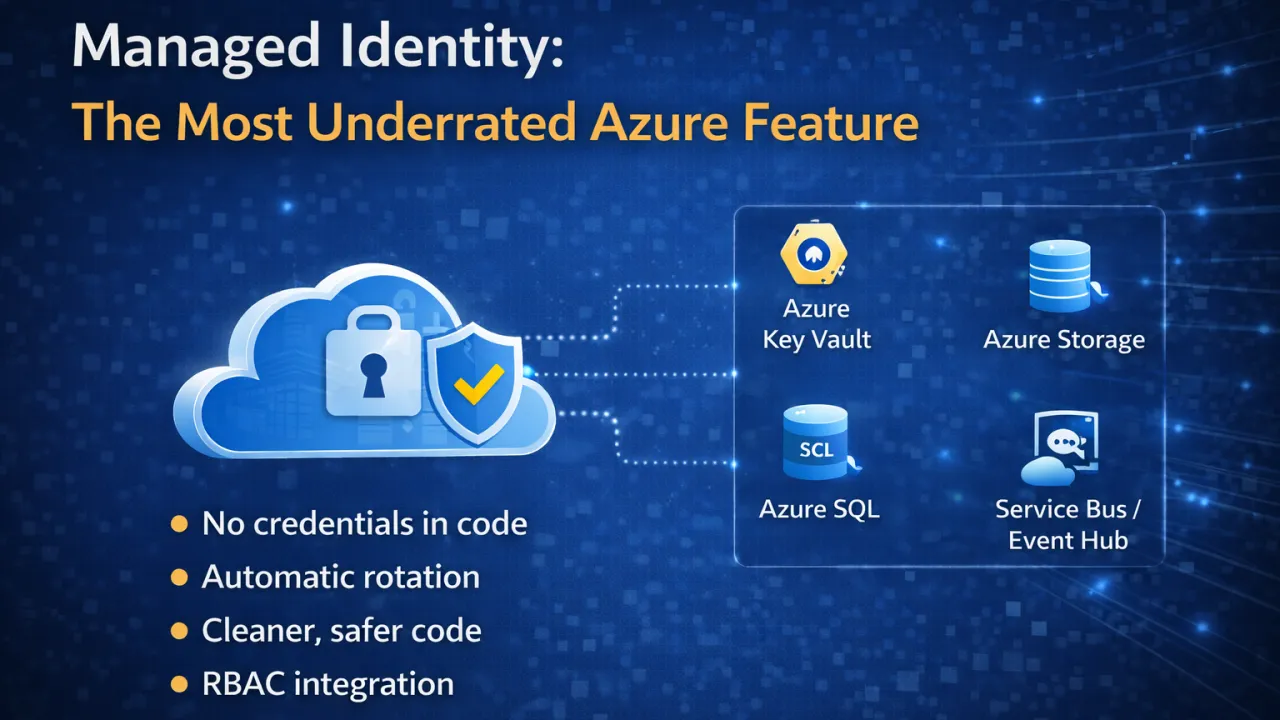
Managed Identity: The Most Underrated Azure Feature

In many cloud applications, one of the biggest risks is not performance or scalability — it’s how we handle credentials.

API keys in code. Connection strings in config files. Secrets stored in environment variables.

Even today, many systems rely on manually managed credentials — and that’s where problems begin.

This is exactly what Managed Identity solves.

What Is Managed Identity?

Managed Identity in Azure allows your application to authenticate with Azure services without storing credentials in code.

Instead of managing secrets yourself, Azure handles identity creation and lifecycle automatically.

Your application simply says: “I need access to this resource.” Azure verifies identity behind the scenes.

No keys. No secrets. No manual rotation.

Why It Matters

Traditional credential management introduces:

  • Security risks (leaked keys, exposed configs) • Operational overhead (rotation, storage, access control) • Human error (misconfigured permissions)

Managed Identity removes these problems by design.

How It Works (Simple View)

When you enable Managed Identity for a service (App Service, VM, Container Apps, etc.):

  1. Azure creates an identity for your resource
  2. You assign permissions (RBAC) to that identity
  3. Your application requests access via Azure SDK
  4. Azure issues tokens securely

No credentials are ever exposed to your application code.

Where You Should Use It

Managed Identity is ideal when your app needs to access:

  • Azure Key Vault • Azure Storage • Azure SQL Database • Service Bus / Event Hub • Any Azure resource with RBAC support

If your app talks to Azure — you should consider using it.

Benefits in Real Systems

Using Managed Identity leads to:

  • Stronger security posture • Zero secret management • Automatic credential rotation • Cleaner and safer code • Easier compliance and auditing

It aligns perfectly with Zero Trust architecture.

Common Mistakes

Despite its advantages, many teams:

  • Continue using connection strings unnecessarily • Store secrets in config files • Avoid Managed Identity due to lack of awareness • Overcomplicate authentication setups

In most cases, the simpler and safer option already exists — but goes unused.

The Real Insight

Managed Identity is not just a feature — it’s a shift in how we think about authentication.

Instead of managing secrets, we rely on identity and access control.

In modern cloud systems, security should not depend on how well you hide secrets. It should depend on how well you eliminate them.

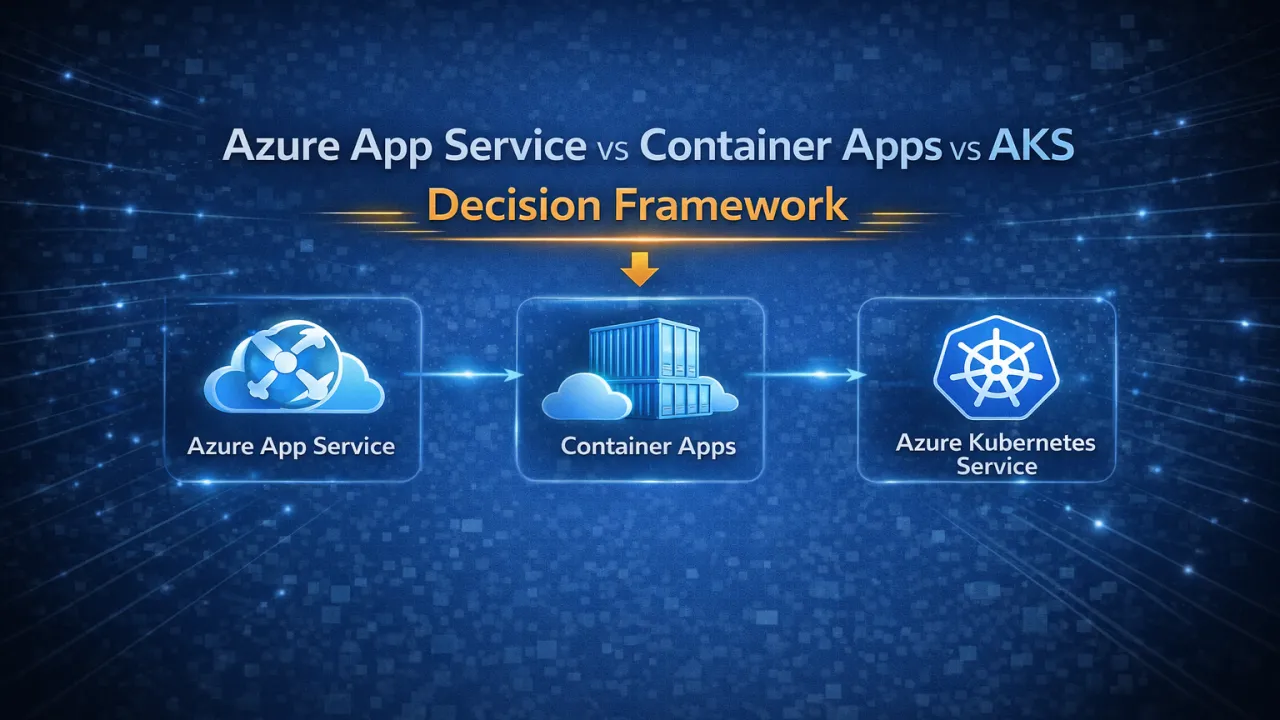
Azure App Service vs Container Apps vs AKS – Decision Framework

Choosing how to run your .NET application in Azure is not just a deployment choice — it’s an architectural decision. It affects scalability, cost, operational complexity, and how your team builds and maintains systems.

Many teams either over-engineer with Kubernetes too early or limit themselves with simpler platforms for too long. The real challenge is knowing when to use what.

Understanding the Three Options

Azure provides three primary compute models:

  • Azure App Service → Fully managed platform (PaaS) • Azure Container Apps → Serverless container platform • Azure Kubernetes Service (AKS) → Full container orchestration

Each exists for a reason — and each solves a different level of complexity.

Azure App Service – Best for Simplicity

App Service is the fastest way to deploy and run applications without worrying about infrastructure.

Use it when:

  • You’re building standard web apps or APIs • Your architecture is simple or moderately complex • You want minimal DevOps overhead • Speed of development is a priority

Key benefits:

  • Fully managed environment • Easy deployment and scaling • Built-in integrations (CI/CD, auth, monitoring)

Limitations:

  • Limited flexibility • Not ideal for complex microservices • Less control over runtime environment

Azure Container Apps – The Modern Middle Layer

Container Apps provide a balance between simplicity and flexibility. You get containerization benefits without managing Kubernetes.

Use it when:

  • You’re building microservices • Traffic is unpredictable or bursty • You want serverless scaling (including scale to zero) • You want container flexibility without Kubernetes complexity

Key benefits:

  • Automatic scaling based on demand • Event-driven architecture support • Built-in Dapr integration • Lower operational overhead than AKS

Limitations:

  • Less control than Kubernetes • Some advanced features are limited

Azure Kubernetes Service (AKS) – Maximum Control

AKS is designed for complex, large-scale systems where full control is required.

Use it when:

  • You have large microservices architectures • You need advanced deployment strategies • You require custom networking or security setups • Your team has strong DevOps/Kubernetes expertise

Key benefits:

  • Full control over orchestration • Advanced scaling and deployment capabilities • Supports complex, enterprise-grade workloads

Limitations:

  • High operational complexity • Requires Kubernetes expertise • Higher cost of management

Decision Framework

Instead of asking “Which is best?”, ask:

  • How complex is your application architecture? • Do you need full control or managed simplicity? • What is your team’s DevOps maturity? • How critical is cost optimization vs flexibility? • Do you need advanced scaling or just reliable hosting?

Practical Rule of Thumb

  • Start with App Service → For simple and fast deployments • Move to Container Apps → For microservices and scalability • Choose AKS → Only when you truly need full orchestration

Over-engineering increases complexity. Under-engineering limits growth.

The Real Insight

There is no “best” service — only the right fit for your use case.

Good architecture is about making trade-offs:

  • Simplicity vs control
  • Speed vs flexibility
  • Cost vs scalability

The smartest teams choose platforms based on actual needs, not trends.

Writing Cloud-Aware .NET Code (Not Just Cloud-Deployed Code)

Many applications today are deployed to the cloud. But deployment alone does not make them cloud-ready.

Running a traditional .NET application on cloud infrastructure without changing how it behaves internally often leads to poor scalability, unpredictable performance, and higher costs. True cloud-native systems are not just hosted in the cloud — they are designed to work with the cloud.

Cloud-aware code understands that infrastructure is dynamic, distributed, and failure-prone.

The Core Difference

Cloud-deployed applications assume stability. Cloud-aware applications assume change.

They are built with the expectation that:

  • Instances will scale up and down
  • Services may fail temporarily
  • Network latency is variable
  • Resources are shared and limited

This shift in mindset is the foundation of cloud-native design.

Key Characteristics of Cloud-Aware .NET Code

1️ Stateless Design

Cloud systems scale horizontally. That means instances should not rely on in-memory state.

  • Avoid storing session data in memory • Use distributed caches or external storage • Ensure any instance can handle any request

2️ Resilience by Design

Failures are normal in cloud environments.

  • Implement retries with backoff • Use circuit breakers for unstable dependencies • Set timeouts for external calls • Handle partial failures gracefully

3️ Configuration Over Hardcoding

Cloud environments change frequently.

  • Use environment variables and configuration providers • Avoid hardcoded endpoints or secrets • Support dynamic configuration updates

4️ Observability Built-In

You cannot debug cloud systems without visibility.

  • Structured logging • Distributed tracing • Metrics collection (latency, error rates, throughput) • Correlation IDs across services

5️ Efficient Resource Usage

Cloud costs scale with usage.

  • Minimize memory and CPU consumption • Avoid unnecessary allocations • Optimize database and network calls • Design for efficient scaling

Common Anti-Patterns

Many systems fail to become cloud-aware because they:

  • Store critical state in memory • Assume single-instance deployment • Ignore transient failures • Use blocking I/O in distributed systems • Lack proper monitoring and tracing

These patterns work in local environments — but break under real cloud conditions.

The Real Advantage

Cloud-aware .NET applications are:

  • More resilient • Easier to scale • More cost-efficient • Better at handling real-world traffic • Faster to recover from failures

They don’t just survive in the cloud — they thrive in it.

The Mindset Shift

Cloud-native development is not about where your code runs. It’s about how your code behaves.

Designing for the cloud means embracing:

  • Distribution
  • Failure
  • Scalability
  • Observability

Modern .NET provides all the tools needed — but the real difference comes from how you use them.