Prilixor

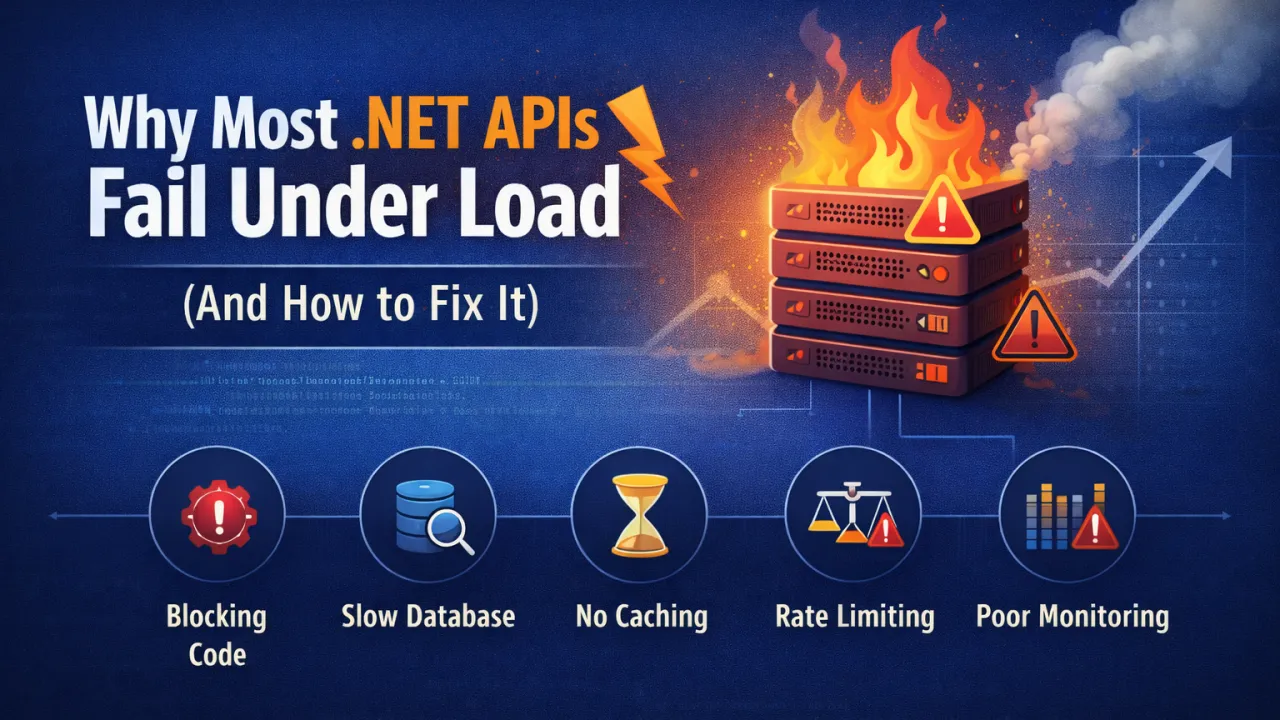
Why Most .NET APIs Fail Under Load (And How to Fix It)

Modern applications depend heavily on APIs. Whether it's mobile apps, web platforms, or microservices, APIs are the backbone that connects systems and delivers data to users in real time. ASP.NET Core APIs are known for their performance and reliability, but many production APIs still struggle when traffic increases.

APIs that perform perfectly during development can suddenly become slow, unstable, or even crash when exposed to real-world load. The reason is rarely the framework itself — it’s usually architectural or implementation issues that surface only under pressure.

Understanding why APIs fail under load is the first step toward building systems that scale smoothly.

1. Blocking Operations Instead of Asynchronous Code

One of the most common performance problems in .NET APIs is blocking I/O operations. When APIs perform database calls, file operations, or external HTTP requests synchronously, they block threads in the thread pool.

Under heavy load, this leads to thread starvation, where new requests have to wait because all threads are occupied.

Why This Happens

Synchronous code forces the server to wait for I/O operations to finish before moving on to other requests.

How to Fix It

Use asynchronous programming throughout the request pipeline.

Best Practices

  • Use async/await for all database and network calls.
  • Avoid .Result and .Wait() in ASP.NET code.
  • Use asynchronous database libraries such as Entity Framework Core async methods.

Example:

await _dbContext.Users.ToListAsync();

Asynchronous processing allows the server to handle more concurrent requests without exhausting resources.

2. Inefficient Database Queries

Databases are often the biggest bottleneck in API performance. Poor queries or inefficient data access patterns can slow down the entire system.

Common problems include:

  • N+1 query issues
  • Loading unnecessary data
  • Missing database indexes
  • Large joins on high-traffic tables

How to Fix It

Optimize data access and reduce database load.

Best Practices

  • Use projections (Select) instead of returning full entities.
  • Implement proper database indexing.
  • Use pagination for large datasets.
  • Cache frequently accessed data.

Example:

Instead of:

_dbContext.Products.ToList()

Use:

_dbContext.Products.Select(p => new { p.Id, p.Name })

Reducing database load dramatically improves API performance under traffic.

3. Lack of Caching

If every request triggers expensive database queries or external API calls, performance will degrade quickly under load.

Caching allows APIs to reuse previously computed results instead of recalculating them repeatedly.

Types of Caching

  • In-memory caching
  • Distributed caching (Redis)
  • Response caching
  • CDN caching

Best Practices

  • Cache frequently requested data such as configuration or lookup tables.
  • Use distributed caches like Redis in distributed environments.
  • Apply cache expiration policies carefully.

Caching can reduce backend load by orders of magnitude.

4. Poor Connection Management

APIs often communicate with databases, message brokers, and external services. Poor connection handling can create bottlenecks.

Common issues include:

  • Opening new connections for every request
  • Not reusing HTTP clients
  • Exhausting connection pools

How to Fix It

Use connection pooling and efficient client management.

Best Practices

  • Use IHttpClientFactory instead of creating new HttpClient instances.
  • Configure database connection pools properly.
  • Monitor connection limits.

Efficient connection management ensures APIs remain stable during traffic spikes.

5. Large Payloads and Serialization Overhead

APIs that return large JSON responses consume more CPU and network bandwidth. Under load, serialization overhead can significantly reduce performance.

Common Causes

  • Returning entire database entities
  • Excessive nested objects
  • Large response payloads

Best Practices

  • Return only required fields.
  • Use DTOs instead of full domain models.
  • Compress responses with gzip or Brotli.

Smaller responses improve both server performance and client responsiveness.

6. Missing Rate Limiting and Throttling

Without rate limiting, APIs become vulnerable to abuse or unexpected traffic spikes. A sudden flood of requests can overwhelm the system.

How to Fix It

Implement rate limiting to control request volume.

Best Practices

  • Limit requests per IP or API key.
  • Use API gateways or middleware for throttling.
  • Apply different limits for public and internal APIs.

Rate limiting protects infrastructure from overload and ensures fair resource usage.

7. Lack of Observability and Monitoring

Many APIs fail under load simply because teams cannot see what is happening inside the system.

Without proper monitoring, it’s impossible to identify bottlenecks.

Best Practices

Implement full observability.

Tools include:

  • Application Insights
  • Prometheus
  • Grafana
  • OpenTelemetry
  • ELK Stack

Key metrics to monitor:

  • Response time
  • Request throughput
  • Error rate
  • Database query time
  • CPU and memory usage

Observability allows teams to detect problems before users experience them.

8. Inefficient Dependency Injection and Service Design

Poor service design can also degrade performance. Deep dependency graphs, unnecessary abstractions, and inefficient lifetimes can slow request processing.

Best Practices

  • Keep service layers simple.
  • Avoid unnecessary dependency chains.
  • Use correct service lifetimes (Transient, Scoped, Singleton).
  • Avoid heavy work inside constructors.

Well-designed services reduce overhead and improve system efficiency.

Key Lessons for Building High-Performance APIs

To ensure your .NET APIs perform well under load:

  • Use asynchronous programming for I/O operations • Optimize database queries and indexing • Implement caching for frequently accessed data • Manage connections efficiently • Reduce payload size and serialization costs • Apply rate limiting and request throttling • Monitor performance with proper observability tools • Design services with simplicity and efficiency

Final Thoughts

Most .NET APIs don’t fail because of the framework — ASP.NET Core is extremely fast and capable. Failures usually come from architectural decisions that don’t hold up when traffic grows.

Building scalable APIs requires thinking about performance from the beginning, not as a last-minute optimization.

When APIs are designed with async processing, efficient data access, caching strategies, and strong monitoring, they can handle millions of requests reliably and consistently.

Performance isn’t just about speed — it’s about building systems that remain stable when demand grows.


Designing High-Performance APIs Using Minimal APIs + Middleware

High-performance APIs are not built by accident. They are engineered by intentionally reducing overhead, controlling allocations, optimizing the request pipeline, and eliminating unnecessary abstractions. In modern .NET, one of the most effective ways to achieve this is by combining Minimal APIs with a carefully designed middleware pipeline.

Performance problems in APIs rarely come from business logic alone. They often originate in the framework layers, request handling flow, serialization, blocking calls, and inefficient cross-cutting implementations. The more layers a request passes through, the more overhead accumulates. When traffic scales, those small inefficiencies multiply dramatically.

Minimal APIs were introduced to reduce that structural overhead.

Why Minimal APIs Improve Performance

Traditional controller-based architectures provide structure and flexibility, but they also introduce additional abstractions such as model binding layers, controller instantiation, filters, and attribute routing logic. While these are useful in large enterprise applications, high-throughput APIs benefit from a slimmer execution path.

Minimal APIs simplify endpoint definition by:

  • Reducing reflection-heavy patterns • Minimizing middleware branching complexity • Cutting down unnecessary object instantiations • Improving startup performance • Shortening request-to-response execution flow

By defining endpoints directly in the application pipeline, developers gain tighter control over how requests are handled. Fewer abstractions mean fewer allocations and faster execution — especially under high concurrency.

However, Minimal APIs are not a silver bullet. The real performance advantage emerges when combined with well-architected middleware.

Middleware: The Performance Gatekeeper

Middleware forms the backbone of the HTTP request pipeline. Every request flows through it. That means middleware design directly impacts:

  • Latency • Throughput • Memory allocation • Thread utilization • CPU consumption

Poorly written middleware can become the primary bottleneck in high-traffic APIs.

In high-performance systems, middleware should be lightweight and focused strictly on cross-cutting concerns, such as:

  • Authentication and authorization • Global exception handling • Request logging (optimized and structured) • Rate limiting • Response compression • Caching • Correlation IDs and tracing

Middleware should never execute heavy business logic or long-running operations. Blocking I/O inside middleware defeats the purpose of a high-performance pipeline.

Eliminating Hidden Bottlenecks

To truly design high-performance APIs, attention must go beyond endpoint definitions.

Key considerations include:

1️ Asynchronous Everything

All I/O-bound operations (database calls, HTTP calls, file access) must be asynchronous. Blocking threads reduces scalability and increases thread pool pressure.

2️ Minimize Allocations

High allocation rates increase garbage collection frequency. Use efficient serialization strategies, reuse objects when possible, and avoid unnecessary temporary allocations in hot paths.

3️ Optimize Serialization

JSON serialization can become a performance bottleneck in large APIs. Controlling payload size, avoiding excessive nesting, and using efficient serialization settings can significantly improve response times.

4️ Control Middleware Order

Middleware execution order matters. Placing expensive middleware early in the pipeline affects every request, even those that may not require it.

5️ Measure Under Load

Performance should never be assumed. Benchmarking, stress testing, and observing metrics like allocation rate, request latency (P95/P99), and CPU utilization provide real insight into scalability.

Designing for Throughput and Scalability

When Minimal APIs and middleware are combined strategically, the result is a streamlined request pipeline optimized for:

  • Lower latency • Higher requests per second (RPS) • Reduced memory footprint • Faster startup time • Better cloud scalability

In containerized and cloud-native environments, these improvements directly translate into cost efficiency and better horizontal scaling behavior.

High-performance API design is not about removing structure — it is about removing unnecessary complexity. It is about understanding how each request flows through the system and eliminating friction at every stage.

The Real Mindset Shift

Modern API performance is pipeline-driven. It is no longer enough to optimize business logic while ignoring infrastructure layers. The request pipeline itself must be engineered for speed.

Minimal APIs provide control. Middleware provides structure. Together, they enable precision in performance design.

In high-traffic systems, every millisecond matters. Every allocation matters. Every blocking call matters.

Performance is not something you add later. It is something you design from the first line of code.

Memory Management Pitfalls in Long-Running .NET Services

Long-running .NET services — background workers, hosted services, APIs, microservices, Windows services — rarely fail on day one. They fail after weeks or months in production. The reason is often not logic errors, but memory behavior.

Memory leaks in managed environments are subtle. Just because .NET has a Garbage Collector doesn’t mean memory problems disappear. In fact, in long-running systems, poor memory discipline slowly degrades performance, increases GC pressure, and eventually impacts stability.

The most dangerous issues are not obvious crashes — they are gradual resource exhaustion.

Common Memory Pitfalls in Long-Running Services

Even well-written applications can suffer from:

  • Holding references longer than necessary • Static collections that grow indefinitely • Event handlers not being unsubscribed • Caching without eviction policies • Large object heap (LOH) fragmentation • Excessive allocations in high-frequency code paths • Improper use of HttpClient or database connections

These issues don’t break immediately. They accumulate.

Garbage Collection Is Not a Safety Net

The .NET Garbage Collector is highly optimized, but it cannot collect objects that are still referenced. If your service unintentionally keeps references alive, memory usage will continuously grow.

High allocation rates also increase GC frequency. That leads to:

  • Increased CPU usage • Latency spikes • Throughput reduction • Performance instability under load

In high-traffic or always-on services, allocation patterns matter more than most developers realize.

The Large Object Heap Problem

Objects larger than 85KB go to the Large Object Heap. Frequent allocation of large objects — such as big JSON payloads, images, or in-memory buffers — can fragment memory and increase full GC cycles.

LOH fragmentation in long-running systems often results in unpredictable pauses and degraded performance over time.

Defensive Memory Practices

To prevent long-term degradation, production-grade .NET services should focus on:

  • Limiting object allocations in hot paths • Using object pooling where appropriate • Implementing proper cache eviction policies • Avoiding unbounded in-memory collections • Monitoring memory metrics continuously • Profiling allocation patterns under load

Memory management should be measured, not assumed.

Observability Is Essential

If your service runs 24/7, you must monitor:

  • Working set size • GC collections (Gen 0, 1, 2) • Allocation rate • LOH size • CPU usage during GC

Without visibility, memory leaks remain hidden until production incidents occur.

The Real Risk

Long-running .NET services don’t typically fail because of syntax errors. They fail because small inefficiencies compound over time.

Memory management is not just about preventing leaks. It’s about sustaining performance for weeks, months, and years without degradation.

In modern backend architecture, stability is measured over time — not just under initial load tests.

If your service has been running smoothly for months, that’s not luck. That’s disciplined memory engineering.

Threading, Async, and I/O-Bound Workloads in High-Traffic APIs

High-traffic APIs don’t fail because of lack of features. They fail because of poor thread management.When traffic increases, the real bottleneck is rarely business logic. It’s how your application handles threads, asynchronous operations, and I/O-bound workloads.Understanding this difference is what separates scalable APIs from systems that collapse under load.

The Hidden Problem: Thread Starvation

In high-traffic environments, every incoming request needs processing capacity. In traditional blocking models, each request occupies a thread until the work completes. If that work includes database calls, HTTP calls, file access, or external services, the thread remains blocked while waiting.

Now multiply that by thousands of concurrent users.

Eventually:

  • The thread pool gets exhausted
  • Requests queue up
  • Latency spikes
  • Throughput drops

This is thread starvation — and it silently kills performance.

CPU-Bound vs I/O-Bound Workloads

Not all workloads are equal.

CPU-bound work consumes processor time. Examples include:

  • Complex calculations
  • Data transformations
  • Encryption
  • Image processing

I/O-bound work waits for external operations:

  • Database queries
  • API calls
  • File system access
  • Network requests

Most high-traffic APIs are primarily I/O-bound, not CPU-bound.

And that changes everything.

Why Async Matters

For I/O-bound workloads, blocking threads is wasteful. While waiting for a database response, the CPU is idle — but the thread is occupied.

Asynchronous programming allows:

  • Threads to be released while waiting
  • Better thread pool utilization
  • Higher request throughput
  • Improved scalability

Async/await is not just syntactic sugar. It’s a scalability tool.

When implemented correctly, asynchronous APIs can handle significantly more concurrent requests without increasing hardware resources.

Common Mistakes in High-Traffic APIs

Even with async support, performance can suffer due to:

  • Using .Result or .Wait() (sync-over-async)
  • Blocking calls inside async methods
  • Overusing Task.Run unnecessarily
  • Poor connection pooling
  • Not configuring thread pool settings appropriately

These mistakes reintroduce blocking behavior and reduce scalability.

Designing for High Traffic

If your API handles large volumes of traffic, focus on:

  • Making database and HTTP calls fully asynchronous
  • Avoiding long-running CPU work on request threads
  • Offloading heavy processing to background services
  • Monitoring thread pool utilization
  • Measuring request latency under load

Performance should be validated under stress — not assumed.

The Real Goal

High-traffic APIs aren’t about just handling more users. They’re about handling more users efficiently.

Threading and async patterns directly impact:

  • Throughput
  • Latency
  • Resource consumption
  • Infrastructure cost

In modern backend systems, scalability is not achieved by adding servers. It’s achieved by designing for non-blocking I/O and efficient thread usage.