Prilixor

Avoiding Vendor Lock-In While Still Using Azure Effectively

In today's fast-paced digital landscape, organizations are continually adopting cloud solutions to drive innovation and improve efficiency. However, while platforms like Azure offer powerful tools and services, they also present the challenge of vendor lock-in. This can limit an organization’s flexibility to migrate applications or services as needs evolve. The key to leveraging Azure’s capabilities effectively lies in strategic planning and decision-making.

Understanding vendor lock-in is crucial for businesses that want to avoid being tied to a single provider. Vendor lock-in occurs when a company becomes dependent on a particular vendor’s products or services, making it difficult to switch to another provider without incurring substantial costs or facing significant operational disruptions. Lock-in can stem from various factors, including proprietary technologies, complex contract structures, and the intricacy of integrating solutions into existing business processes.

To harness the benefits of Azure without succumbing to vendor lock-in, organizations should consider several strategies that promote flexibility and interoperability. A fundamental step is to adopt an open architecture wherever possible. By leveraging open-source technologies and adhering to industry standards, companies can create environments that are less dependent on a single vendor.

Additionally, organizations should prioritize data portability. Ensuring that data can be easily moved between platforms requires a strategic approach to data management, including utilizing widely accepted data formats and avoiding tightly coupled services that limit migration options.

Monitoring and evaluating cloud usage is also essential. Regular assessments can help identify areas of potential lock-in before they become problematic. Cultivating a multi-cloud strategy is another avenue that can diversify risk. Organizations can use services from multiple cloud providers to avoid over-reliance on a single vendor, facilitating negotiation advantages and providing alternative solutions should a need for change arise.

Key considerations in avoiding vendor lock-in might include:

  • Utilize Multi-Cloud Strategies: Engage multiple cloud platforms to diversify services and avoid dependence on one provider.
  • Standardize on Open Technologies: Employ open-source solutions that can be utilized across different cloud providers, ensuring compatibility and ease of migration.
  • Focus on Data Portability: Use standard data formats and APIs that facilitate data movement and integration with various platforms.
  • Regularly Review Agreements: Schedule periodic reviews of contracts and service agreements to identify constraints that could lead to lock-in.
  • Invest in Training: Ensure team members are skilled in technologies that are widely applicable across different environments, reducing reliance on vendor-specific skill sets.
  • Engage with Vendor Ecosystems: Stay informed about alternative solutions and complementary services that can be applied across various vendors.

By carefully considering these strategies, organizations can harness the immense potential of Azure while mitigating the risks associated with vendor lock-in. A strategic and proactive approach allows businesses to remain agile, adaptive, and competitive in an ever-evolving technological landscape.

Navigating Cold Starts, Scaling, and Throttling in Azure Services

In today's digital landscape, the demand for scalable and efficient cloud solutions has never been greater. Organizations rely on cloud services to remain agile, yet they often face challenges that can hinder performance and user experience. Among these are cold starts, scaling decisions, and throttling constraints, particularly within Azure services.

Understanding cold starts is essential for anyone leveraging serverless architectures or functions. A cold start occurs when a function or service has to spin up from an idle state. This initial delay can lead to increased latency, which detracts from the user experience. It is particularly prominent in event-driven architectures where functions are triggered infrequently. Cold starts can be minimized by keeping functions warm through regular pings or by optimizing code, ensuring quick initialization.

As businesses grow, so do their operational requirements. The scalability of services becomes crucial. Azure offers various scaling options, both vertical and horizontal. Vertical scaling involves adding resources to an existing server, making it more powerful, while horizontal scaling involves adding more instances of a server to distribute the load. Although vertical scaling is easier to implement, it has limitations in terms of capacity. Horizontal scaling, while more complex, allows for greater resilience and flexibility in handling fluctuating workloads.

Throttling is another aspect that can impact the performance of applications hosted on Azure. Throttling occurs when the system limits the number of requests it can handle within a certain timeframe. This mechanism is essential for preventing server overload and ensuring consistent performance but can frustrate users if not managed properly. It's important to recognize signs of throttling, such as increased latency or error rates, to effectively respond and adapt.

Key insights on managing cold starts, scaling, and throttling:

  • Recognize cold start implications: Understand the scenarios where cold starts may delay function execution.
  • Optimize function performance: Write efficient code to reduce initialization time and enhance performance.
  • Implement scaling strategies: Decide when and how to scale services based on current and projected workloads.
  • Monitor performance metrics: Invest in monitoring tools to detect signs of throttling and respond proactively.
  • Design for resilience: Implement architecture patterns that can gracefully handle peak loads without major interruptions.

A well-thought-out approach to addressing these factors can significantly improve the performance and reliability of applications hosted in Azure. It is essential for organizations to remain informed and proactive, ensuring that they are not just reacting to issues as they arise. By strategically managing cold starts, scalability, and throttling, businesses can maintain a competitive edge and provide superior service to their users.

Ultimately, understanding these aspects will empower professionals, helping them navigate the complexities of cloud services efficiently.

Designing Multi-Region Azure Applications

As applications scale globally, a single-region deployment is no longer enough. Users expect low latency, high availability, and uninterrupted access — regardless of location or failures.

This is where multi-region architecture becomes essential.

But designing for multiple regions is not just about duplication. It’s about resilience, consistency, and smart traffic management.

Why Multi-Region Matters

Relying on a single region introduces risks:

  • Regional outages can bring down the entire system • Latency increases for global users • Disaster recovery becomes complex

Multi-region design helps achieve:

  • Higher availability • Lower latency for global users • Better fault tolerance • Stronger disaster recovery

Active-Active vs Active-Passive

The first key decision:

Active-Active

Both regions handle traffic simultaneously.

  • Better performance (users routed to nearest region) • Higher availability • More complex data synchronization

Active-Passive

One region is primary, the other is standby.

  • Simpler to implement • Easier data consistency • Slower failover and potential downtime

Traffic Routing Strategies

Routing traffic intelligently is critical.

Azure provides:

  • Azure Front Door → Global HTTP routing + low latency • Traffic Manager → DNS-based routing • Load Balancers → Regional traffic distribution

Choosing the right routing layer affects performance and failover speed.

Data Consistency Challenges

Applications are easy to replicate. Data is not.

Key considerations:

  • Strong vs eventual consistency • Conflict resolution strategies • Replication lag • Database capabilities (geo-replication, multi-master)

Poor data design can break multi-region systems.

Stateless Architecture Is Key

To scale across regions:

  • Avoid storing state in memory • Use distributed storage (databases, caches) • Ensure any instance can serve any request

Stateless services make failover seamless.

Failover Planning

Failover should not be theoretical — it should be tested.

Best practices:

  • Automate failover where possible • Monitor health checks continuously • Run chaos testing or failover drills • Ensure DNS or routing updates quickly

A failover plan that is never tested is unreliable.

Cost vs Complexity Trade-Off

Multi-region systems increase:

  • Infrastructure cost • Operational complexity • Data management challenges

But they also increase:

  • Reliability • User experience • Business continuity

The goal is not maximum redundancy — it’s the right level of resilience.

Common Mistakes

Many teams:

  • Duplicate infrastructure without proper routing • Ignore data consistency issues • Don’t test failover scenarios • Assume cloud automatically handles everything

Multi-region design requires intentional architecture.

The Real Insight

Multi-region systems are not about avoiding failure — they are about designing systems that continue despite failure.

True resilience comes from:

  • Redundancy • Smart routing • Data strategy • Continuous testing

Final Thought

Global systems require global thinking.

If your application needs to scale across regions, are you just deploying in multiple locations — or truly designing for resilience?

Cost Optimization Patterns for Always-On Azure Workloads

In cloud systems, performance and scalability often get the most attention. But there’s another factor that directly impacts long-term success — cost.

Always-on workloads — APIs, background services, microservices, and core business systems — run 24/7. That means even small inefficiencies compound into significant monthly expenses.

Cost optimization in Azure is not about cutting corners. It’s about designing efficiently from the start.

The Hidden Problem

Many systems are deployed with a “just make it work” mindset:

  • Over-provisioned resources • Idle compute running continuously • Unoptimized scaling rules • Paying for peak capacity even during low usage

These decisions don’t hurt immediately — but over time, they quietly increase cloud bills.

Right-Sizing Resources

One of the simplest and most effective strategies:

Match resources to actual usage.

  • Avoid oversized App Service plans or VMs • Monitor CPU, memory, and request patterns • Continuously adjust based on real data

Over-provisioning is one of the most common cost leaks.

Use Autoscaling Intelligently

Always-on doesn’t mean always at peak capacity.

Best practices:

  • Scale out during high traffic • Scale in during low usage • Use metrics like CPU, requests, or queue length • Avoid aggressive scaling that increases churn

Smart scaling reduces cost without impacting performance.

Choose the Right Compute Model

Different Azure services have different cost models:

  • App Service → predictable but always running • Container Apps → can scale dynamically • AKS → flexible but operationally expensive • Serverless options → cost-effective for variable workloads

Choosing the wrong platform can significantly increase costs.

Optimize Background Processing

Background jobs often run inefficiently.

Common issues:

  • Polling too frequently • Long-running idle processes • Unnecessary compute usage

Better approach:

  • Use event-driven models (queues, triggers) • Process work only when needed • Reduce idle cycles

Storage and Data Costs

Storage is often overlooked but adds up quickly.

Optimize by:

  • Using appropriate storage tiers (Hot, Cool, Archive) • Cleaning unused data regularly • Avoiding redundant storage patterns • Compressing large datasets where possible

Network and Data Transfer Costs

Data transfer between regions or services can increase costs.

Best practices:

  • Keep services in the same region when possible • Minimize cross-region traffic • Optimize API calls and payload sizes

Observability for Cost

You can’t optimize what you don’t measure.

Track:

  • Resource utilization • Cost per service • Cost per request • Idle vs active usage

Azure Cost Management tools provide visibility into spending patterns.

The Real Insight

Cost optimization is not a one-time task. It is a continuous engineering practice.

Efficient systems are:

  • Right-sized • Dynamically scaled • Event-driven • Observed and adjusted regularly

The goal is not to spend less — it’s to spend smarter.

Final Thought

Always-on workloads don’t have to mean always-expensive systems.

The difference lies in how intentionally they are designed.

If you're running Azure workloads 24/7, are you optimizing for performance only — or balancing it with cost efficiency?

Azure Networking Basics That Senior Developers Still Miss

Cloud networking is often treated as “someone else’s responsibility.” Developers focus on code. DevOps focuses on infrastructure.

But in modern cloud systems, that separation no longer works.

Many production issues — latency, timeouts, security gaps, unexpected failures — are not caused by code. They are caused by networking misunderstandings.

And surprisingly, even experienced developers miss some of the basics.

The Illusion of “It Just Works”

Azure makes networking look simple:

  • Deploy an App Service • Connect to a database • Call another API

Everything works — until it doesn’t.

Behind the scenes, networking decisions impact:

  • Performance • Security • Reliability • Cost

Ignoring them leads to fragile systems.

Virtual Network (VNet) Is Not Optional

Many developers assume VNets are only needed for complex setups.

That’s a mistake.

A Virtual Network (VNet) defines how your resources communicate securely within Azure.

Without proper VNet design:

  • Services may be exposed publicly • Internal communication becomes insecure • Network isolation is lost

Even simple systems benefit from proper VNet planning.

Public vs Private Access – A Critical Choice

One of the most common mistakes:

Leaving services publicly accessible by default.

Azure services often expose public endpoints unless configured otherwise.

Best practice:

  • Use private endpoints for internal communication • Restrict public access wherever possible • Control traffic using NSGs (Network Security Groups)

Security in cloud starts with network boundaries.

Latency Is a Network Problem

Developers often optimize code when facing performance issues.

But many times, the real issue is:

  • Cross-region communication • Unoptimized routing • Excessive network hops

Simple improvements like placing services in the same region or using proper routing can drastically reduce latency.

DNS and Service Discovery Matter

In distributed systems, services need to find each other.

Misconfigured DNS leads to:

  • Failed connections • Intermittent issues • Hard-to-debug production problems

Understanding how Azure handles DNS — especially with private endpoints and VNets — is essential.

Outbound Connectivity Is Often Ignored

Most focus on incoming traffic, but outbound connectivity is equally important.

Questions developers rarely ask:

  • How does my app call external services? • Is outbound traffic secured? • Are IPs predictable for whitelisting?

Ignoring outbound flow can break integrations and create security risks.

Network Security Groups (NSGs) Are Your First Firewall

NSGs control traffic at subnet and resource levels.

They define:

  • Who can access what • Which ports are open • What traffic is allowed or denied

Misconfigured NSGs can either:

  • Block critical communication • Or expose services unintentionally

The Real Problem

The issue is not lack of tools. Azure provides everything needed.

The issue is mindset.

Networking is often treated as: “Set it once and forget it.”

In reality, networking is part of application design.

The Real Insight

Senior developers don’t need to become network engineers.

But they must understand:

  • How services communicate • Where data flows • What is exposed publicly • What affects latency

Because in the cloud, architecture is not just code — it’s code + network + infrastructure working together.

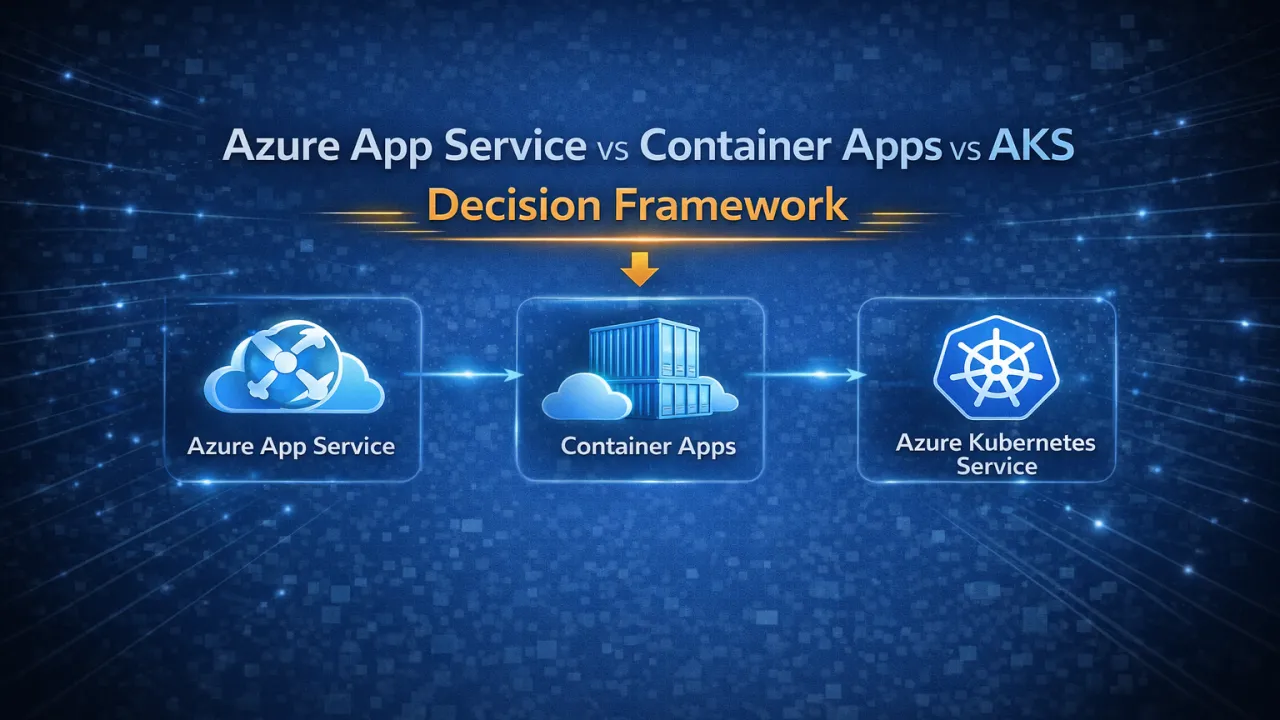
Azure App Service vs Container Apps vs AKS – Decision Framework

Choosing how to run your .NET application in Azure is not just a deployment choice — it’s an architectural decision. It affects scalability, cost, operational complexity, and how your team builds and maintains systems.

Many teams either over-engineer with Kubernetes too early or limit themselves with simpler platforms for too long. The real challenge is knowing when to use what.

Understanding the Three Options

Azure provides three primary compute models:

  • Azure App Service → Fully managed platform (PaaS) • Azure Container Apps → Serverless container platform • Azure Kubernetes Service (AKS) → Full container orchestration

Each exists for a reason — and each solves a different level of complexity.

Azure App Service – Best for Simplicity

App Service is the fastest way to deploy and run applications without worrying about infrastructure.

Use it when:

  • You’re building standard web apps or APIs • Your architecture is simple or moderately complex • You want minimal DevOps overhead • Speed of development is a priority

Key benefits:

  • Fully managed environment • Easy deployment and scaling • Built-in integrations (CI/CD, auth, monitoring)

Limitations:

  • Limited flexibility • Not ideal for complex microservices • Less control over runtime environment

Azure Container Apps – The Modern Middle Layer

Container Apps provide a balance between simplicity and flexibility. You get containerization benefits without managing Kubernetes.

Use it when:

  • You’re building microservices • Traffic is unpredictable or bursty • You want serverless scaling (including scale to zero) • You want container flexibility without Kubernetes complexity

Key benefits:

  • Automatic scaling based on demand • Event-driven architecture support • Built-in Dapr integration • Lower operational overhead than AKS

Limitations:

  • Less control than Kubernetes • Some advanced features are limited

Azure Kubernetes Service (AKS) – Maximum Control

AKS is designed for complex, large-scale systems where full control is required.

Use it when:

  • You have large microservices architectures • You need advanced deployment strategies • You require custom networking or security setups • Your team has strong DevOps/Kubernetes expertise

Key benefits:

  • Full control over orchestration • Advanced scaling and deployment capabilities • Supports complex, enterprise-grade workloads

Limitations:

  • High operational complexity • Requires Kubernetes expertise • Higher cost of management

Decision Framework

Instead of asking “Which is best?”, ask:

  • How complex is your application architecture? • Do you need full control or managed simplicity? • What is your team’s DevOps maturity? • How critical is cost optimization vs flexibility? • Do you need advanced scaling or just reliable hosting?

Practical Rule of Thumb

  • Start with App Service → For simple and fast deployments • Move to Container Apps → For microservices and scalability • Choose AKS → Only when you truly need full orchestration

Over-engineering increases complexity. Under-engineering limits growth.

The Real Insight

There is no “best” service — only the right fit for your use case.

Good architecture is about making trade-offs:

  • Simplicity vs control
  • Speed vs flexibility
  • Cost vs scalability

The smartest teams choose platforms based on actual needs, not trends.

Writing Cloud-Aware .NET Code (Not Just Cloud-Deployed Code)

Many applications today are deployed to the cloud. But deployment alone does not make them cloud-ready.

Running a traditional .NET application on cloud infrastructure without changing how it behaves internally often leads to poor scalability, unpredictable performance, and higher costs. True cloud-native systems are not just hosted in the cloud — they are designed to work with the cloud.

Cloud-aware code understands that infrastructure is dynamic, distributed, and failure-prone.

The Core Difference

Cloud-deployed applications assume stability. Cloud-aware applications assume change.

They are built with the expectation that:

  • Instances will scale up and down
  • Services may fail temporarily
  • Network latency is variable
  • Resources are shared and limited

This shift in mindset is the foundation of cloud-native design.

Key Characteristics of Cloud-Aware .NET Code

1️ Stateless Design

Cloud systems scale horizontally. That means instances should not rely on in-memory state.

  • Avoid storing session data in memory • Use distributed caches or external storage • Ensure any instance can handle any request

2️ Resilience by Design

Failures are normal in cloud environments.

  • Implement retries with backoff • Use circuit breakers for unstable dependencies • Set timeouts for external calls • Handle partial failures gracefully

3️ Configuration Over Hardcoding

Cloud environments change frequently.

  • Use environment variables and configuration providers • Avoid hardcoded endpoints or secrets • Support dynamic configuration updates

4️ Observability Built-In

You cannot debug cloud systems without visibility.

  • Structured logging • Distributed tracing • Metrics collection (latency, error rates, throughput) • Correlation IDs across services

5️ Efficient Resource Usage

Cloud costs scale with usage.

  • Minimize memory and CPU consumption • Avoid unnecessary allocations • Optimize database and network calls • Design for efficient scaling

Common Anti-Patterns

Many systems fail to become cloud-aware because they:

  • Store critical state in memory • Assume single-instance deployment • Ignore transient failures • Use blocking I/O in distributed systems • Lack proper monitoring and tracing

These patterns work in local environments — but break under real cloud conditions.

The Real Advantage

Cloud-aware .NET applications are:

  • More resilient • Easier to scale • More cost-efficient • Better at handling real-world traffic • Faster to recover from failures

They don’t just survive in the cloud — they thrive in it.

The Mindset Shift

Cloud-native development is not about where your code runs. It’s about how your code behaves.

Designing for the cloud means embracing:

  • Distribution
  • Failure
  • Scalability
  • Observability

Modern .NET provides all the tools needed — but the real difference comes from how you use them.

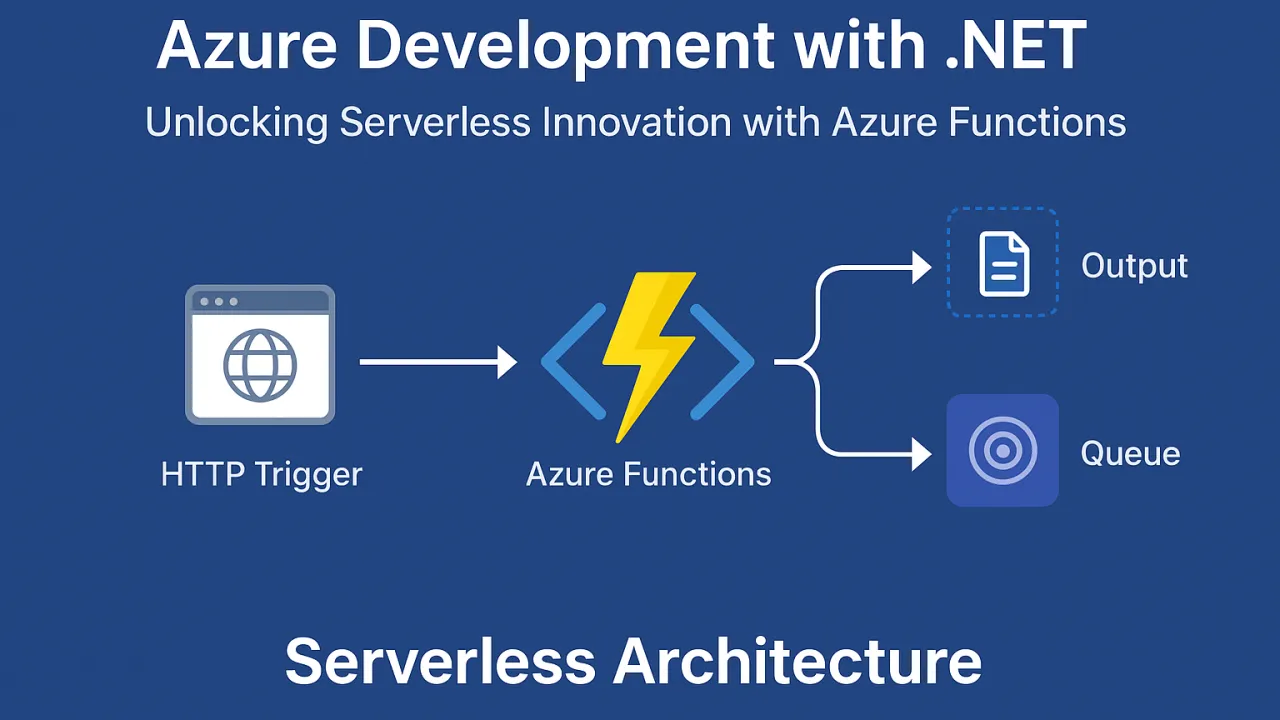
Azure Development with .NET: Unlocking Serverless Innovation with Azure Functions

In the evolving world of cloud computing, organizations are shifting away from traditional infrastructure management toward serverless architectures. The promise of serverless computing is simple yet transformative: write your application logic, deploy it, and let the cloud handle scaling, availability, and infrastructure provisioning.

For .NET developers, Azure Functions offers a seamless entry point into serverless development—combining the flexibility of event-driven architecture with the robustness and familiarity of the .NET ecosystem.

🚀 Key Benefits of Azure Functions for .NET Developers

1. Pay-as-you-go, Event-Driven Scalability

Unlike monolithic applications that run continuously, Azure Functions execute only when triggered. You’re charged solely for the time and resources consumed during execution.

  • Cost efficiency: Ideal for workloads that have unpredictable or sporadic demand.
  • Practical use cases: Background processing (e.g., image resizing, file parsing), scheduled tasks, IoT data ingestion, and API request handling.
  • Elastic scaling: Automatically scales up during traffic spikes and scales down to zero when idle—without manual configuration.

2. Deep Integration with .NET 8 and C# 12

Azure Functions offers first-class support for the latest .NET runtime and language features, allowing developers to work with familiar syntax, frameworks, and tooling.

  • Language features: Leverage records, pattern matching, and enhancements from C# 12 for concise, maintainable code.
  • Dependency injection: Built-in support for DI patterns makes it easy to reuse services and components across multiple functions.
  • Migration potential: Existing .NET libraries can be adapted for Azure Functions with minimal changes, reducing rework.

3. Rich Trigger and Binding Ecosystem

One of the most powerful aspects of Azure Functions is its integration with other Azure services through triggers and bindings.

  • Triggers: Automatically start execution based on events—such as an HTTP request, a message in a queue, a new blob in storage, or a timer schedule.
  • Bindings: Simplify input and output operations by abstracting away connection code, allowing you to read from and write to Azure services with minimal boilerplate.
  • Supported services: Azure Blob Storage, Azure Queue Storage, Cosmos DB, Service Bus, Event Grid, Event Hubs, SQL Database, and more.

🏁 The Serverless Advantage

Serverless architecture with Azure Functions offers more than just cost savings—it transforms how applications are designed and maintained:

  • Infrastructure-free development: No need to provision or patch servers; Azure manages the runtime environment.
  • Faster release cycles: Teams can focus purely on business logic, reducing operational dependencies.
  • Automatic scaling: Scale instantly to meet demand, then return to zero when idle, maximizing efficiency.
  • Global reach: Functions can be deployed to multiple Azure regions for low-latency, high-availability access worldwide.
  • Event-driven flexibility: Ideal for modern microservices and reactive architectures.

📌 Final Thoughts

Azure Functions combined with .NET unlocks a new level of agility for developers. It empowers teams to build scalable, event-driven, and cost-effective applications without the complexities of traditional infrastructure. By leveraging deep integration with the Azure ecosystem, developers can connect services, process data, and deliver features faster—while still writing in a language and framework they know best.

Whether it’s processing millions of events, integrating with cloud databases, or running scheduled tasks, serverless .NET applications with Azure Functions provide a future-ready architecture that can evolve with your business needs.

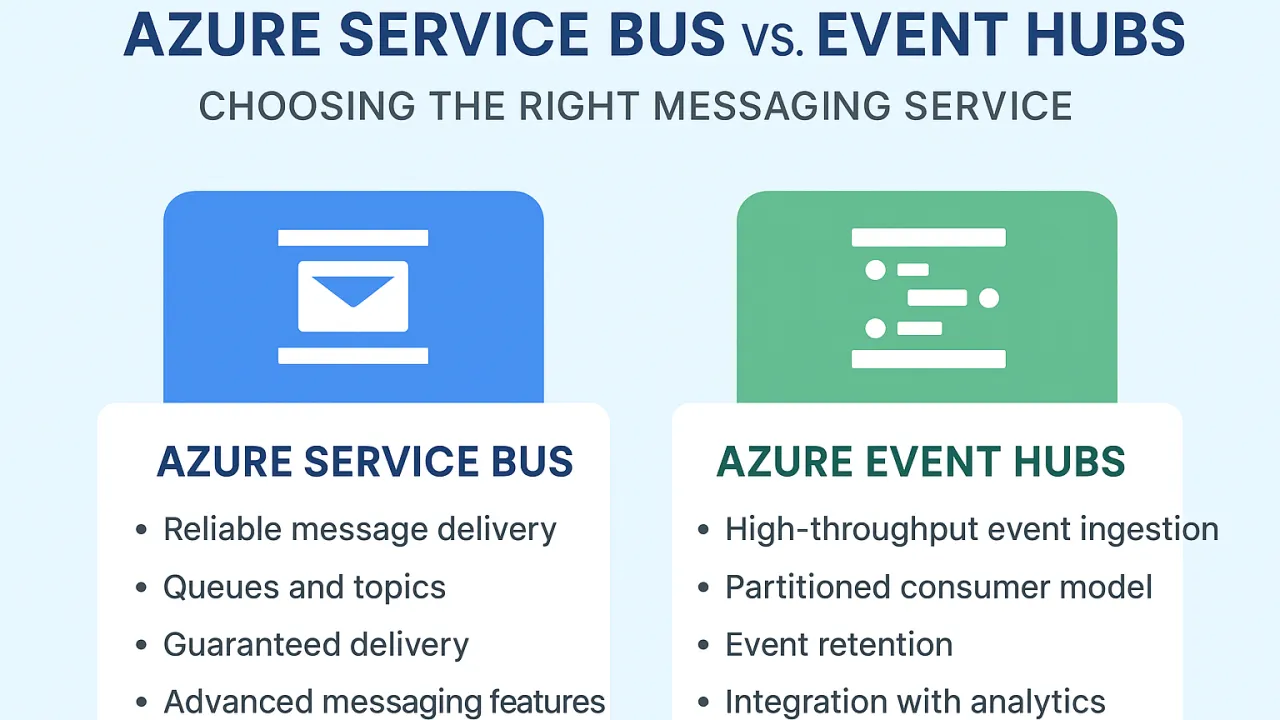
Azure Service Bus vs. Event Hubs: Choosing the Right Messaging Service

In today’s cloud-first world, applications increasingly rely on messaging and event-driven architectures to ensure scalability, resilience, and real-time insights. Microsoft Azure offers multiple messaging services, with Azure Service Bus and Azure Event Hubs being two of the most widely used—but they serve very different purposes. Understanding their distinctions is critical to designing an efficient and reliable system.

Understanding Azure Service Bus

Azure Service Bus is a fully managed enterprise messaging platform designed for reliable message delivery between decoupled applications and services. Its key features include:

  • Queues and Topics: Service Bus supports point-to-point messaging using queues and publish-subscribe patterns using topics and subscriptions.
  • Guaranteed Delivery: It ensures once-and-only-once or at-least-once delivery with built-in message ordering and dead-lettering for failed messages.
  • Advanced Messaging Features: Includes scheduled messages, deferred messages, duplicate detection, and transaction support.
  • Integration: Ideal for microservices, order processing, and workflows where message reliability and ordering are critical.

Use Case Example: A financial application processing payment transactions needs guaranteed delivery, retries on failure, and the ability to process messages in order. Azure Service Bus fits perfectly here.

Understanding Azure Event Hubs

Azure Event Hubs is a big data streaming platform and event ingestion service designed to ingest millions of events per second from devices, applications, or sensors for real-time analytics. Its key capabilities include:

  • High Throughput: Event Hubs can handle massive event streams with low latency.
  • Partitioned Consumer Model: Events are written to partitions, allowing multiple consumers to process events concurrently.
  • Event Retention: Events can be retained for hours or days, enabling replay and analytics scenarios.
  • Integration with Analytics: Works seamlessly with Azure Stream Analytics, Databricks, and other big data services.

Use Case Example: A smart IoT deployment sending telemetry data from thousands of sensors every second requires high-speed ingestion for real-time processing and analytics. Azure Event Hubs is designed for this scale.

Choosing the Right Service

When deciding between the two services, consider your application requirements:

  • Need reliable, ordered, and transactional message delivery? Go for Azure Service Bus. It ensures messages are delivered and processed exactly as intended, supporting complex enterprise workflows.
  • Need to ingest massive volumes of events in real-time for analytics? Go for Azure Event Hubs. It’s optimized for high-speed event streaming and integration with analytics pipelines.
  • Combining both patterns? Many architectures use Event Hubs for high-volume ingestion and Service Bus for downstream processing, orchestration, and guaranteed delivery to business applications.

Conclusion

Choosing the right messaging service in Azure is less about “better” or “worse” and more about matching the service to your workload requirements. Azure Service Bus excels at reliable, ordered, transactional messaging, while Azure Event Hubs shines in high-throughput event streaming and real-time analytics.

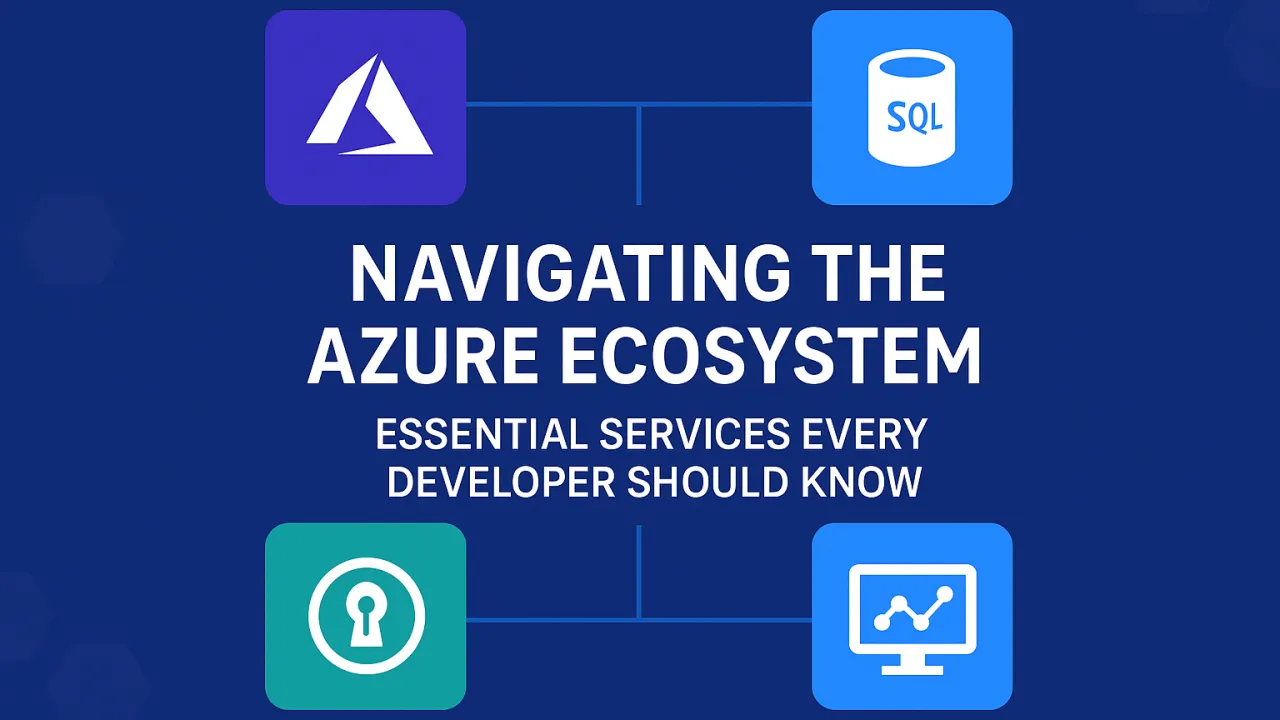
Navigating the Azure Ecosystem: Essential Services Every Developer Should Know

Cloud computing has transformed the way modern applications are designed, built, and deployed. Among the leading platforms, Microsoft Azure stands out for its breadth of services and developer-friendly tools. However, for many developers, Azure’s vast ecosystem can feel overwhelming. Beyond the well-known Virtual Machines and compute options, Azure offers a suite of essential services that every developer should master to build secure, scalable, and future-ready applications.

Let’s explore the most important services developers need to know—and how each plays a crucial role in application development.

1. Azure App Service – Build and Scale Web Applications with Ease

One of Azure’s most developer-friendly offerings is Azure App Service, a fully managed Platform-as-a-Service (PaaS). It abstracts away infrastructure concerns, allowing developers to focus on coding and innovation.

  • Supports multiple frameworks: .NET, Node.js, Java, Python, PHP, and Ruby.
  • Automatic scaling: Applications can handle traffic spikes seamlessly.
  • CI/CD Integration: Direct hooks into GitHub, Azure DevOps, and Bitbucket for streamlined deployments.
  • Built-in security: Integration with Azure Active Directory and OAuth providers like Google, Facebook, and Microsoft.

👉 Use Case Example: A fintech startup can deploy a .NET Core API on Azure App Service with auto-scaling enabled, ensuring high availability during end-of-month financial transactions.

2. Azure SQL Database – Intelligent, Managed Relational Database

Databases are the heart of most applications. With Azure SQL Database, developers get the power of SQL Server in a fully managed, intelligent, and scalable environment.

  • No infrastructure management: Backups, updates, and patching are automatic.
  • High availability: Built-in redundancy across multiple Azure regions.
  • Elastic pools: Share resources across multiple databases cost-effectively.
  • AI-driven optimization: Automatic tuning and performance insights.

👉 Use Case Example: An e-commerce app can store customer profiles, transactions, and product data in Azure SQL Database while benefiting from query performance insights for faster page loads.

3. Azure Storage – A Universal Store for All Data Types

Data comes in many forms, and Azure Storage provides specialized services for each need:

  • Blob Storage: For unstructured data such as images, videos, and backups.
  • File Storage: Fully managed file shares accessible via SMB protocol.
  • Queue Storage: Simple, reliable messaging between app components.
  • Table Storage: A NoSQL key-value store for semi-structured data.

What makes Azure Storage compelling is its durability (99.999999999% data availability), global replication, and seamless integration with other Azure services.

👉 Use Case Example: A social media platform can store user-uploaded photos in Blob Storage, with automatic replication across regions for global availability.

4. Azure Key Vault – Secure Management of Secrets and Certificates

Security is non-negotiable in modern application development. Hardcoding secrets in code repositories is a serious risk, but Azure provides a solution: Azure Key Vault.

  • Store sensitive information: API keys, tokens, passwords, and connection strings.
  • Manage encryption keys: Simplifies compliance with standards like GDPR, PCI-DSS, and HIPAA.
  • Access control: Fine-grained access policies with Azure Active Directory.
  • Developer integration: Works seamlessly with applications via Managed Identities, avoiding direct handling of credentials.

👉 Use Case Example: A healthcare app can securely store database credentials and SSL certificates in Key Vault, ensuring compliance with HIPAA regulations.

5. Azure Monitor – Observability for Cloud Applications

Once an app is deployed, monitoring becomes critical. Azure Monitor, combined with Application Insights, provides a full observability stack.

  • Metrics and logs: Track application performance, request latency, and failures.
  • Alerts: Automated alerts via email, SMS, or integration with Teams/Slack.
  • Dashboards: Visualize app health, traffic trends, and dependencies.
  • Distributed tracing: Troubleshoot bottlenecks in microservices-based apps.

👉 Use Case Example: A SaaS company hosting a multi-tenant app can use Azure Monitor to track per-tenant performance, optimize queries, and detect anomalies before customers are impacted.

Why These Services Matter for Developers

  • Productivity: Developers spend less time managing infrastructure and more time coding.
  • Scalability: Azure’s services are designed to grow with your business.
  • Security: Built-in compliance and data protection features minimize risks.
  • Integration: Each service works seamlessly with others, enabling smooth end-to-end workflows.

Final Thoughts

The Azure ecosystem is vast, but developers don’t need to master everything at once. By focusing on App Service, SQL Database, Storage, Key Vault, and Monitor, you cover the backbone of most modern applications. These services empower developers to build applications that are scalable, reliable, and secure, while freeing them from the complexities of infrastructure management.

Mastering these essentials not only makes development smoother but also positions you as a forward-thinking professional ready for the future of cloud-first development.

🔑 Takeaway: Azure isn’t just a platform—it’s an ecosystem. Learn its core services, and you’ll unlock endless opportunities in the cloud world.