Prilixor

Building Event-Driven Architectures with Azure

Modern applications demand real-time responsiveness, scalability, and resilience. Traditional request-response models often struggle under unpredictable workloads. That’s where event-driven architecture (EDA) shines — enabling systems to react instantly to business events.

Azure provides a powerful ecosystem for building and managing event-driven solutions that scale seamlessly with demand.

🔹 What is Event-Driven Architecture (EDA)?

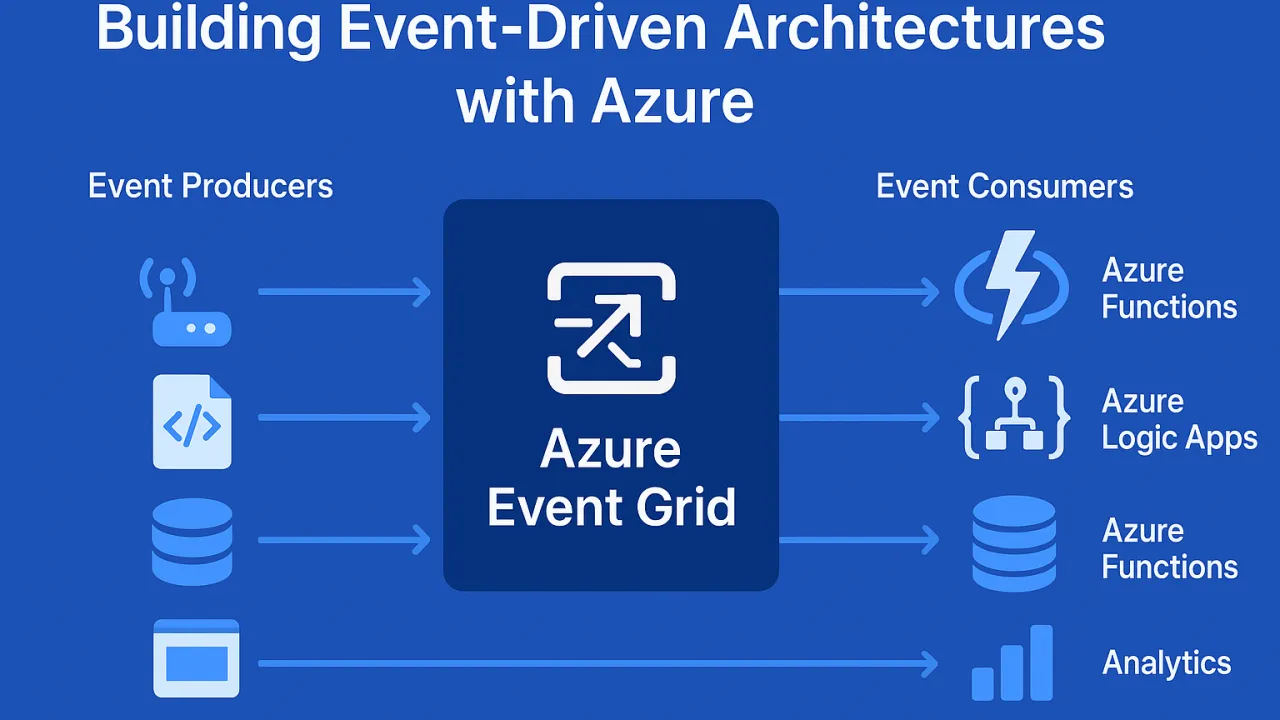
EDA is a design pattern where applications produce and consume events asynchronously. Instead of tightly coupling services, events act as a communication bridge across systems.

  • Producers (emitters): Applications, IoT devices, APIs that generate events.
  • Consumers (subscribers): Services that listen and respond to these events.
  • Event brokers/routers: Middleware that delivers events reliably (Azure Event Grid, Service Bus, etc.).

🔹 Benefits of Event-Driven Systems with Azure

  1. Scalability – Applications scale on demand when events occur.
  2. Resilience – Services remain loosely coupled; failure in one doesn’t bring down the system.
  3. Real-Time Insights – Process data streams instantly (IoT, logs, financial transactions).
  4. Cost-Efficiency – Pay only for execution when events are triggered (serverless).
  5. Flexibility – Supports multiple event sources: apps, Azure resources, SaaS apps, custom systems.

🔹 Azure Services for Event-Driven Architectures

  1. Azure Event Grid – Central event routing service with low latency and massive throughput.
  2. Azure Service Bus – Enterprise messaging for complex workflows with ordered delivery.
  3. Azure Event Hubs – High-volume event ingestion (IoT, telemetry, streaming).
  4. Azure Functions – Serverless compute that reacts to events instantly.
  5. Azure Logic Apps – Low-code workflows triggered by events.

🔹 Real-World Use Cases

  • IoT Applications: Devices sending telemetry → Azure Event Hub → Real-time analytics.
  • E-commerce: Order placed → Event Grid notifies → Inventory update, payment, shipping workflows.
  • Financial Services: Fraud detection triggered by unusual transaction events.
  • DevOps: Event-driven CI/CD pipelines based on repo changes.

🔹 Best Practices for Azure Event-Driven Systems

  • Use dead-letter queues to handle failed event deliveries.
  • Optimize event schema to ensure lightweight payloads.
  • Employ event versioning to avoid breaking consumers.
  • Choose the right broker (Event Grid vs Service Bus vs Event Hub) based on scenario.
  • Secure events with Azure AD authentication and role-based access control.

🔹 Conclusion

Event-driven architectures unlock real-time, scalable, and fault-tolerant applications. With Azure’s ecosystem — Event Grid, Event Hubs, Service Bus, and Functions — developers can build responsive systems that handle millions of events seamlessly.

The future of cloud-native applications is event-driven — and Azure makes it possible at scale.
Cold Starts in Azure Functions: Strategies for Lightning-Fast Responsiveness

Serverless computing with Azure Functions brings elasticity, scalability, and cost-effectiveness. But there’s a hidden challenge many teams run into: cold starts.

Whenever a new instance of your function spins up (for example, when load spikes or after a period of inactivity), Azure needs to allocate resources, load assemblies, initialize dependencies, and prepare runtime execution. This startup delay can range from a few hundred milliseconds to 2–5 seconds — unacceptable for latency-sensitive APIs, financial transactions, or real-time applications.

The larger your application, the heavier your dependencies, the longer these cold starts can become.

🔍 Why Cold Starts Happen

  1. Resource Allocation: Under the Consumption Plan, resources are created dynamically only when needed.
  2. Runtime Initialization: The .NET runtime or Node.js environment loads, which consumes time.
  3. Dependency Loading: Large DI containers or unoptimized libraries increase boot overhead.
  4. Idle Timeout: After inactivity (usually 20 minutes), instances are unloaded, forcing a fresh start.

🔧 Strategies for Minimizing Cold Start Latency

1. Use Premium (Elastic) Plan

  • Pre-warmed instances are kept ready, ensuring incoming requests do not suffer the penalty of resource allocation.
  • Ideal for mission-critical apps that demand high responsiveness.

2. Optimize Dependency Injection

  • Heavy DI frameworks increase startup time.
  • Use lightweight containers or trim down unnecessary assemblies.
  • Modularize services—load only what’s needed during boot.

3. Lazy Initialization

  • Not every component needs to load upfront.
  • Defer non-essential services like logging, analytics, or third-party API connectors until after the first request is served.
  • This reduces cold start latency and smoothens initial responsiveness.

4. Enable Always On (App Service Plan)

  • Keeps functions continuously active, eliminating idle shutdowns.
  • While it increases cost, it’s efficient for moderate-usage APIs where cold starts directly impact UX.

5. Regional Deployment Strategy

  • Choose Azure regions geographically closest to your user base.
  • Even if you optimize cold start times, network round-trip latency can degrade performance if regions are poorly selected.

📊 Example Impact of Cold Starts

  • An API serving 1 million users/month with an average cold start delay of 2 seconds could cause:

💡 Key Takeaway

Cold starts may appear minor on paper, but at scale, milliseconds turn into minutes, and minutes into hours. By combining smart architectural choices (Premium Plan, lightweight DI, lazy loading) with strategic deployment (Always On, regional proximity), you can ensure your Azure Functions remain lightning-fast, reliable, and production-ready.

Azure Functions vs. Azure Container Apps: Choosing the Right Compute Model

In modern cloud architecture, choosing the right compute model is a critical decision that directly impacts scalability, performance, and cost efficiency. Two popular Azure options—Azure Functions and Azure Container Apps—offer distinct benefits, but they’re designed for different workload patterns.

🚀 Azure Functions: The Serverless Advantage

Azure Functions follow a serverless, event-driven approach where compute resources are allocated automatically in response to triggers.

Key Strengths:

  • Event-driven scalability – Automatically scales based on demand.
  • Minimal infrastructure management – Focus on code, not servers.
  • Cost efficiency – Pay only for execution time.
  • Fast deployments – Quickly respond to changing requirements.

Best Use Cases:

  • Background processing (e.g., file conversions, data imports)
  • Scheduled tasks and cron jobs
  • Event-based systems (e.g., IoT data processing)
  • API endpoints for lightweight operations

Limitations:

  • Execution time limits (extended using Durable Functions)
  • Less suited for complex, stateful applications

Azure Container Apps: Flexibility with More Control

Azure Container Apps provide a containerized environment without the complexity of full Kubernetes management.

Key Strengths:

  • Runtime flexibility – Use any language, framework, or runtime.
  • Supports long-running processes – No execution time restrictions.
  • Polyglot and multi-service support – Run mixed workloads in a single environment.
  • Advanced networking – Control over ingress, egress, and service-to-service communication.

Best Use Cases:

  • Hosting APIs, gRPC services, or microservices
  • AI/ML model hosting and data processing
  • Stateful or long-running workloads
  • Complex orchestration across services

Limitations:

  • Slightly more management overhead than Functions
  • May require more configuration for scaling and monitoring

🏁 Choosing the Right Option

  • Azure Functions – Best for short-lived, event-driven, or highly scalable tasks with minimal infrastructure concerns.
  • Azure Container Apps – Best for workloads needing custom environments, longer runtimes, or more control over execution.

In many scenarios, both can be used together—Functions for lightweight triggers and Container Apps for the heavier lifting—creating a balanced, cost-effective architecture.

Beyond Basic Triggers: Unlocking Advanced Scenarios in Azure Functions

When many developers first encounter Azure Functions, the use cases seem simple: run some code when a blob is uploaded, a queue message arrives, or a scheduled job executes. These basic triggers are powerful in their own right, but Azure Functions have evolved far beyond simple event handling.

Modern cloud applications require complex orchestration, high-performance processing, intelligent integrations, and scalability—and Azure Functions now deliver all of this while retaining their serverless simplicity.

In this deep dive, we explore advanced patterns that push Azure Functions into enterprise-grade, production-ready architectures.

🚀 Advanced Scenarios in Azure Functions

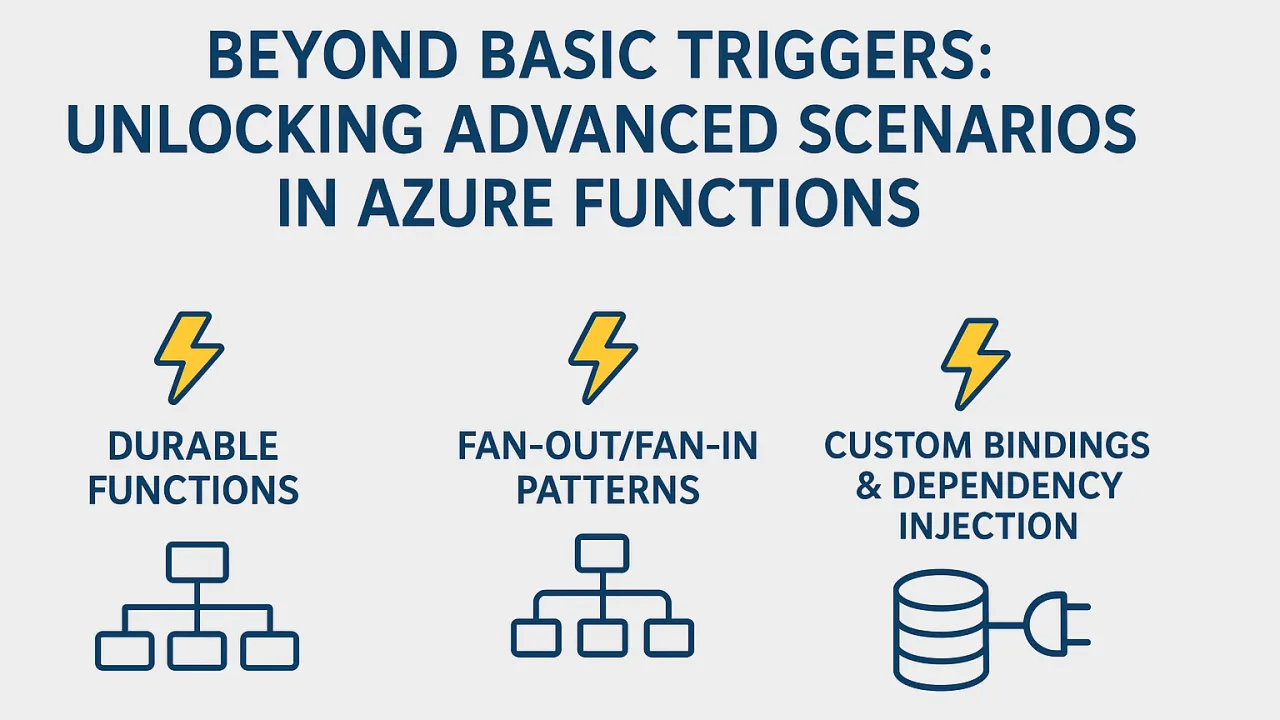
1. Durable Functions – Stateful Orchestration at Scale

The Challenge: Traditional serverless functions are stateless and short-lived, which can make it hard to handle workflows that span minutes, hours, or even days.

The Solution: Durable Functions extend Azure Functions with orchestration capabilities that maintain state across multiple function executions.

Key Features:

  • Long-running workflows: Handle approval chains, multi-step batch jobs, or order processing pipelines without manual state management.
  • Checkpointing: Automatically save the state of an execution and resume later without re-processing previous steps.
  • Multiple patterns:

Example: A loan approval system that:

  1. Collects application data.
  2. Runs multiple checks in parallel (credit score, fraud detection, document validation).
  3. Waits for manual review if flagged.
  4. Proceeds to approval or rejection.

2. Fan-out/Fan-in Patterns – Massive Parallelism for Data Processing

The Challenge: Processing large datasets or high-volume tasks sequentially can be too slow.

The Solution: The Fan-out/Fan-in pattern allows you to:

  • Break large workloads into smaller, independent tasks.
  • Process them in parallel across multiple function instances.
  • Aggregate results when all tasks complete.

Benefits:

  • Scalability: Azure automatically provisions additional compute resources.
  • Performance: Large-scale processing is significantly faster.
  • Cost efficiency: You only pay for compute while tasks are running.

Example: An image-processing pipeline that:

  1. Detects when a batch of product images is uploaded.
  2. Fans out to resize and watermark each image in parallel.
  3. Fans in to update a database with processed image URLs.

3. Custom Bindings & Dependency Injection – Extending Serverless Capabilities

The Challenge: Out-of-the-box triggers and bindings are powerful, but some scenarios require integration with custom services or APIs.

The Solution:

  • Custom Bindings: Create new input/output bindings for services that Azure doesn’t natively support.
  • Dependency Injection (DI): Use DI to share services across functions, keep code modular, and reduce duplication.

Advantages:

  • Clean separation of concerns.
  • Easy testing and maintenance.
  • Reusability across multiple functions and projects.

Example: A set of Azure Functions that integrate with a proprietary ERP system using a custom binding for data retrieval and DI for shared authentication services.

🏁 Beyond “Simple” Serverless

The perception that serverless functions are only for quick, stateless scripts is outdated. With advanced features, Azure Functions can:

  • Orchestrate complex business workflows with durable state.
  • Process massive workloads using distributed, parallel execution.
  • Integrate with virtually any system through custom bindings and DI.
  • Run intelligent pipelines by incorporating AI/ML models into processing stages.
  • Connect to IoT ecosystems for real-time data ingestion and analytics.

📌 Final Thoughts

Azure Functions have grown from simple event handlers into a full-fledged application platform for cloud-native development. By leveraging advanced scenarios like Durable Functions, Fan-out/Fan-in patterns, and Custom Bindings, development teams can build intelligent, scalable, and maintainable solutions—all while enjoying the agility and cost-efficiency of serverless computing.

Serverless today isn’t just about “less ops”—it’s about more possibilities.