Prilixor

RESTful API Design Principles: Crafting Intuitive and Scalable Endpoints

In today’s digital landscape, APIs are the connective tissue of modern applications. They link systems, enable integrations, and empower innovation across platforms. Among various architectures, REST (Representational State Transfer) stands out for its simplicity, scalability, and wide adoption — especially within .NET applications.

Designing a RESTful API, however, is more than just exposing endpoints. It’s about adhering to principles that make your APIs intuitive for developers, stable in production, and scalable for the future. Let’s explore how to achieve that.

1. Statelessness — Keeping It Clean and Scalable

The foundation of REST is stateless communication. Every request should carry all the information the server needs to process it, without relying on stored session data.

This principle makes scaling easy — any server instance can process any request. It also ensures better fault tolerance, simpler debugging, and improved performance in distributed systems.

Think of statelessness as treating every request as new — no memory of the past, no dependency on the future. This purity in design enhances reliability and scalability at every level.

2. Resource-Based Design — Thinking in Terms of “Things,” Not “Actions”

At its core, REST revolves around resources — entities that represent real-world concepts such as users, products, or orders. Each resource is uniquely identified by a URI and manipulated through standard HTTP methods.

Instead of designing APIs around actions (like “get” or “create”), REST encourages designing around objects and relationships. This makes your API self-explanatory — developers can understand how to interact with it just by reading the endpoint names.

A resource-based structure also makes your API future-proof. As systems evolve, new resources can be added naturally without breaking existing functionality.

3. Uniform Interface — Consistency is the Key to Simplicity

A hallmark of good RESTful design is a uniform interface. This means consistent conventions for how resources are accessed and represented across your entire API.

Key aspects include:

  • Standardized Methods: Using well-known operations (GET, POST, PUT, DELETE) to define intent.
  • Consistent Responses: Maintaining uniform response structures across endpoints.
  • Clear Communication: Returning appropriate status codes and messages to inform clients about the success or failure of their requests.

A consistent API feels familiar, predictable, and effortless to consume — even for new developers.

4. Versioning — Building for Growth Without Breaking the Past

Change is inevitable. As your application evolves, your API must adapt while maintaining compatibility with existing clients.

That’s where API versioning becomes essential. By including versions in your endpoint structure or headers, you ensure that changes — whether structural or behavioral — don’t disrupt existing users.

Versioning brings stability, enables safe innovation, and gives teams the confidence to iterate without fear of breaking legacy integrations.

5. Validation and Error Handling — Communicating Clearly

A great API doesn’t just work when everything is right — it also communicates clearly when something goes wrong.

Consistent and meaningful error handling enhances developer experience and reduces confusion. Every response should be informative, human-readable, and actionable. For instance, if an API rejects a request, it should explain why — not just return a failure code.

Clarity here isn’t optional; it’s the difference between an API that developers love and one they avoid.

6. Security and Reliability — The Non-Negotiables

APIs are often the gateway to your most valuable data, which makes security a top priority.

Essential REST security practices include:

  • Using HTTPS for all communication to ensure data encryption.
  • Implementing token-based authentication (like OAuth 2.0 or JWT) to verify user identity.
  • Applying authorization layers to control access based on roles and permissions.
  • Validating and sanitizing inputs to prevent malicious data or injection attacks.

Security must be baked into every layer — not added later. A secure API builds user trust and protects organizational integrity.

7. Documentation and Discoverability — Empowering Developers

Even the most well-architected API is incomplete without clear documentation. Good documentation acts as a map and guide, helping consumers understand endpoints, parameters, response types, and expected behaviors.

Tools like Swagger (OpenAPI) make APIs self-descriptive and interactive, but great documentation goes beyond automation — it tells the story of how to use the API effectively.

A well-documented API reduces onboarding time, minimizes support requests, and increases adoption.

8. Common Pitfalls to Avoid

While building RESTful APIs, many teams fall into common traps that can undermine long-term success:

  • Mixing business logic with transport logic.
  • Using verbs instead of resources in endpoints.
  • Returning inconsistent data formats.
  • Ignoring pagination or filtering in large datasets.
  • Failing to plan for versioning and deprecation.

Avoiding these pitfalls is as important as following best practices — they ensure your API remains elegant, performant, and maintainable.

Conclusion — Designing for Clarity, Consistency, and Growth

RESTful API design is not just a technical decision; it’s a communication design choice between your system and its consumers.

A well-designed API is predictable, consistent, and scalable — enabling developers to integrate with confidence and systems to grow without friction.

By embracing REST’s core principles — statelessness, resource orientation, uniform interfaces, and clear communication — you create APIs that stand the test of time, evolve gracefully, and empower both your developers and users.

REST, when done right, is not just about transferring data — it’s about building trust through thoughtful design.
Building Robust Web APIs with ASP.NET Core: Beyond CRUD Operations

Web APIs are the backbone of modern applications, enabling communication between front-end clients, mobile apps, and third-party services. While basic CRUD operations are important, building robust, secure, and maintainable APIs requires following advanced best practices. ASP.NET Core provides a powerful framework to implement these practices and ensure APIs are production-ready.

1. Effective API Versioning

APIs evolve over time, and changes can break existing clients. Implementing API versioning allows smooth transitions and backward compatibility. You can manage versions through URLs, headers, or query strings. This ensures that adding new features or modifying existing endpoints doesn’t disrupt current users.

2. Comprehensive Global Error Handling

A strong API provides consistent and meaningful error responses while keeping sensitive details hidden. By implementing global error handling, developers can standardize responses, maintain clarity for clients, and log issues for diagnostics. This practice ensures that unexpected errors are managed gracefully and improves the overall reliability of the API.

3. Robust Authentication and Authorization

Security is critical. ASP.NET Core supports modern authentication and authorization techniques such as JWT and OAuth. Authentication verifies the user’s identity, while authorization ensures that only the right users can access specific resources. Combining these with secure communication channels like HTTPS protects sensitive data and prevents unauthorized access.

4. Advanced Routing Strategies

Effective routing makes APIs easier to maintain and scale. Using clear, resource-oriented routes, nested resources for hierarchical data, and route constraints improves readability and organization. This also allows for more complex API scenarios, such as supporting multiple API versions simultaneously without confusing consumers.

5. Additional Best Practices

  • Use Data Transfer Objects (DTOs) to separate internal models from the API contract.
  • Document your API with tools like Swagger/OpenAPI to provide interactive documentation for clients.
  • Implement rate limiting and throttling to prevent abuse and ensure consistent performance.
  • Use caching strategies to improve response times for frequently requested data.
  • Test your API thoroughly to ensure endpoints work correctly under various conditions.

Final Thoughts

Building robust ASP.NET Core Web APIs goes far beyond CRUD operations. By focusing on versioning, global error handling, security, advanced routing, and additional best practices like documentation and caching, developers can deliver APIs that are scalable, secure, and maintainable.

💡 Pro Tip: Treat your API as a product—plan for evolution, security, and performance from the start, not as an afterthought.

Securing Your SQL Database in Azure: A Comprehensive Checklist for Developers

In today’s cloud-first world, protecting your data is non-negotiable. Azure SQL Database offers robust tools for securing your database, but developers must actively implement best practices to safeguard sensitive information and maintain regulatory compliance. Here’s a comprehensive checklist to help you secure your Azure SQL Database effectively.

1. Network Security: Control Access at the Perimeter

  • Firewalls: Restrict inbound traffic using Azure SQL Database firewall rules. Only allow trusted IP ranges.
  • Private Endpoints & Virtual Networks: Use Azure Private Link to ensure that your database is accessible only within your Virtual Network (VNet). Avoid exposing your database to the public internet whenever possible.

Network security acts as your first line of defense. Limiting access reduces exposure to attacks and minimizes risk.

2. Authentication & Access Control: Grant Only What’s Necessary

  • Azure Active Directory (AAD) Integration: Centralize authentication, enable Single Sign-On (SSO), and reduce reliance on SQL logins with weak passwords.
  • Role-Based Access Control (RBAC): Apply the principle of least privilege. Assign permissions carefully, distinguishing between developers, DBAs, and administrators.
  • Multi-Factor Authentication (MFA): Enforce MFA for all administrative accounts to add an extra layer of protection.

Strong authentication ensures that only authorized users can access your database while reducing the risk of credential compromise.

3. Data Encryption: Protect Data at Rest and in Transit

  • Encryption at Rest: Use Transparent Data Encryption (TDE) to encrypt your database files automatically. For more control, leverage Customer-Managed Keys (CMK).
  • Encryption in Transit: Enforce TLS/SSL for all connections to your database. Ensure client applications only connect using encrypted channels.

Encryption is essential for preventing unauthorized access to your data, even if someone gains access to storage or network traffic.

4. Auditing & Monitoring: Stay Ahead of Threats

  • Enable Auditing: Track database activities such as logins, queries, and schema changes. Store audit logs securely in Azure Storage or Log Analytics.
  • Advanced Threat Detection: Activate Advanced Threat Protection to detect suspicious activities, including anomalous logins and SQL injection attempts.
  • Alerts & Monitoring: Configure alerts for failed logins, unusual access patterns, and resource spikes to respond quickly to potential threats.

Monitoring allows you to detect and respond to threats before they escalate into incidents.

5. Backup & Recovery: Ensure Data Availability and Integrity

  • Secure Backups: Encrypt backup data and store it securely, preferably with geo-redundancy for disaster recovery.
  • Test Restores: Regularly validate backups to confirm that recovery procedures work as expected.

A solid backup strategy ensures that your data remains safe, even in the event of accidental deletion or ransomware attacks.

6. Regular Security Maintenance

  • Patch & Update: Keep your SQL Server engine and associated components up-to-date with the latest security patches.
  • Review Permissions: Audit user access periodically and remove inactive accounts.
  • Vulnerability Assessment: Use Azure SQL Vulnerability Assessment to detect misconfigurations and security gaps.

Security is not a one-time task; continuous monitoring and maintenance are key to long-term protection.

7. Advanced Security Measures (Optional but Recommended)

  • Dynamic Data Masking: Protect sensitive information from unauthorized users by masking it.
  • Row-Level Security: Restrict access to specific rows based on user context.
  • Always Encrypted: Encrypt sensitive columns end-to-end so even database administrators cannot view plaintext data.

These advanced features add extra layers of protection for high-value or regulated data.

Final Thoughts

Securing your Azure SQL Database requires a layered approach—network controls, robust authentication, encryption, auditing, and continuous monitoring all play crucial roles. By implementing these best practices, developers can minimize risk, prevent data breaches, and ensure compliance with security standards.

💡 Pro Tip: Treat database security as an ongoing responsibility, not a one-time task. Combine proactive measures with regular audits to stay ahead of threats

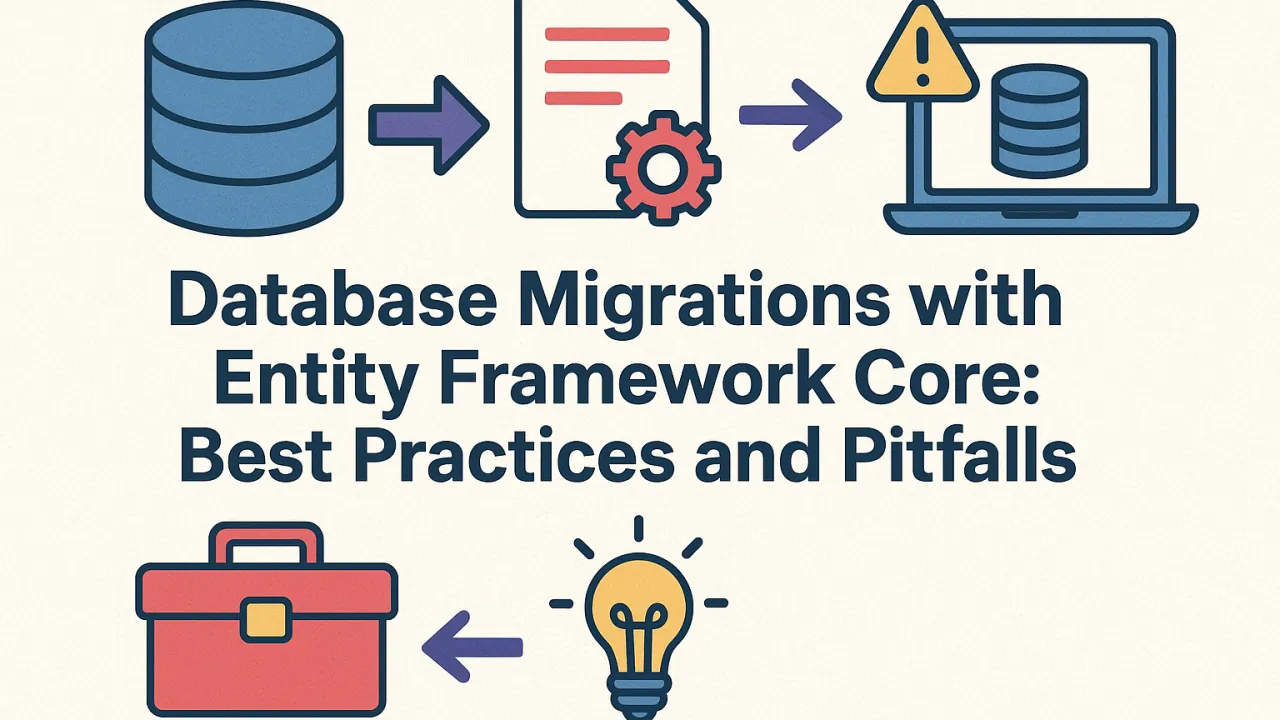
Database Migrations with Entity Framework Core: Best Practices and Pitfalls

Managing database schema changes can be one of the trickiest aspects of application development. With Entity Framework (EF) Core, developers gain a powerful tool for handling migrations — but it also introduces potential pitfalls if not managed properly. Let’s explore how to use EF Core Migrations effectively, avoid common issues, and maintain production stability.

Understanding EF Core Migrations

Entity Framework Core Migrations is a mechanism that tracks changes to your data model and applies those changes to the database schema automatically. Instead of manually writing SQL scripts, you use EF Core to generate migration files that define the schema evolution.

Example workflow:

  1. Modify your data model (e.g., add a property or entity).
  2. Run Add-Migration <Name> to generate the migration file.
  3. Run Update-Database to apply changes.

This helps developers maintain a version-controlled, incremental record of schema changes across environments.

Best Practices for EF Core Migrations

1. Use Migrations as Part of Version Control

Always commit your migration files alongside your code. This ensures that every schema change corresponds to a specific code change — making it easier to track, roll back, or debug database updates.

2. Apply Migrations in a Controlled Environment

Avoid applying migrations directly from development environments to production. Instead:

  • Use deployment pipelines (CI/CD) to apply migrations in a predictable manner.
  • Test each migration in staging before going live.
  • Use the –verbose flag to review generated SQL for any unexpected schema modifications.

3. Handle Merge Conflicts Carefully

In team environments, multiple developers might create migrations at the same time. This can lead to conflicts. Tip:

  • Rebase and merge migrations in order, ensuring each migration’s timestamp and sequence remain consistent.
  • Use dotnet ef migrations script to generate a cumulative SQL script that merges all changes cleanly.

4. Use Custom Migrations for Complex Scenarios

Sometimes EF Core can’t generate the desired schema automatically (e.g., renaming a column without data loss or restructuring relationships). Solution: Edit the migration file manually — adding custom SQL operations using migrationBuilder.Sql() for precise control.

5. Avoid Auto-Migrations in Production

While EF Core supports automatic migrations, it’s risky for production environments. Auto-migrations can cause data loss or schema mismatches if applied without review. Instead, always:

  • Generate migrations manually.
  • Review the SQL output.
  • Apply through controlled deployments.

Common Pitfalls to Avoid

🚫 Ignoring failed migrations: If a migration fails during deployment, fix and reapply instead of creating a new one over it — this maintains version consistency.

🚫 Deleting migration files after applying: Even after applying a migration, keep its file in version control for traceability and rollback.

🚫 Relying on EF Core for all schema changes: For large datasets or complex restructuring, consider using SQL scripts for better control and safety.

Production-Ready Migration Strategy

A robust production approach includes:

  • Migration scripts generated and reviewed before deployment.
  • Backups of databases before applying updates.
  • Transactional migrations to ensure rollbacks on failure.
  • Logging of applied migrations to track environment status.

Final Thoughts

EF Core Migrations is an invaluable tool for maintaining database evolution in .NET applications. When used thoughtfully, it simplifies schema management and reduces manual errors. But like any automation, it requires discipline — version control, review, and controlled deployment are the keys to using it safely and effectively.

By following best practices and avoiding common pitfalls, teams can ensure their databases evolve smoothly alongside their applications — without downtime or surprises.

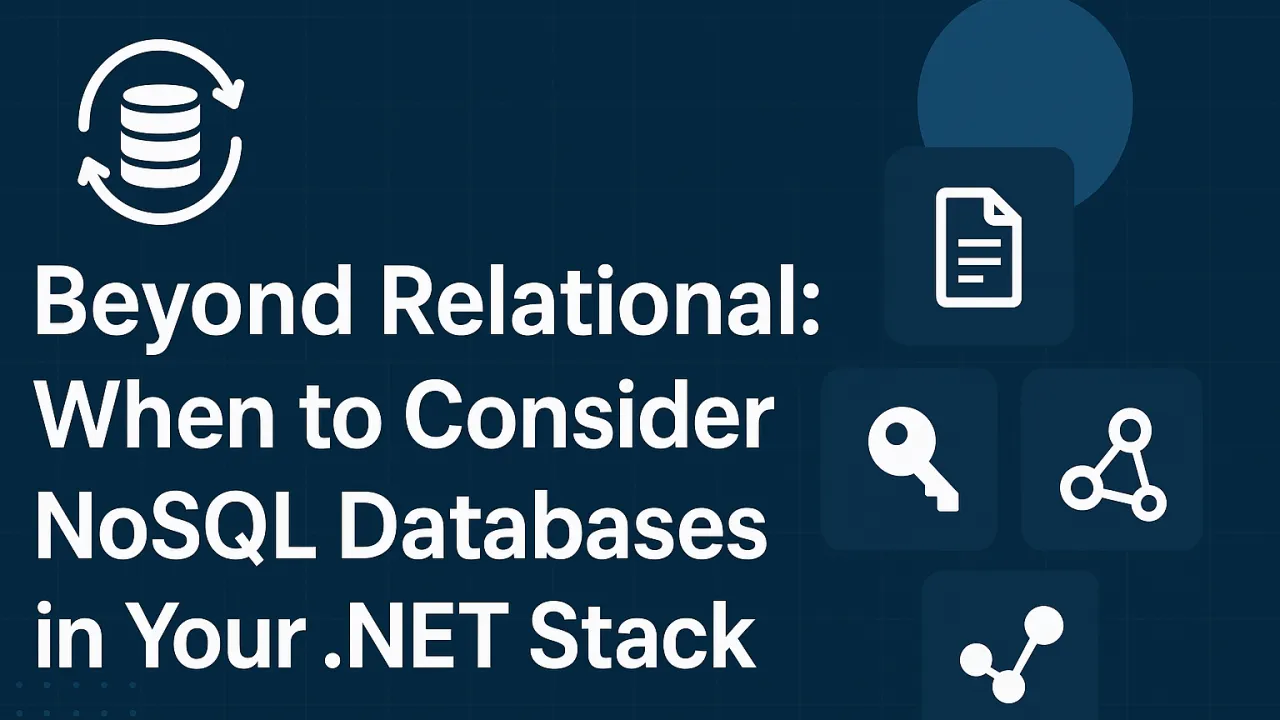
Beyond Relational: When to Consider NoSQL Databases in Your .NET Stack

For years, relational databases (SQL) have been the default choice for application development. They offer structure, consistency, and powerful querying with SQL. But as applications evolve—handling massive data volumes, complex relationships, and dynamic schemas—developers are increasingly exploring NoSQL databases as a powerful alternative.

In the .NET ecosystem, where scalability, flexibility, and real-time data processing are becoming critical, understanding when to use NoSQL can give your architecture a serious edge.

What is NoSQL?

NoSQL databases are non-relational systems designed to store and manage unstructured or semi-structured data. Unlike SQL databases, they don’t rely on fixed schemas, making them ideal for modern, agile, and distributed applications.

Common types of NoSQL databases include:

  • Document-based (e.g., MongoDB, Azure Cosmos DB)
  • Key-value (e.g., Redis, DynamoDB)
  • Column-family (e.g., Cassandra, HBase)
  • Graph-based (e.g., Neo4j, Cosmos DB Gremlin API)

Each model is designed for a specific data access pattern and scalability goal.

1. Document Databases: Flexibility at Scale

Best for: Dynamic data models, content management, product catalogs, or user profiles.

Examples: MongoDB, Azure Cosmos DB (Core API)

Why use it:

  • Store JSON or BSON documents with flexible schemas.
  • Great for evolving applications where fields change over time.
  • Integrates naturally with .NET applications through native drivers (e.g., MongoDB.Driver).

.NET Use Case: An e-commerce platform storing user carts, product data, and reviews that vary per user can benefit from a document model for flexibility and fast retrieval.

2. Key-Value Stores: Blazing-Fast Access

Best for: Caching, session storage, and quick lookups.

Examples: Redis, Azure Table Storage, Riak

Why use it:

  • Stores simple key-value pairs, ensuring lightning-fast access.
  • Perfect for distributed caching or real-time data storage.
  • Easily integrates into .NET through libraries like StackExchange.Redis.

.NET Use Case: A high-traffic ASP.NET application caching frequently accessed data (like user sessions or configuration settings) can drastically reduce SQL load using Redis.

3. Column-Family Databases: Big Data Powerhouse

Best for: Analytics, large-scale data ingestion, and time-series data.

Examples: Apache Cassandra, HBase

Why use it:

  • Organizes data into column families for efficient reads/writes on specific columns.
  • Scales horizontally across multiple nodes—ideal for high-volume workloads.
  • Offers high availability and fault tolerance.

.NET Use Case: A financial analytics system processing millions of transactions daily can use Cassandra to handle high write throughput with near real-time reads.

4. Graph Databases: Modeling Relationships

Best for: Social networks, recommendation engines, fraud detection.

Examples: Neo4j, Azure Cosmos DB (Gremlin API)

Why use it:

  • Stores entities (nodes) and their relationships (edges).
  • Enables deep relationship queries (e.g., “friends of friends” or “related products”) efficiently.
  • Works well with .NET graph libraries and APIs.

.NET Use Case: A recommendation engine suggesting related products or connections can leverage Neo4j or Cosmos DB’s graph model for fast relationship traversal.

Blending the Best of Both Worlds

Many modern .NET architectures use polyglot persistence—combining both SQL and NoSQL databases. For example:

  • Use SQL Server for structured transactional data.
  • Use MongoDB or Cosmos DB for flexible, evolving datasets.
  • Use Redis for caching and quick session management.

This hybrid approach balances data consistency, flexibility, and performance across different workloads.

🔍 Conclusion

NoSQL databases aren’t replacing relational systems—they’re complementing them. The key lies in understanding your data patterns, performance needs, and scalability goals.

For .NET developers, integrating NoSQL databases like MongoDB, Cassandra, or Cosmos DB opens new possibilities for building scalable, agile, and data-driven applications that thrive in the modern cloud era.

Stored Procedures vs. ORMs (EF/Dapper): A Pragmatic Approach

In the .NET ecosystem, developers often find themselves asking: Should we use stored procedures for database operations or rely on Object-Relational Mappers (ORMs) like Entity Framework (EF) or Dapper?

Both options have unique strengths. The smartest choice isn’t about picking one side but understanding when and why to use each — depending on your project’s needs, performance goals, and scalability demands.

1. Stored Procedures: The Traditional Powerhouse

Stored procedures (SPs) are precompiled SQL statements that reside in the database. They’ve been used for decades in enterprise systems — and for good reason.

Advantages:

  • Performance Optimization: Since stored procedures are precompiled and cached by the database engine, they execute faster, especially for complex transactions.
  • Security Benefits: Parameters in stored procedures minimize SQL injection risks.
  • Centralized Logic: Business logic stored in the database ensures consistency across different applications.
  • Reduced Network Load: Only the parameters are transmitted between the application and database, not the entire SQL query text.

Drawbacks:

  • Maintenance Overhead: Splitting logic between code and database can complicate version control, debugging, and deployments.
  • Limited Flexibility: Schema changes often require manual intervention in stored procedures.
  • Less Developer Agility: Writing, testing, and managing SPs can slow down development cycles in modern, iterative projects.

When to Use: Stored procedures shine in high-performance, data-heavy applications such as financial systems, ERP platforms, or large-scale analytics environments — where performance and data integrity are more critical than development speed.

2. ORMs (Entity Framework / Dapper): The Modern Approach

Object-Relational Mappers (ORMs) like Entity Framework and Dapper bridge the gap between object-oriented C# code and relational SQL databases. Instead of writing SQL manually, developers can interact with data through familiar .NET objects and LINQ queries.

Advantages:

  • Rapid Development: CRUD operations become simple and fast to implement.
  • Maintainable Codebase: Data access logic lives within the application layer, making version control, testing, and debugging easier.
  • Cleaner Architecture: Reduces repetitive SQL and simplifies data models.
  • Database Independence: Easier to switch databases without rewriting the entire data layer.

Drawbacks:

  • Performance Overhead: ORMs generate SQL automatically, which can sometimes be less efficient than hand-written queries.
  • Hidden Complexity: Developers may not always see the SQL being executed, which can lead to unintentional performance issues.
  • Learning Curve: Misuse of features like lazy loading or inefficient LINQ queries can cause bottlenecks.

Entity Framework vs. Dapper:

  • Entity Framework (EF): A full-featured ORM offering LINQ support, change tracking, and migrations — perfect for enterprise applications prioritizing speed of development.
  • Dapper: A lightweight micro-ORM focused on raw performance. It gives developers more control over SQL while still simplifying object mapping.

When to Use: ORMs are ideal for agile projects, startups, or applications that evolve quickly — where maintainability, faster delivery, and developer productivity matter more than raw performance.

3. Choosing the Right Approach: A Practical Mindset

Instead of viewing stored procedures and ORMs as competing tools, see them as complementary.

Stored procedures are perfect when:

  • You need maximum performance or handle complex data transformations.
  • The business logic is deeply tied to the database layer.
  • Security or consistency requirements are strict.

ORMs are better when:

  • You want to move fast with fewer SQL scripts.
  • Maintainability and scalability are priorities.
  • Your team prefers working in C# rather than SQL.

4. The Hybrid Strategy: Combining Power and Flexibility

Many modern .NET teams adopt a hybrid approach — using both stored procedures and ORMs where they make the most sense.

For example:

  • Use Entity Framework or Dapper for standard CRUD operations and most application queries.
  • Use Stored Procedures for performance-critical routines, heavy reports, or batch jobs.

This hybrid model ensures your application remains both developer-friendly and performance-efficient, striking the perfect balance between speed and maintainability.

5. Final Thoughts

The debate between stored procedures and ORMs isn’t about which is better — it’s about context.

  • Choose stored procedures when you need fine-grained control, efficiency, and optimized database performance.
  • Choose ORMs when you prioritize agility, maintainability, and rapid feature development.

Ultimately, the best .NET developers understand both — and know how to use each where it delivers the maximum business and technical value.

SQL Performance Tuning for .NET Apps: Unlocking Speed in Your Data Layer

When a .NET application slows down, the culprit is often the data layer—where SQL queries, indexes, and database operations can either accelerate performance or cause bottlenecks. SQL performance tuning isn’t just about writing faster queries—it’s about designing a high-performing, scalable, and efficient interaction between your .NET code and the SQL database.

Let’s explore key techniques every .NET developer should master to unlock the full potential of SQL performance.

1. Effective Indexing Strategies

Indexes are like the table of contents of your database—they help SQL Server locate information faster. But choosing the right type of index is critical.

🔹 Clustered vs. Non-Clustered Indexes

  • Clustered Index: Defines the physical order of data in the table. It’s best for columns used frequently in sorting (ORDER BY) or joining. Each table can have only one.
  • Non-Clustered Index: A separate structure that references the table data. Ideal for columns commonly used in filters (WHERE) and joins.

🔹 Covering Indexes

A covering index contains all the columns a query needs, allowing SQL Server to fetch data without looking up the base table.

🔹 Regular Maintenance

Index fragmentation slows reads and writes over time. Schedule index rebuilds or reorganizations regularly to maintain efficiency.

Pro Tip: Don’t over-index. Too many indexes slow down insert, update, and delete operations.

2. Query Optimization

Optimized queries are the cornerstone of high performance. Even minor inefficiencies multiply under load.

Best Practices:

  • Select Specific Columns: Avoid SELECT *; fetch only the columns you need.
  • Filter Early: Use WHERE clauses to minimize rows processed as soon as possible.
  • Use Joins Wisely: Join on indexed columns and minimize unnecessary joins.
  • Avoid Functions on Indexed Columns: Wrapping columns in functions like UPPER() or CAST() prevents SQL Server from using indexes effectively.
  • Parameterize Queries: Besides preventing SQL injection, parameterized queries improve plan reuse and execution consistency in .NET applications.

3. Understanding and Interpreting Execution Plans

Execution plans are your window into how SQL Server processes queries.

  • Estimated Plan: Predicts what SQL Server will do. Great for debugging before execution.
  • Actual Plan: Shows the exact operations performed after execution—highlighting bottlenecks.
  • Key Indicators:

By analyzing execution plans, developers can find slow steps and take targeted action—whether it’s adding an index, rewriting a query, or breaking large queries into smaller ones.

4. Proper Use of Stored Procedures

Stored procedures are not just for encapsulation—they’re a performance asset.

⚙️ Benefits:

  • Precompiled Execution: SQL Server reuses cached execution plans, reducing CPU overhead.
  • Reduced Network Load: Send parameters, not long SQL strings, to the server.
  • Consistency: Business logic centralized in procedures improves reliability.

When paired with parameterization and good indexing, stored procedures can significantly improve query efficiency in high-traffic .NET applications.

5. Continuous Monitoring and Tuning

SQL performance tuning is an ongoing process. Use tools such as:

  • SQL Server Profiler – For tracking slow queries and deadlocks.
  • Dynamic Management Views (DMVs) – For analyzing query stats, cache hits, and index usage.
  • Application Insights or APM tools – To correlate database latency with .NET app performance.

Regularly monitor, analyze, and fine-tune as your application grows and query patterns evolve.

Conclusion

Your .NET application’s performance depends on how efficiently it communicates with the database. By mastering indexing, query design, execution plan analysis, and stored procedure optimization, developers can ensure their applications stay fast, reliable, and ready to scale.

SQL tuning is not just a backend task—it’s a strategic skill that transforms how your applications perform in real-world workloads.

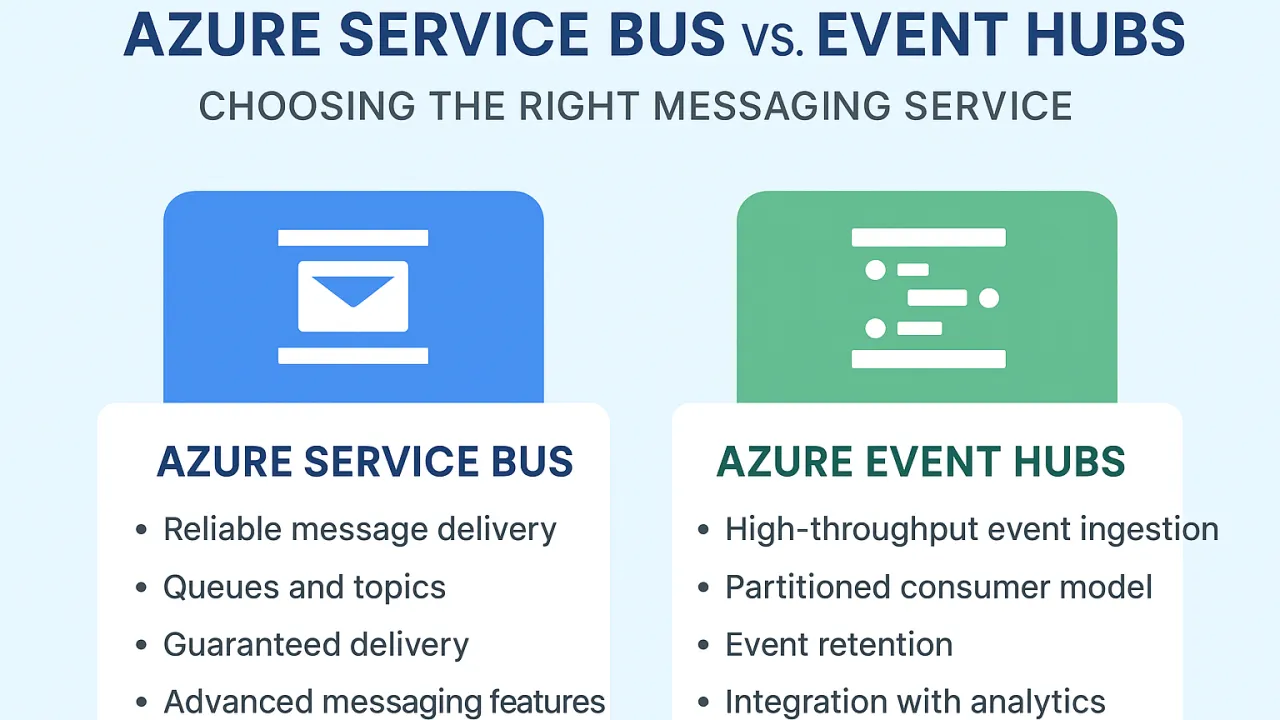
Azure Service Bus vs. Event Hubs: Choosing the Right Messaging Service

In today’s cloud-first world, applications increasingly rely on messaging and event-driven architectures to ensure scalability, resilience, and real-time insights. Microsoft Azure offers multiple messaging services, with Azure Service Bus and Azure Event Hubs being two of the most widely used—but they serve very different purposes. Understanding their distinctions is critical to designing an efficient and reliable system.

Understanding Azure Service Bus

Azure Service Bus is a fully managed enterprise messaging platform designed for reliable message delivery between decoupled applications and services. Its key features include:

  • Queues and Topics: Service Bus supports point-to-point messaging using queues and publish-subscribe patterns using topics and subscriptions.
  • Guaranteed Delivery: It ensures once-and-only-once or at-least-once delivery with built-in message ordering and dead-lettering for failed messages.
  • Advanced Messaging Features: Includes scheduled messages, deferred messages, duplicate detection, and transaction support.
  • Integration: Ideal for microservices, order processing, and workflows where message reliability and ordering are critical.

Use Case Example: A financial application processing payment transactions needs guaranteed delivery, retries on failure, and the ability to process messages in order. Azure Service Bus fits perfectly here.

Understanding Azure Event Hubs

Azure Event Hubs is a big data streaming platform and event ingestion service designed to ingest millions of events per second from devices, applications, or sensors for real-time analytics. Its key capabilities include:

  • High Throughput: Event Hubs can handle massive event streams with low latency.
  • Partitioned Consumer Model: Events are written to partitions, allowing multiple consumers to process events concurrently.
  • Event Retention: Events can be retained for hours or days, enabling replay and analytics scenarios.
  • Integration with Analytics: Works seamlessly with Azure Stream Analytics, Databricks, and other big data services.

Use Case Example: A smart IoT deployment sending telemetry data from thousands of sensors every second requires high-speed ingestion for real-time processing and analytics. Azure Event Hubs is designed for this scale.

Choosing the Right Service

When deciding between the two services, consider your application requirements:

  • Need reliable, ordered, and transactional message delivery? Go for Azure Service Bus. It ensures messages are delivered and processed exactly as intended, supporting complex enterprise workflows.
  • Need to ingest massive volumes of events in real-time for analytics? Go for Azure Event Hubs. It’s optimized for high-speed event streaming and integration with analytics pipelines.
  • Combining both patterns? Many architectures use Event Hubs for high-volume ingestion and Service Bus for downstream processing, orchestration, and guaranteed delivery to business applications.

Conclusion

Choosing the right messaging service in Azure is less about “better” or “worse” and more about matching the service to your workload requirements. Azure Service Bus excels at reliable, ordered, transactional messaging, while Azure Event Hubs shines in high-throughput event streaming and real-time analytics.

Azure Cache for Redis: Boosting Performance in Your .NET Applications

In modern applications, performance is as important as functionality. Users expect instant responses, seamless interactions, and consistent availability. For .NET developers, one of the most effective ways to achieve this is by leveraging Azure Cache for Redis.

What is Azure Cache for Redis?

Azure Cache for Redis is a fully managed, in-memory caching service built on the popular open-source Redis platform. It helps developers build highly responsive applications by storing frequently accessed data in memory, drastically reducing the time taken to fetch information.

Key Benefits for .NET Applications

🔹 In-Memory Data Caching Store frequently accessed data (e.g., product catalog, user profiles) in memory to reduce repeated database calls. This results in faster response times and a reduced load on backend databases.

🔹 Session Management For web applications, Redis provides a scalable solution for managing user sessions. Instead of relying on local servers, sessions are stored centrally, ensuring a consistent experience across multiple instances.

🔹 Real-Time Leaderboards For gaming or analytics applications, Redis makes it easy to track live leaderboards, counters, or rankings with high-speed read/write operations.

🔹 Message Brokering With Redis’ pub/sub capabilities, applications can handle real-time messaging, notifications, or event-driven communication between services efficiently.

How .NET Developers Benefit

With robust SDK support, Azure Cache for Redis integrates seamlessly into .NET applications. Developers can:

  • Reduce latency and deliver snappy user experiences.
  • Improve scalability by offloading repetitive database queries.
  • Use async/await patterns for non-blocking operations.
  • Build advanced features like distributed caching, pub/sub, and real-time analytics without reinventing the wheel.

Enhancing User Experience

By implementing Redis as a caching layer, .NET applications gain:

  • Improved Speed: Sub-millisecond response times.
  • Higher Availability: Built-in redundancy and clustering.
  • Cost Efficiency: Reduced dependency on expensive database operations.

Final Thoughts

For .NET developers aiming to build faster, scalable, and more reliable applications, Azure Cache for Redis is a game-changer. From caching and session management to leaderboards and real-time messaging, it provides the tools needed to deliver high-performance experiences that users expect.

Azure Cosmos DB for .NET Developers: Building Globally Distributed Applications

In today’s digital-first world, users expect applications to be always available, lightning fast, and globally consistent. For .NET developers, delivering such experiences requires more than just a traditional database—it calls for a platform designed for scale, low latency, and resilience. This is where Azure Cosmos DB shines.

What is Azure Cosmos DB?

Azure Cosmos DB is Microsoft’s fully managed, globally distributed NoSQL database service, designed to meet modern application demands. It offers:

  • Multi-Model Support: Work with your preferred data model—document, key-value, graph, or column-family.
  • Multiple APIs: Choose from SQL API, MongoDB API, Cassandra API, Gremlin API, or Table API.
  • Global Distribution: Replicate data across regions with just a few clicks.
  • Five Consistency Models: Balance performance and accuracy with tunable consistency levels.

Why .NET Developers Should Care

With its rich SDK support, Cosmos DB integrates seamlessly into .NET applications, making it easier to:

  • Scale elastically to handle spikes in traffic.
  • Ensure low latency for read/write operations—under 10ms at the 99th percentile.
  • Maintain high availability with automatic multi-region replication.
  • Accelerate development by using familiar .NET libraries and LINQ queries with the SQL API.

Leveraging Multi-Model APIs

  • SQL API: Best for JSON document workloads; integrates naturally with LINQ for .NET developers.
  • MongoDB API: Ideal if you’re migrating existing MongoDB apps to Azure without rewriting code.
  • Cassandra API: Perfect for applications already built on Cassandra that need global scale.

This flexibility means developers can choose the API that best matches their existing skills and workloads, without being locked into one model.

Global Distribution Made Simple

Cosmos DB’s global distribution feature ensures that your app is close to your users, no matter where they are. With automatic multi-region replication, .NET developers can:

  • Deploy applications that serve users worldwide with minimal latency.
  • Achieve 99.999% availability SLA for both reads and writes.
  • Rely on multi-master replication for high resilience and performance.

The .NET Advantage

Cosmos DB SDKs for .NET make integration effortless. Developers can:

  • Perform CRUD operations with familiar patterns.
  • Use async/await for scalable, non-blocking I/O.
  • Leverage built-in support for change feed to build event-driven applications.

Final Thoughts

For .NET developers building globally distributed, highly available, and low-latency applications, Azure Cosmos DB provides a future-ready platform. With multi-model APIs, seamless integration, and automatic replication, it allows teams to focus on innovation instead of infrastructure management.