Prilixor

Azure Functions vs. Azure Container Apps: Choosing the Right Compute Model

In modern cloud architecture, choosing the right compute model is a critical decision that directly impacts scalability, performance, and cost efficiency. Two popular Azure options—Azure Functions and Azure Container Apps—offer distinct benefits, but they’re designed for different workload patterns.

🚀 Azure Functions: The Serverless Advantage

Azure Functions follow a serverless, event-driven approach where compute resources are allocated automatically in response to triggers.

Key Strengths:

  • Event-driven scalability – Automatically scales based on demand.
  • Minimal infrastructure management – Focus on code, not servers.
  • Cost efficiency – Pay only for execution time.
  • Fast deployments – Quickly respond to changing requirements.

Best Use Cases:

  • Background processing (e.g., file conversions, data imports)
  • Scheduled tasks and cron jobs
  • Event-based systems (e.g., IoT data processing)
  • API endpoints for lightweight operations

Limitations:

  • Execution time limits (extended using Durable Functions)
  • Less suited for complex, stateful applications

Azure Container Apps: Flexibility with More Control

Azure Container Apps provide a containerized environment without the complexity of full Kubernetes management.

Key Strengths:

  • Runtime flexibility – Use any language, framework, or runtime.
  • Supports long-running processes – No execution time restrictions.
  • Polyglot and multi-service support – Run mixed workloads in a single environment.
  • Advanced networking – Control over ingress, egress, and service-to-service communication.

Best Use Cases:

  • Hosting APIs, gRPC services, or microservices
  • AI/ML model hosting and data processing
  • Stateful or long-running workloads
  • Complex orchestration across services

Limitations:

  • Slightly more management overhead than Functions
  • May require more configuration for scaling and monitoring

🏁 Choosing the Right Option

  • Azure Functions – Best for short-lived, event-driven, or highly scalable tasks with minimal infrastructure concerns.
  • Azure Container Apps – Best for workloads needing custom environments, longer runtimes, or more control over execution.

In many scenarios, both can be used together—Functions for lightweight triggers and Container Apps for the heavier lifting—creating a balanced, cost-effective architecture.
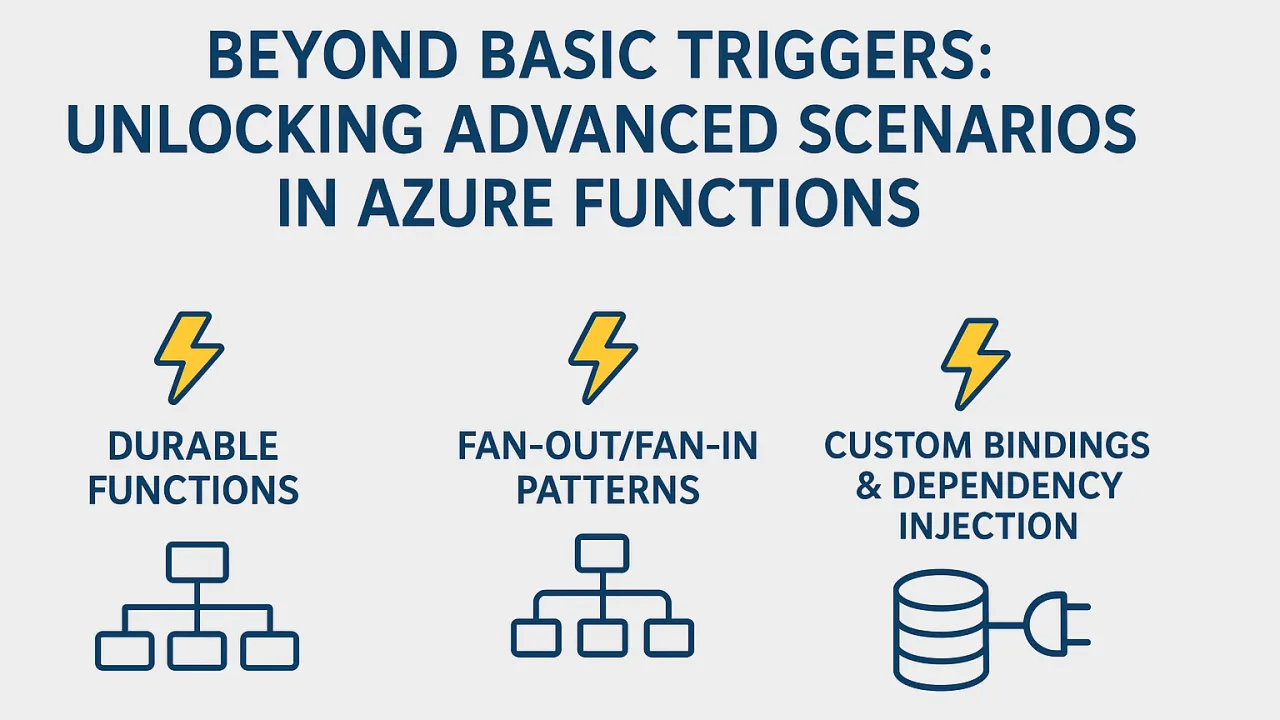
Beyond Basic Triggers: Unlocking Advanced Scenarios in Azure Functions

When many developers first encounter Azure Functions, the use cases seem simple: run some code when a blob is uploaded, a queue message arrives, or a scheduled job executes. These basic triggers are powerful in their own right, but Azure Functions have evolved far beyond simple event handling.

Modern cloud applications require complex orchestration, high-performance processing, intelligent integrations, and scalability—and Azure Functions now deliver all of this while retaining their serverless simplicity.

In this deep dive, we explore advanced patterns that push Azure Functions into enterprise-grade, production-ready architectures.

🚀 Advanced Scenarios in Azure Functions

1. Durable Functions – Stateful Orchestration at Scale

The Challenge: Traditional serverless functions are stateless and short-lived, which can make it hard to handle workflows that span minutes, hours, or even days.

The Solution: Durable Functions extend Azure Functions with orchestration capabilities that maintain state across multiple function executions.

Key Features:

  • Long-running workflows: Handle approval chains, multi-step batch jobs, or order processing pipelines without manual state management.
  • Checkpointing: Automatically save the state of an execution and resume later without re-processing previous steps.
  • Multiple patterns:

Example: A loan approval system that:

  1. Collects application data.
  2. Runs multiple checks in parallel (credit score, fraud detection, document validation).
  3. Waits for manual review if flagged.
  4. Proceeds to approval or rejection.

2. Fan-out/Fan-in Patterns – Massive Parallelism for Data Processing

The Challenge: Processing large datasets or high-volume tasks sequentially can be too slow.

The Solution: The Fan-out/Fan-in pattern allows you to:

  • Break large workloads into smaller, independent tasks.
  • Process them in parallel across multiple function instances.
  • Aggregate results when all tasks complete.

Benefits:

  • Scalability: Azure automatically provisions additional compute resources.
  • Performance: Large-scale processing is significantly faster.
  • Cost efficiency: You only pay for compute while tasks are running.

Example: An image-processing pipeline that:

  1. Detects when a batch of product images is uploaded.
  2. Fans out to resize and watermark each image in parallel.
  3. Fans in to update a database with processed image URLs.

3. Custom Bindings & Dependency Injection – Extending Serverless Capabilities

The Challenge: Out-of-the-box triggers and bindings are powerful, but some scenarios require integration with custom services or APIs.

The Solution:

  • Custom Bindings: Create new input/output bindings for services that Azure doesn’t natively support.
  • Dependency Injection (DI): Use DI to share services across functions, keep code modular, and reduce duplication.

Advantages:

  • Clean separation of concerns.
  • Easy testing and maintenance.
  • Reusability across multiple functions and projects.

Example: A set of Azure Functions that integrate with a proprietary ERP system using a custom binding for data retrieval and DI for shared authentication services.

🏁 Beyond “Simple” Serverless

The perception that serverless functions are only for quick, stateless scripts is outdated. With advanced features, Azure Functions can:

  • Orchestrate complex business workflows with durable state.
  • Process massive workloads using distributed, parallel execution.
  • Integrate with virtually any system through custom bindings and DI.
  • Run intelligent pipelines by incorporating AI/ML models into processing stages.
  • Connect to IoT ecosystems for real-time data ingestion and analytics.

📌 Final Thoughts

Azure Functions have grown from simple event handlers into a full-fledged application platform for cloud-native development. By leveraging advanced scenarios like Durable Functions, Fan-out/Fan-in patterns, and Custom Bindings, development teams can build intelligent, scalable, and maintainable solutions—all while enjoying the agility and cost-efficiency of serverless computing.

Serverless today isn’t just about “less ops”—it’s about more possibilities.

The Future of Blazor: WebAssembly vs. Server – What to Choose in .NET 8?

Blazor has transformed full-stack .NET development by enabling developers to write C# directly in the browser. This eliminates the long-standing division between backend C# development and frontend JavaScript frameworks, bringing a unified development experience.

For many teams, this shift means:

  • Shorter development cycles due to shared code and models between client and server.
  • Simplified architecture with less need for JavaScript-heavy stacks.
  • Tighter integration with existing .NET tools, libraries, and security models.

However, one of the biggest architectural decisions when starting with Blazor is choosing between Blazor Server and Blazor WebAssembly. With the release of .NET 8, a third option—Blazor United—changes the decision-making process entirely.

🚀 Blazor Server – Speed and Control

How It Works: With Blazor Server, the UI rendering happens on the server. The browser sends user events (like clicks or form submissions) to the server using a real-time connection (SignalR). The server then updates the UI and sends back the changes.

Advantages:

  • Faster initial load times – The browser receives only a small HTML page at first, without downloading the .NET runtime or application code.
  • Small client footprint – Ideal for low-powered devices or environments where bandwidth is limited.
  • Centralized processing – All business logic and rendering remain on the server, making updates and patches easier.
  • Consistent data security – Sensitive operations stay on the server, reducing exposure.

Limitations:

  • Requires constant connectivity – Any network disruption can cause the UI to freeze or disconnect.
  • Server load – All processing happens server-side, which can increase hosting costs if the user base grows.

Best For:

  • Intranet and enterprise apps where latency is predictable.
  • Administrative dashboards and control panels.
  • Applications with sensitive data that must never leave the server.

🚀 Blazor WebAssembly – Independence in the Browser

How It Works: Blazor WebAssembly (WASM) runs entirely in the user’s browser. The application and .NET runtime are downloaded once and execute client-side without needing continuous server interaction.

Advantages:

  • Client-side execution – The app can run even without internet access after the initial load.
  • Offline support – Ideal for Progressive Web Apps (PWAs).
  • Scalable hosting – Since it’s just static files, you can deploy to a CDN for massive scalability.
  • Reduced server load – Most computation is handled in the browser.

Limitations:

  • Larger initial load – The runtime and app must be downloaded before the app runs.
  • Slower first use on poor networks – Though repeat visits benefit from caching.
  • Browser limitations – Performance is bounded by what the browser and client device can handle.

Best For:

  • Public-facing SPAs and PWAs.
  • Applications that must work offline.
  • Scenarios where client-side autonomy is critical.

🏁 What’s New in .NET 8 – Blazor United

.NET 8 introduces Blazor United, a hybrid model that combines the strengths of both Server and WebAssembly approaches. Developers can now use different rendering modes within the same application:

  • Server rendering for fast initial load – The first interaction is quick, even on slow networks.
  • Seamless switch to WebAssembly – After loading, parts of the application can move client-side for offline capabilities and responsiveness.
  • Mixed rendering modes – Different components can use different strategies based on needs.

Why It’s a Game-Changer: Previously, choosing between Server and WebAssembly meant committing to one approach for the entire application. With Blazor United, you can optimize each section individually—leveraging server rendering where speed matters and client-side execution where autonomy or offline support is needed.

📌 Key Decision Factors

When choosing your rendering strategy, consider:

  • Hosting environment – Do you have powerful servers and reliable networks? Or do you prefer CDN-based distribution?
  • User location and latency – Global audiences may benefit more from client-side execution.
  • Offline requirements – If offline functionality is critical, WebAssembly (or hybrid) is essential.
  • Security and compliance – Highly sensitive operations might need to stay server-side.
  • Scalability – Server rendering consumes more hosting resources, while WebAssembly shifts load to the client.

Asynchronous Programming in .NET: Mastering async/await for Truly Responsive Applications

In today’s fast-paced digital world, application responsiveness has become the make-or-break factor for user experience. Whether it’s a high-traffic web API, a feature-rich desktop application, or a mission-critical background service, the way your application handles waiting—be it for database calls, file I/O, or remote APIs—directly impacts performance, scalability, and customer satisfaction.

When a user clicks a button, they expect the application to respond instantly. When a system processes thousands of requests, it needs to serve them efficiently without exhausting server resources. This is where asynchronous programming shines, and in the .NET ecosystem, async/await has revolutionized the way we handle these challenges.

At Prilixor, asynchronous programming is not an afterthought—it’s our default development approach. We’ve seen first-hand how it transforms software from being just “functional” to being high-performance, resource-efficient, and scalable.

🚀 Key Concepts of async/await in .NET

1. True Non-blocking Code – Maximizing Efficiency

In traditional synchronous programming, every I/O-bound operation blocks the executing thread until it completes. That means if a database query takes 200ms, your CPU sits idle for 200ms doing nothing useful. With async and await, .NET allows those operations to run without holding onto the thread, freeing it up to handle other requests.

For example:

  • Before async: 100 requests → 100 threads required → high CPU/memory usage.
  • After async: 100 requests → only 20–30 threads needed → massive efficiency gains.

This non-blocking nature becomes critical when scaling cloud-based services or handling unpredictable traffic spikes.

2. Avoiding Deadlocks – The Subtle Trap

A poorly implemented async method can introduce deadlocks—situations where the application waits forever, locking up UI threads or request pipelines. Two golden rules we follow at Prilixor:

  • Use ConfigureAwait(false) when you don’t need to return to the original synchronization context (especially in library code or background services).
  • Keep the async “all the way up” approach—avoid mixing synchronous and asynchronous calls unnecessarily.

This proactive strategy has helped us eliminate entire classes of bugs before they ever reach production.

3. Parallelism with Task.WhenAll – Doing More in Less Time

Task.WhenAll is one of the most powerful tools in the async toolkit. Instead of waiting for each task to complete sequentially, we launch multiple operations at once and wait for all of them together. Example scenario:

  • Fetching user profile, account settings, and analytics from three different APIs.
  • Without parallelism: 300ms + 200ms + 400ms = 900ms total.
  • With Task.WhenAll: The longest task (400ms) determines the wait → 400ms total.

In a high-performance environment, this difference is massive—saving hundreds of milliseconds per request can translate to hours of processing time saved daily.

4. Scalability First – The Async Advantage

Async APIs are inherently more scalable than synchronous ones.

  • Synchronous: Each request locks a thread until completion → hardware scaling required.
  • Asynchronous: Threads are freed up → same hardware can handle more concurrent requests.

For microservices, web APIs, and cloud-native architectures, async programming means you can scale horizontally and vertically with far fewer resources. This directly translates into lower infrastructure costs and better uptime.

5. The Business Impact – Beyond Just Code

The benefits of async/await aren’t limited to technical performance—they also have a real financial and strategic impact:

  • Lower server costs through efficient thread usage.
  • Better customer retention thanks to smoother, faster user experiences.
  • Future-proof architecture ready to handle growth without constant rewrites.
  • Improved developer productivity by writing asynchronous code in a clean, readable style.

🏁 Why It Matters More Than Ever

In modern software ecosystems:

  • Thread exhaustion can bring systems to their knees under high load.
  • Slow APIs frustrate users and kill engagement.
  • Inefficient scaling drives up infrastructure costs unnecessarily.

When implemented correctly, async/await solves all of these problems. It enables: ✅ Reduced CPU loadFaster response timesGreater throughputSmoother UX under load

Me as .NET specialists have mastered async/await patterns not just for performance, but for reliability—ensuring that your application remains fast, stable, and scalable no matter how much demand it faces.

Microservices with .NET: Best Practices for Building Resilient Distributed Systems

Microservices have moved beyond buzzword status. They are now a foundational strategy for enterprises building software that needs to scale, evolve quickly, and remain resilient in the face of constant change. At the core of this shift is the ability to decouple functionality, deploy independently, and iterate faster—all while maintaining high performance and reliability.

With the release of .NET 8, Microsoft has equipped developers and architects with a mature, high-performance platform that is exceptionally well-suited for building and operating microservices. From minimal APIs to container-native capabilities and built-in resilience tools, .NET 8 is helping development teams rethink how distributed systems should be built.

At Prilixor, we partner with organizations to modernize legacy applications, break down monoliths, and create microservice-based platforms that deliver results. Based on our hands-on experience, here are the core best practices every team should follow when building microservices with .NET:

1. Choose the Right Communication Protocols Microservices need efficient communication between services. gRPC is the go-to option for high-performance, low-latency internal communication, especially when performance matters. It supports strong typing and contract-first development. For services that interact with external clients, HTTP/REST remains ideal due to its wide adoption and ease of integration.

2. Design for Failure, Not Perfection In a distributed environment, failures are inevitable. Instead of trying to avoid them, design systems to handle them gracefully. Utilize retry policies, circuit breakers, and fallback mechanisms to improve resilience. Libraries like Polly are deeply integrated into .NET and make it simple to implement robust fault-handling strategies.

3. Maintain Data Ownership per Microservice Each microservice should manage its own data store. This approach enforces loose coupling and ensures autonomy. Avoid shared databases. To maintain data consistency across services, embrace event-driven patterns, domain events, or event sourcing, especially when business workflows span across services.

4. Build Lightweight and Fast APIs .NET 8 introduces Minimal APIs, which drastically reduce boilerplate and startup overhead. They are ideal for microservices that need to expose clean, lightweight endpoints without the complexity of a full MVC setup. The result is better performance and faster development cycles.

5. Embrace Containerization and Orchestration Early Microservices thrive in containerized environments. Use Docker to package services and Kubernetes for orchestration and scalability. .NET 8 provides out-of-the-box support for containers and integrates natively with cloud platforms like Azure Kubernetes Service (AKS) and Azure Container Apps.

6. Make Observability a First-Class Citizen Without visibility, managing microservices at scale becomes guesswork. Implement structured logging, distributed tracing, and real-time metrics from the very beginning. .NET 8 integrates smoothly with OpenTelemetry, Prometheus, and cloud-native tools like Azure Monitor and Application Insights, making end-to-end observability achievable.

Why .NET 8 is a Game-Changer for Microservices

.NET 8 isn’t just an upgrade—it’s a shift in how modern .NET applications are built and scaled. Key benefits include:

  • Native AOT (Ahead-of-Time Compilation) for lightning-fast cold starts and minimal runtime overhead
  • Support for gRPC, Minimal APIs, SignalR, and background services in one consistent platform
  • Superior performance benchmarks across various tech stacks (especially CPU-bound workloads)
  • First-class container support that simplifies CI/CD pipelines and DevOps automation
  • Cross-platform compatibility for Windows, Linux, and macOS deployments

Whether you're starting fresh or looking to decompose a monolithic system into independent services, .NET 8 provides the tools and performance you need to succeed.

I’ve helped enterprises:

  • Transition legacy platforms to distributed cloud-native systems
  • Define microservice boundaries based on domain-driven design
  • Build CI/CD pipelines for independent service deployment
  • Enable DevOps workflows with GitHub Actions, Azure DevOps, and Kubernetes
  • Maintain resilience and performance at scale

If you're thinking of moving to microservices or modernizing your current architecture, don’t go it alone. Let’s build a distributed system that’s resilient, cloud-ready, and built for the future.

.NET vs. Node.js: A Performance Showdown for Web APIs 🚀

When it comes to building web APIs that are fast, scalable, and maintainable, the backend framework you choose matters—a lot. Two of the most widely used technologies in the backend world today are .NET (ASP.NET Core) and Node.js. While both have earned their place in modern software stacks, they approach performance, scalability, and developer productivity in fundamentally different ways.

At Prilixor, we actively work with both ecosystems and help clients choose the right technology based on application requirements—not developer bias or industry trends. Here's a deep dive into how they stack up, particularly around performance, developer experience, and use-case fit.

Performance Benchmarks: The Metrics That Matter

1. Throughput & Latency

  • .NET 8, especially when paired with Kestrel, consistently ranks among the top performers in TechEmpower benchmarks for raw throughput and latency.
  • Node.js, thanks to its event-driven, non-blocking architecture, performs well under moderate concurrency but begins to degrade with CPU-bound workloads or intensive computation.

2. CPU Efficiency

  • .NET 8 introduces Native AOT (Ahead-of-Time compilation) and advanced JIT (Just-in-Time) optimization, giving it a major edge in execution speed and CPU efficiency.
  • Node.js runs on the V8 JavaScript engine, which is optimized for asynchronous IO but doesn't excel in scenarios that demand multithreading or intense CPU use.

3. Startup Time & Cold Starts

  • Node.js has a reputation for quick startups, which is advantageous in serverless or microservice environments.
  • However, .NET 8’s Native AOT is rapidly closing that gap, offering blazing-fast cold starts, especially in containerized microservice deployments.

💻 Developer Experience: Productivity Meets Ecosystem

.NET 8

  • Offers an enterprise-grade development experience with tools like Visual Studio, JetBrains Rider, and deep integrations into Azure.
  • Strongly typed, object-oriented C# language reduces runtime bugs and enhances maintainability.
  • Built-in support for modern features: Minimal APIs, gRPC, SignalR, Entity Framework Core, and more.

Node.js

  • Naturally asynchronous and lightweight, making it ideal for real-time, event-driven apps.
  • Enormous npm ecosystem enables rapid prototyping and access to thousands of open-source packages.
  • Perfect fit for full-stack JavaScript teams working on both front-end and back-end with a unified language.

📊 Use-Case Fit: Choosing the Right Tool

Use CaseGo with .NET 8 ✅Go with Node.js ✅High-performance APIs✔️ Yes❌ Not IdealCPU-intensive processing✔️ Ideal❌ May struggleReal-time chat/gaming apps⚠️ Possible, not native✔️ Designed for itFull-stack JS development❌ Prefer separate stack✔️ Seamless integrationEnterprise-scale applications✔️ Preferred by enterprise⚠️ Feasible, but complex

🏁 Final Verdict: There’s No One-Size-Fits-All

While .NET 8 is undeniably a powerhouse for high-throughput, CPU-bound, and enterprise-grade APIs, Node.js continues to shine in lightweight, real-time, and JavaScript-heavy applications. The best choice always depends on the architecture goals, team expertise, and performance priorities of your application.

📩 Need Help Deciding or Migrating?

At Prilixor, we specialize in helping startups and enterprises:

  • Conduct performance audits
  • Design future-proof API architectures
  • Execute migration strategies from Node.js to .NET or vice versa
  • Maximize cloud efficiency and scalability

Stop choosing frameworks based on assumptions. Choose based on data.

C# 12 Features You Can’t Ignore: Boosting Productivity and Performance

As software complexity continues to rise and businesses demand faster delivery cycles, the need for clean, efficient, and maintainable code becomes paramount. That’s where C# 12, the latest evolution in the .NET ecosystem, steps in as a true game-changer.

At Prilixor, we’re already leveraging C# 12 to build high-performance applications with less code and more clarity. This release is not just about modern syntax—it’s about empowering developers to write better code, reduce bugs, and streamline development processes without sacrificing power or flexibility.

Whether you're building APIs, microservices, enterprise solutions, or cross-platform apps, C# 12 introduces a number of features that can immediately boost your team's productivity and application performance.

What’s New in C# 12?

  1. Primary Constructors for Any Class C# 12 now allows primary constructors to be used in any class or struct—not just records. This means you can define constructor parameters directly in the class definition, making your data models and services cleaner, especially when working with dependency injection. • No more repetitive boilerplate • Parameters become part of the class signature • Easier integration with DI containers and testing frameworks
  2. Collection Expressions This feature simplifies the way developers initialize collections like arrays, lists, or dictionaries. C# 12 introduces a cleaner and more readable syntax using collection expressions, inspired by other modern programming languages. • Faster prototyping • Useful for test data, mock services, configuration • Increases readability
  3. Alias Any Type Type aliasing is now more powerful and flexible in C# 12. You can assign an alias to any type—not just primitive or simple types. • Makes code more domain-specific • Enhances maintainability across large codebases • Reduces clutter when using complex generics
  4. Intercepts (Preview Feature) One of the most exciting experimental additions is Intercepts. This feature enables developers to inject logic at compile-time, rather than relying on runtime mechanisms like reflection or aspect-oriented programming. • Ideal for logging, telemetry, metrics, security checks • Keeps business logic clean and focused • Reduces dependency on middleware or cross-cutting concerns

Why C# 12 is a Game-Changer

These features aren’t just "nice-to-haves." They’re part of a broader movement in .NET 8 toward building smarter, faster, and more developer-friendly tools. C# 12 focuses on: • Reducing code complexity • Minimizing runtime errors • Improving performance and clarity • Accelerating onboarding for new developers

With modern syntax and powerful abstractions, your teams can write code that's not only functional—but elegant and future-proof.

The Results We’re Seeing at Prilixor

At Prilixor, our engineering teams have already adopted C# 12 features across several .NET 8-based solutions. The results? • Codebase reductions of up to 20% in repetitive patterns • Fewer bugs caught during QA due to better readability • Improved development speed in iterative environments • Easier onboarding for junior developers

By embracing the future of C# early, we’re helping our clients deliver robust, scalable applications with greater speed and confidence.

Ready to Upgrade?

If you’re wondering how your team can start taking advantage of C# 12 and modern .NET practices, now is the time to act. Whether you're planning a migration or building from scratch, Prilixor can help you modernize your stack with clarity and performance in mind.

Migrating from .NET Framework to .NET 8: A Strategic Roadmap for Modernization

In today’s fast-paced digital economy, innovation is no longer a luxury—it’s a necessity. Yet many organizations still rely on legacy systems built on the traditional .NET Framework, limiting their agility, scalability, and ability to compete. At Prilixor, we empower enterprises to break free from these limitations by transitioning to the future-ready .NET 8 platform.

This isn’t just a routine version upgrade. Migrating to .NET 8 is a transformation—a rethinking of how your application is built, deployed, and scaled. Whether you’re modernizing a tightly coupled monolithic system or preparing for a cloud-first future, a strategic migration roadmap is essential to maximize long-term value.

🚀 Why Migrate to .NET 8?

1. Cross-Platform Freedom .NET 8 is a unified platform that works seamlessly across Windows, Linux, and macOS. This enables developers to leverage containerization (Docker/Kubernetes), CI/CD pipelines, and DevOps automation without being locked into a single operating system. It’s a foundational step toward true cloud-native development.

2. Modern Performance Gains With features like Native AOT (Ahead-of-Time compilation), JIT enhancements, and runtime improvements, .NET 8 drastically boosts app performance. You’ll see faster startup times, reduced memory usage, and lower infrastructure costs—especially in high-scale and serverless environments.

3. Access to Modern Libraries & Tooling .NET 8 unlocks a vast ecosystem of tools and libraries designed for today’s development needs. Build interactive front-ends with Blazor, use gRPC for high-performance communication, or streamline APIs with Minimal APIs. Plus, you get native support for Azure, Entity Framework Core, and OpenTelemetry—perfect for observability in distributed systems.

🏗️ Key Migration Strategies

A successful migration doesn’t happen overnight. It requires careful planning and execution. At Prilixor, we follow a phased, tool-assisted approach:

  • Assessment First: Begin with a comprehensive audit of your codebase using tools like the .NET Upgrade Assistant. Identify outdated APIs, architecture bottlenecks, and third-party library dependencies.
  • Compatibility Shims: During transitional phases, use compatibility layers to bridge missing APIs or components that don’t yet exist in .NET 8.
  • Modularization Matters: Break your application into manageable services or modules. This not only simplifies migration but also enables adoption of microservices, API-first architecture, and future flexibility.

⚠️ Common Migration Challenges

Migration is rewarding, but not without hurdles:

  • Third-party Library Gaps: Some older NuGet packages may lack .NET 8 support, requiring replacements or rewrites.
  • UI Challenges: Converting legacy WebForms, WPF, or WinForms apps to a modern web-based or cross-platform UI can be complex.
  • Testing & Business Logic Validation: Ensure comprehensive testing and QA cycles to avoid regression issues during the transition.

We mitigate these risks with automated testing, cloud-readiness assessments, and phased rollout strategies to ensure zero downtime and maximum continuity.

🏁 Modernization = Strategic Advantage

Migrating to .NET 8 is not just about rewriting code—it’s about reimagining your application’s potential. With enhanced performance, cross-platform deployment, and full cloud readiness, your business gains the tools it needs to scale efficiently, innovate faster, and deliver better user experiences.

At Prilixor, our experts are helping companies across industries evolve their legacy .NET applications into resilient, future-proof platforms.

NET 8 – The New Benchmark for Performance

In a fast-paced digital world where performance is the difference between success and stagnation, Microsoft has delivered a game-changer — .NET 8. This release marks a transformative milestone in application development, setting a new standard for performance, scalability, and cloud-native readiness.

At Prilixor , we are already helping organizations unlock the full potential of .NET 8 to build faster, leaner, and more efficient applications.

🚀 What’s New in .NET 8?

1. Native AOT (Ahead-of-Time) Compilation .NET 8 introduces Native AOT, which compiles code into native binaries before runtime. The result?

  • Lightning-fast startup times
  • Lower memory usage
  • Ideal performance in serverless and containerized environments

For businesses that rely on high-speed cloud operations or edge computing, Native AOT isn’t just an improvement—it’s a strategic advantage.

2. JIT (Just-In-Time) Runtime Enhancements .NET 8 delivers significant improvements in the JIT compiler. This allows:

  • Reduced execution time
  • Lower latency
  • Better throughput across workloads

Combined with Native AOT, these enhancements make .NET 8 a true performance powerhouse.

3. Refined Minimal APIs Minimal APIs in .NET 8 have been further streamlined for low-overhead, boilerplate-free development. They’re ideal for:

  • Microservices
  • Lightweight REST APIs
  • Rapid prototyping

Developers can now deploy scalable, high-performance APIs with minimal code—translating directly to faster delivery and fewer bugs.

4. Improved Cloud-Native Capabilities .NET 8 embraces the future with:

  • Enhanced containerization support
  • Better distributed tracing and observability
  • Seamless integration with Azure Container Apps and Kubernetes

For teams building SaaS platforms, backend services, or scalable enterprise systems, .NET 8 aligns perfectly with modern DevOps and CI/CD practices.

5. Better Resource Efficiency The .NET 8 runtime has been tuned for smaller footprints and smarter memory management, reducing infrastructure costs while maintaining responsiveness under load.

🏁 Why .NET 8 Sets a New Benchmark

.NET 8 doesn’t just offer incremental improvements—it redefines what developers and businesses should expect from a modern application framework. With .NET 8, you can now:

  • Launch applications faster
  • Serve more users with less infrastructure
  • Reduce cloud spending
  • Deliver smoother end-user experiences

Whether you’re scaling a SaaS product, migrating legacy .NET systems, or building your next digital platform—.NET 8 provides the foundation to do it better and faster.